


TeraCopy for Windows 7 - Boost File Transfers with TeraCopy - Windows 7 Download


TeraCopy 3.17
Accelerate file transfers with this tool. Copy large files with ease.
Looking for more efficient file copying and transferring? TeraCopy by Code Sector is the answer. This Windows 7 software offers faster copying speed and the ability to pause and resume file transfers. Its intuitive interface and error recovery features make it an essential tool for anyone who wants to save time and hassle when moving files. Say goodbye to slow and interrupted transfers and download TeraCopy today.
TeraCopy 3.17 full details

| File Size: | 11.80 MB |
|---|---|
| License: | Demo |
| Price: | $29.95 |
| Released: | 2026-05-15 |
| Downloads: | Total: 6265 | This Month: 131 |
| Publisher: | Code Sector Inc. |
| Publisher URL: | https://codesector.com/teracopy |

Download TeraCopy 3.17
Save TeraCopy to My Stuff
Tweet
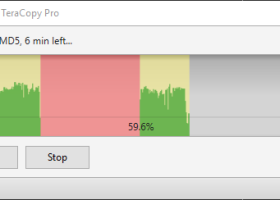
TeraCopy 3.17 full screenshots
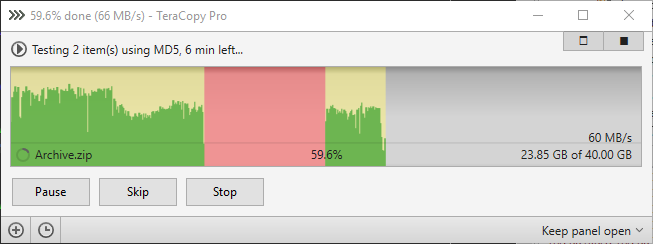
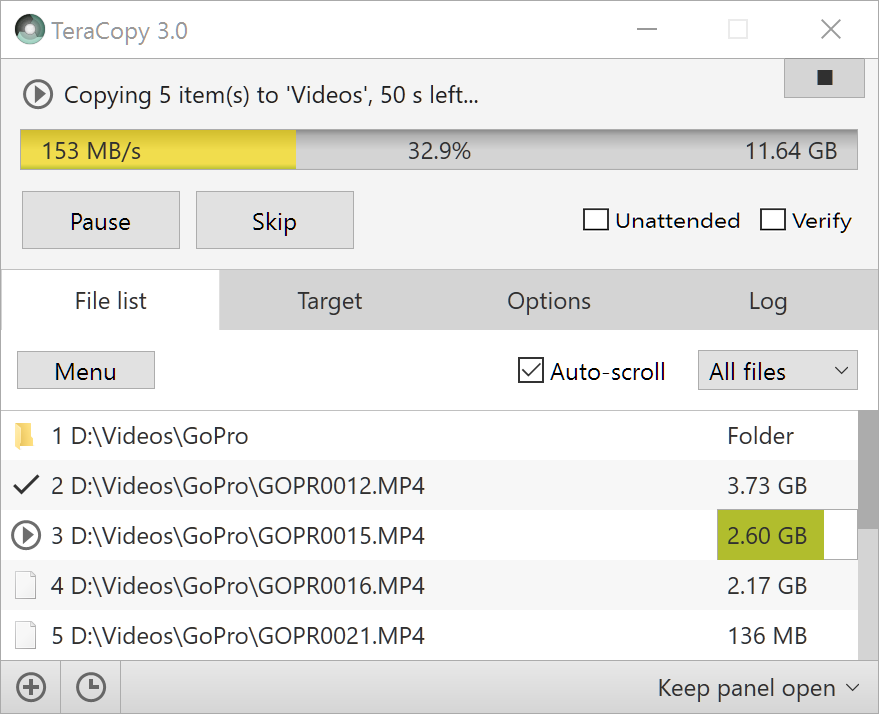
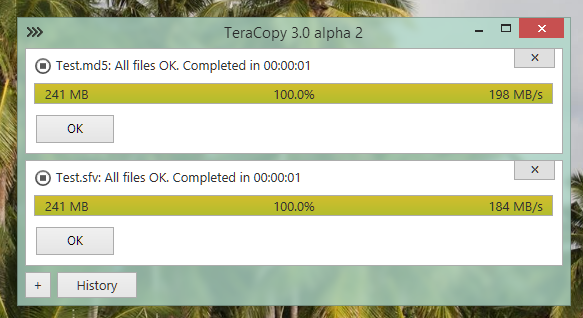


TeraCopy - Windows 7 Download awards


TeraCopy 3.17 full description
TeraCopy is free for non-commercial use only. For commercial use you need to buy a license.
One of the most common complaints about newer versions of Windows is the slow copying speed, especially when transferring lots of files over the network. If you want to speed up your copying or if you regularly transfer large amounts of data and have to stop the process to perform some other disk-intensive task, this program may be just what you need.
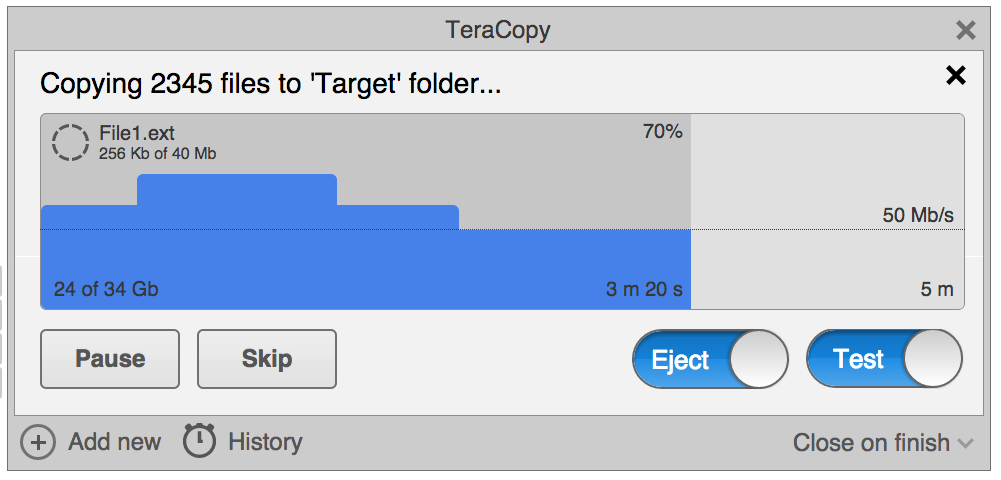
TeraCopy is designed to copy and move files at the maximum possible speed. It skips bad files during the copying process, and then displays them at the end of the transfer so that you can see which ones need attention. TeraCopy can automatically check the copied files for errors by calculating their CRC checksum values. It also provides a lot more information about the files being copied than its Windows counterpart. TeraCopy integrates with Windows Explorer's right-click menu and can be set as the default copy handler.
Copy files faster
TeraCopy uses dynamically adjusted buffers to reduce the seek times. Asynchronous copying speeds up the file transfer between two physical hard drives.
Pause and resume file transfer activities
Pause the copy process at any time in order to free up system resources and continue with a single click.
Error recovery
In case of a copy error, TeraCopy will try several times to recover and, in the worse case scenario, will simply skip the file, not terminating the entire transfer.
Interactive file list
TeraCopy shows the failed file transfers and lets you fix the problem and recopy only the problem files.
Shell integration
TeraCopy can completely replace the Explorer copy and move functions, in turn enabling you to work with files as usual.
Full Unicode support.
Windows 8 x64 support.
One of the most common complaints about newer versions of Windows is the slow copying speed, especially when transferring lots of files over the network. If you want to speed up your copying or if you regularly transfer large amounts of data and have to stop the process to perform some other disk-intensive task, this program may be just what you need.
TeraCopy is designed to copy and move files at the maximum possible speed. It skips bad files during the copying process, and then displays them at the end of the transfer so that you can see which ones need attention. TeraCopy can automatically check the copied files for errors by calculating their CRC checksum values. It also provides a lot more information about the files being copied than its Windows counterpart. TeraCopy integrates with Windows Explorer's right-click menu and can be set as the default copy handler.
Copy files faster
TeraCopy uses dynamically adjusted buffers to reduce the seek times. Asynchronous copying speeds up the file transfer between two physical hard drives.
Pause and resume file transfer activities
Pause the copy process at any time in order to free up system resources and continue with a single click.
Error recovery
In case of a copy error, TeraCopy will try several times to recover and, in the worse case scenario, will simply skip the file, not terminating the entire transfer.
Interactive file list
TeraCopy shows the failed file transfers and lets you fix the problem and recopy only the problem files.
Shell integration
TeraCopy can completely replace the Explorer copy and move functions, in turn enabling you to work with files as usual.
Full Unicode support.
Windows 8 x64 support.
TeraCopy 3.17 download tags
TeraCopy 3.17 Windows 7 release notes
New Release
– Clone & Rescan feature.
– Enhanced xxHash support for SSE2 processors.
– Upgraded reporting and checksum export features.
– Implemented network recovery wait function during testing and verification.
– Expanded maximum buffer capacity to 256 MB.
– Resolved minor bugs and improved user interface design.
[ TeraCopy release history ]
– Clone & Rescan feature.
– Enhanced xxHash support for SSE2 processors.
– Upgraded reporting and checksum export features.
– Implemented network recovery wait function during testing and verification.
– Expanded maximum buffer capacity to 256 MB.
– Resolved minor bugs and improved user interface design.
[ TeraCopy release history ]
Bookmark TeraCopy
TeraCopy for Windows 7 - Copyright information
All TeraCopy reviews, submitted ratings and written comments become the sole property of Windows 7 download. You acknowledge that you, not windows7download, are responsible for the contents of your submission. However, windows7download reserves the right to remove or refuse to post any submission for any reason.
Windows 7 Download periodically updates pricing and software information of TeraCopy full version from the publisher, but some information may be out-of-date. You should confirm all information.
Using warez version, crack, warez passwords, patches, serial numbers, registration codes, key generator, pirate key, keymaker or keygen for TeraCopy license key is illegal and prevent future development of TeraCopy. Download links are directly from our mirrors or publisher's website, TeraCopy torrent or shared files from free file sharing and free upload services, including Rapidshare, MegaUpload, YouSendIt, SendSpace, DepositFiles, DivShare, HellShare, HotFile, FileServe or MediaFire, are not used.
Windows 7 Download periodically updates pricing and software information of TeraCopy full version from the publisher, but some information may be out-of-date. You should confirm all information.
Using warez version, crack, warez passwords, patches, serial numbers, registration codes, key generator, pirate key, keymaker or keygen for TeraCopy license key is illegal and prevent future development of TeraCopy. Download links are directly from our mirrors or publisher's website, TeraCopy torrent or shared files from free file sharing and free upload services, including Rapidshare, MegaUpload, YouSendIt, SendSpace, DepositFiles, DivShare, HellShare, HotFile, FileServe or MediaFire, are not used.
Post TeraCopy review


Windows 7 TeraCopy related downloads
TeraCopy Portable, developed by Code Sector Inc., is an ... Windows file transfer system. With its intuitive interface, TeraCopy allows users to pause and resume transfers, ensuring ...
My Account
Help
Windows 7 Software Coupons
-
WinX DVD Ripper
50% Off -
MacX Media Management Bundle
70% Off -
WinX MediaTrans
63% Off -
WinX HD Video Converter
56% Off -
MacX DVD Ripper Pro
50% Off
My Saved Stuff
You have not saved any software.
Click "Save" next to each software.
Click "Save" next to each software.
Would you like to receive announcements of new versions of your software by email or by RSS reader? Register for FREE!
Windows 7 Downloads Picks
- Portable XYplorer 28.40.0400 x64
- xplorer² 5.1.0.1
- FRSFileList 1.7.0
- File Defragger 2.1
- Disk Savvy Pro x64 17.7.18
- Data Igloo standard 2.0
- SpeedCommander 22.20 Build 11900
- BestSync Portable 2010 x64 5.4.34
- Portable cdrtfe 1.5.9.1
- Sync Breeze Server x64 17.8.26
- file@home 4.1.4
- Portable WhereIsIt 2012 Build 522
- SuperCopier x64 2.2.6.6
- BestSync Portable x64 2024 (19.0.1.5)
- WinDirStat 2.9.2
- EMDB 5.41
- Extended File Details 1.0
- Drives Monitor 18.1
- Filmotech 3.11.2
- Disk Pulse Server 18.3.14
Popular Tags
hard
drive
data recovery
disk
file manager
folder
undelete
file
folders
directory
nsf to pst
tool
mp3
data
search
files
music
duplicate
remove
cleaner
delete
software
duplicate files
data recovery software
recovery
file recovery
erase
lotus notes to outlook
find
utility
Popular Windows 7 Software
- Network Monitor II 31.7
- Avro Keyboard 5.6.0.0
- Media Creation Tool x64 22H2
- Ghostscript (x64 bit) 10.03.1
- Windows 7
- iTop Data Recovery 6.4.0.959
- Windows 7 Service Pack 1 7601.17514.1011
- iTop Easy Desktop 4.5.0.349
- Advanced SystemCare 19.6.0.238
- Smart Game Booster 6.0.1.1231
- iTop PDF 3.6.0.4
- GoodSync2Go 12.11.9.9
- The Dude 7.24.5 Stable
- IObit Uninstaller 16.0.0.34
- Atlantis Word Processor 5.0.4
© 2026 Windows7Download.com - All logos, trademarks, art and other creative works are and remain copyright and property of their respective owners. Microsoft Windows is a registered trademarks of Microsoft Corporation. Microsoft Corporation in no way endorses or is affiliated with windows7download.com.