

NCandE Full for Windows 7 - "NCandE Full: Enhance Windows 7" - Windows 7 Download


NCandE Full 2.1.0.0
"Revolutionize your coding with NCandE Full - the ultimate Windows 7 software."
Looking for a powerful and reliable software for Windows 7? Look no further than NCandE Full, developed by the renowned rusark91. This impressive tool offers a range of features to optimize your performance, including advanced network scanning and discovery, customizable user interface, and comprehensive reporting capabilities. NCandE Full is an easy-to-use, intuitive software that is perfect for both novice and advanced users. With its cutting-edge technology, this software is a must-have for anyone looking to boost their productivity and stay ahead of the curve. Get your copy today and take your Windows 7 experience to the next level!
NCandE Full 2.1.0.0 full details

| File Size: | 6.20 MB |
|---|---|
| License: | Open Source |
| Price: | FREE |
| Released: | 2025-10-11 |
| Downloads: | Total: 427 | This Month: 6 |
| Publisher: | Martin Bresson |
| Publisher URL: | https://executor.dk/ |

Download NCandE Full 2.1.0.0
Save NCandE Full to My Stuff
Tweet

NCandE Full 2.1.0.0 full screenshots



NCandE Full - Windows 7 Download awards

NCandE Full 2.1.0.0 full description
Notepad++ Compiler and Executor (NCandE) grants the popular Notepad++ text editor the capability to compile and run Ada, Batch, C, C++, D, Java, Lua and Python code. The compile (Build) and run (Execute) functions are added under the Run command in Notepad ++.
The "Build" and "Execute" commands automatically detect which compiler is necessary for the file running the commands. Custom paths for compilers can also be easily implemented with the built in "Change Paths" tool.
Install NCandE easily by downloading the latest Full installer, which automatically installs all of the compilers, NCandE and Notepad++.
If you already have Notepad++, then use the Lite installer, which automatically integrates NCandE with an existing Notepad++ installation.
Features
Supports Ada, Batch, C, C++, D, Java, Lua and Python.
Change the default paths for compilers to custom paths.
Automatically detects programming language.
Very small footprint - less than 20 KB.
Updated frequently to increase language support.
Instructions are comprehensive and easy-to-follow.
Completely free - no ads, no spyware, and no additional installs.
NCandE Full 2.1.0.0 download tags
NCandE Full 2.1.0.0 Windows 7 release notes
New Release
What's New:
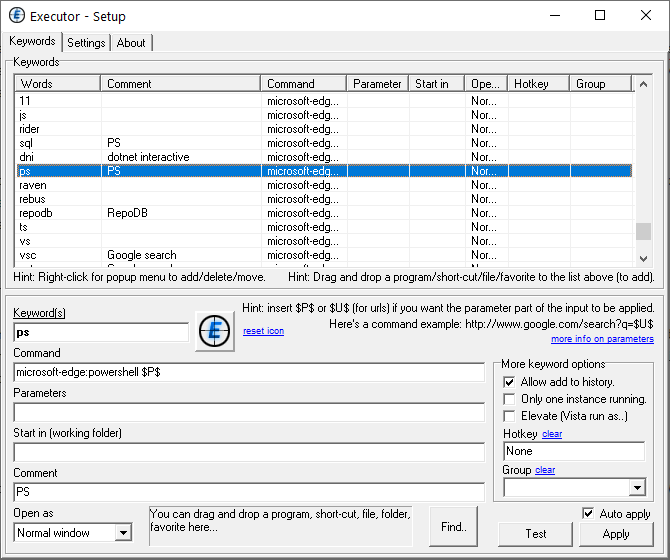
Added support for editing and sending longer input text and multiline text.
This allows you to edit longer input text, it supports multiple lines and sending multiple lines. Press F10 or press Ctrl+Enter to expand the input field, or select "Expand input area" from the context menu.
There's a new setting in Settings > Input, called "Auto-expand input when space runs out". This will auto-expand and move focus to the expanded input while typing, if running out of space in the input field.
History supports multiline input.
If something is multiline the title of the item will be prefixed with [=] to hint this. Both in the list and in the input.
If just selecting a history item that is multiline (left/right arrow in the list), this will automatically open the expanded input.
If pressing F10 on a list item, it will open expanded input, no matter if multiline or not.
In the expanded input Ctrl+Space=Execute, Ctrl+Shift=execute with admin rights, Ctrl+Alt=execute to internal browser, Esc=dismiss, F4=toggle. There is some help text in the window (when room for it).
if expanded input is empty, pressing backspace will also dismiss it.
Auto spell checking, auto-correct and suggestions can be enabled by pressing F7 in the expanded input, or the context menu of the expanded input (right-click). This is using Windows own system for this (requires Windows 8 or later). The spell checking will use the active locale (the language of keyword currently in use).
Load and save text from context menu, although items are also searchable in history, but maybe handy for someones workflow.
Zoom using Ctrl+Mouse Wheel or from context menu.
You can make a keyword with the command $EDIT$ that will open the expanded input. This keyword can also be assigned a global hotkey.
Font size is determined by input and list, but it's possible to change the size via hidden setting) expandfontsize.
There's a new setting in Settings > Input, to dim the main input field tex
[ NCandE Full release history ]
Bookmark NCandE Full
NCandE Full for Windows 7 - Copyright information
All NCandE Full reviews, submitted ratings and written comments become the sole property of Windows 7 download. You acknowledge that you, not windows7download, are responsible for the contents of your submission. However, windows7download reserves the right to remove or refuse to post any submission for any reason.
Windows 7 Download periodically updates pricing and software information of NCandE Full full version from the publisher, but some information may be out-of-date. You should confirm all information.
Using warez version, crack, warez passwords, patches, serial numbers, registration codes, key generator, pirate key, keymaker or keygen for NCandE Full license key is illegal and prevent future development of NCandE Full. Download links are directly from our mirrors or publisher's website, NCandE Full torrent or shared files from free file sharing and free upload services, including Rapidshare, MegaUpload, YouSendIt, SendSpace, DepositFiles, DivShare, HellShare, HotFile, FileServe or MediaFire, are not used.
Post NCandE Full review


Windows 7 NCandE Full related downloads
About Python Python is a remarkably powerful dynamic programming language that ... used in a wide variety of application domains. Python is often compared to Tcl, Perl, Ruby, Scheme ...
... you an exceptional tool designed for developers, the Java SE Development Kit (JDK). Developed with precision by ...
... 7 software empowers users to effortlessly transform plain text into cutting-edge applications. With its intuitive interface and ...
Dotnet IL Editor (DILE) allows disassembling and debugging .NET 1.0/1.1/2.0/3.0/3.5 applications without source code or ...
... ease? Look no further than The Glasgow Haskell Compiler, one of the most advanced programming languages out ...
My Account
Help
Windows 7 Software Coupons
-
MacX Media Management Bundle
70% Off -
MacX Video Converter Pro
56% Off -
WinX DVD Copy Pro
42% Off -
MacX DVD Ripper Pro
50% Off -
Media Player Morpher
85% Off
My Saved Stuff
You have not saved any software.
Click "Save" next to each software.
Click "Save" next to each software.
Would you like to receive announcements of new versions of your software by email or by RSS reader? Register for FREE!
Windows 7 Downloads Picks
- Simply Fortran 4.1 Build 4955
- Open Fortran Parser 0.8.3
- wxDEV-C++ 4.9.9.2
- WideStudio for Windows 3.98-7
- Agena 4.2.6
- Intel Visual Fortran Composer XE 2015.2.179
- Python 3.15.2
- Wing IDE Professional 10.0.4.0
- FreeBasic for Windows 1.10.1
- Code::Blocks for Windows 20.03 Build Apr 3 20
- Free Pascal 3.2.2
- Wing IDE Personal 10.0.4.0
- DIFileFinder 6.13.0
- Qt 6.11.0
- GNU Prolog for Windows (x64 bit) 1.5.0
- Jython 2.7.0 Alpha 2
- Code::Blocks forMac OS X 20.03 Build Apr 3 20
- PHP 8.5.12
- FreeBasic for Windows (x64 bit) 1.10.1
- Visual Prolog 9 B902
Popular Tags
environment
exe
coding language
java
programming language
create application
closure compiler free download
application development
compile
software
debug console
parser
basic language
basic
language
pascal
visual studio
ide
compiler
decompiler
efficient
free
javascript
development
debug
development ide
closure compiler
programming
user-friendly
develop
Popular Windows 7 Software
- QuickBuild 16.0.31
- Simply Fortran 4.1 Build 4955
- Microsoft Visual Studio Enterprise 2026 18.11.2
- InnoExtractor 2027 v12.2.0.187
- IronWebScraper - The C# Library 2026.11.1
- GdPicture.NET SDK 14.4.11.1
- PilotEdit Pro x64 21.7.0
- TeXstudio Portable 4.8.1
- Barcode for ASP.NET 5.0
- VB Decompiler Lite 26.5
- DeployMaster 7.8.0
- Google App Engine SDK 1.3.8
- Adobe AIR SDK for Linux 51.2.2.5
- Microsoft Visual Studio Community 2026 18.11.2
- Audio Capture Pro ActiveX Control 2.0
© 2026 Windows7Download.com - All logos, trademarks, art and other creative works are and remain copyright and property of their respective owners. Microsoft Windows is a registered trademarks of Microsoft Corporation. Microsoft Corporation in no way endorses or is affiliated with windows7download.com.