


Qt for Windows 7 - Advanced programming tool for Windows 7. - Windows 7 Download


Qt 6.11.0
Experience powerful cross-platform app development with Qt.
Looking for a powerful cross-platform development toolset? Look no further than Qt by Nokia! With intuitive APIs, drag-and-drop GUI design, and robust features for development in C++, object-oriented design is a breeze. Create top-notch applications for Windows 7, iOS, Android, and more. Download Qt now and take your development to the next level!
Qt 6.11.0 full details

| File Size: | 51.60 MB |
|---|---|
| License: | Trialware |
| Price: | $4110.00 |
| Released: |
2026-03-23
 |
| Downloads: | Total: 5143 | This Month: 381 |
| Publisher: | Digia Plc |
| Publisher URL: | https://www.qt.io/ide/ |

Download Qt 6.11.0
Save Qt to My Stuff
Tweet

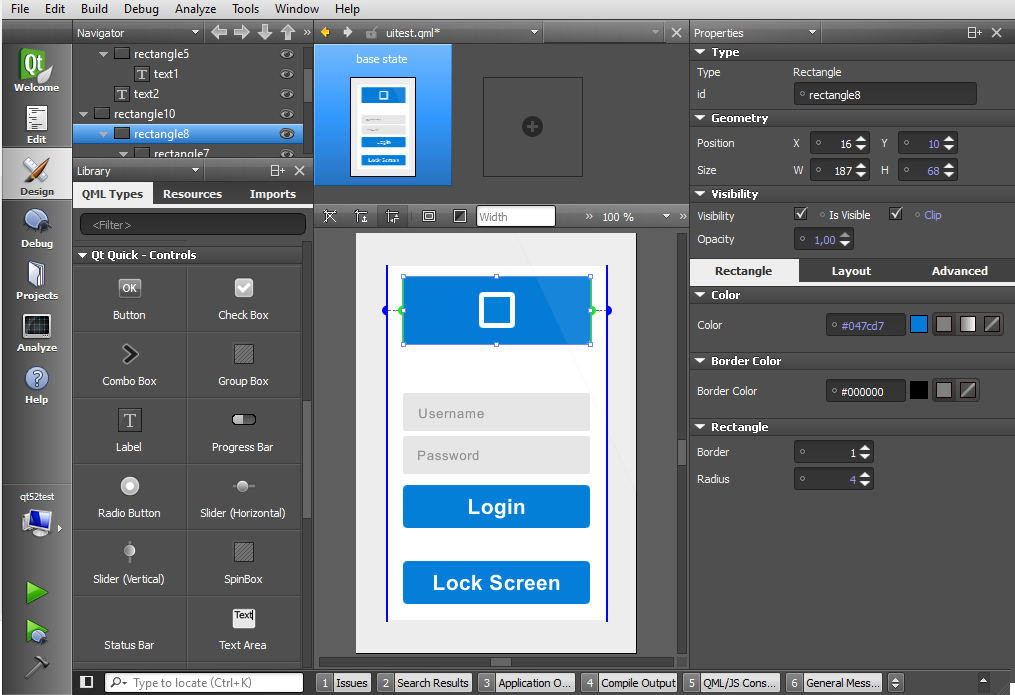
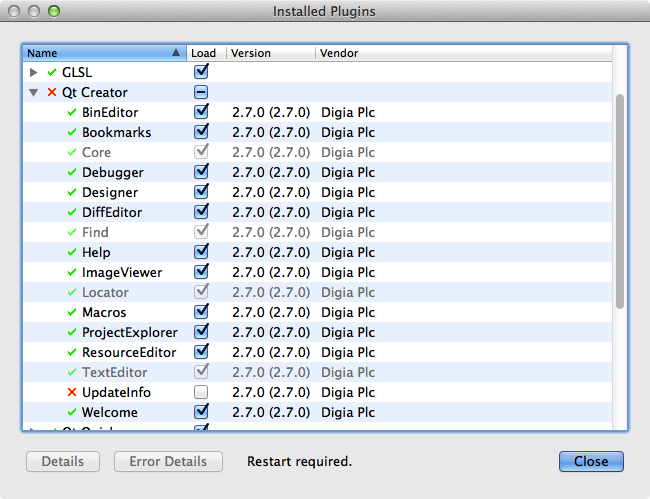
Qt 6.11.0 full screenshots



Qt - Windows 7 Download awards


Qt 6.11.0 full description
Qt is a cross-platform application and UI framework. Using Qt, you can write web-enabled applications once and deploy them across desktop, mobile and embedded operating systems without rewriting the source code.
Qt enables companies to build software applications that run across multiple desktop operating systems and embedded devices, without rewriting the source code. It includes an intuitive API and a rich C++ class library, integrated tools for GUI development and internationalization, and support for Java and C++ development.
For companies from a broad spectrum of industries, Qt shortens time-to-market and increases productivity by allowing them to leverage software investments made on one platform across many others.
With Qt any developer will be able to build software utilities faster and using different development platforms.
Qt enables companies to build software applications that run across multiple desktop operating systems and embedded devices, without rewriting the source code. It includes an intuitive API and a rich C++ class library, integrated tools for GUI development and internationalization, and support for Java and C++ development.
For companies from a broad spectrum of industries, Qt shortens time-to-market and increases productivity by allowing them to leverage software investments made on one platform across many others.
With Qt any developer will be able to build software utilities faster and using different development platforms.
Qt 6.11.0 download tags
Qt 6.11.0 Windows 7 release notes
New Release
Qt 6.11 adds the following modules:
Qt Canvas Painter - An accelerated 2D painting solution for Qt Quick and QRhi-based render targets.
Qt OpenAPI - An extension of the upstream Open API generator that generates Qt HTTP clients, typically used for RESTful APIs.
Qt TaskTree - Provides a declarative way to compose and execute asynchronous task workflows.
Qt Labs StyleKit - A dedicated styling API that streamlines styling Qt Quick Controls through a set of shared design attributes.
The new modules are in Technology Preview, excluding their API from Qt's compatibility promises. But we very much welcome feedback to further improve them! Be it via the Qt Support Center the Qt Bug Tracker, the Qt Forum, or the comments of the linked blog posts.
Qt Canvas Painter Module:
Qt Canvas Painter is an accelerated 2D painting solution for Qt Quick and QRhi-based render targets. See the also the Qt Canvas Painter blog series for an overview.
Qt OpenAPI Module:
Qt OpenAPI extends an Open API generator to generate Qt HTTP clients, typically used for RESTful APIs.
Qt TaskTree Module:
Qt TaskTree provides a declarative way to compose and execute asynchronous task workflows in C++. See the Introduction blog post series for an overview.
Qt Labs StyleKit Module:
Qt Labs StyleKit is a dedicated styling API that streamlines styling Qt Quick Controls through a set of shared design attributes.
New Features in Qt 6.11:
Qt CoAP Module:
QCoapClient::bindInterface allows to bind the communication to a specific network interface.
Qt Core Module:
QDate is now weakly incrementable, i.e. implements pre- and post-fix increment (and decrement) operators, and can be used in a C++20 std::views::iota.
QJniObject APIs can now be called with std::expected (or an equivalent type) as the return type, in which case Java exceptions are not consumed by the framework and instead passed back to the caller as the unexpected result.
QRangeModel::ItemAccess provides a customization point for accessing role data of a m
[ Qt release history ]
Qt 6.11 adds the following modules:
Qt Canvas Painter - An accelerated 2D painting solution for Qt Quick and QRhi-based render targets.
Qt OpenAPI - An extension of the upstream Open API generator that generates Qt HTTP clients, typically used for RESTful APIs.
Qt TaskTree - Provides a declarative way to compose and execute asynchronous task workflows.
Qt Labs StyleKit - A dedicated styling API that streamlines styling Qt Quick Controls through a set of shared design attributes.
The new modules are in Technology Preview, excluding their API from Qt's compatibility promises. But we very much welcome feedback to further improve them! Be it via the Qt Support Center the Qt Bug Tracker, the Qt Forum, or the comments of the linked blog posts.
Qt Canvas Painter Module:
Qt Canvas Painter is an accelerated 2D painting solution for Qt Quick and QRhi-based render targets. See the also the Qt Canvas Painter blog series for an overview.
Qt OpenAPI Module:
Qt OpenAPI extends an Open API generator to generate Qt HTTP clients, typically used for RESTful APIs.
Qt TaskTree Module:
Qt TaskTree provides a declarative way to compose and execute asynchronous task workflows in C++. See the Introduction blog post series for an overview.
Qt Labs StyleKit Module:
Qt Labs StyleKit is a dedicated styling API that streamlines styling Qt Quick Controls through a set of shared design attributes.
New Features in Qt 6.11:
Qt CoAP Module:
QCoapClient::bindInterface allows to bind the communication to a specific network interface.
Qt Core Module:
QDate is now weakly incrementable, i.e. implements pre- and post-fix increment (and decrement) operators, and can be used in a C++20 std::views::iota.
QJniObject APIs can now be called with std::expected (or an equivalent type) as the return type, in which case Java exceptions are not consumed by the framework and instead passed back to the caller as the unexpected result.
QRangeModel::ItemAccess provides a customization point for accessing role data of a m
[ Qt release history ]
Bookmark Qt
Qt for Windows 7 - Copyright information
All Qt reviews, submitted ratings and written comments become the sole property of Windows 7 download. You acknowledge that you, not windows7download, are responsible for the contents of your submission. However, windows7download reserves the right to remove or refuse to post any submission for any reason.
Windows 7 Download periodically updates pricing and software information of Qt full version from the publisher, but some information may be out-of-date. You should confirm all information.
Using warez version, crack, warez passwords, patches, serial numbers, registration codes, key generator, pirate key, keymaker or keygen for Qt license key is illegal and prevent future development of Qt. Download links are directly from our mirrors or publisher's website, Qt torrent or shared files from free file sharing and free upload services, including Rapidshare, MegaUpload, YouSendIt, SendSpace, DepositFiles, DivShare, HellShare, HotFile, FileServe or MediaFire, are not used.
Windows 7 Download periodically updates pricing and software information of Qt full version from the publisher, but some information may be out-of-date. You should confirm all information.
Using warez version, crack, warez passwords, patches, serial numbers, registration codes, key generator, pirate key, keymaker or keygen for Qt license key is illegal and prevent future development of Qt. Download links are directly from our mirrors or publisher's website, Qt torrent or shared files from free file sharing and free upload services, including Rapidshare, MegaUpload, YouSendIt, SendSpace, DepositFiles, DivShare, HellShare, HotFile, FileServe or MediaFire, are not used.
Post Qt review


Windows 7 Qt related downloads
KDevelop is a free, open source IDE (Integrated Development Environment) for MS Windows, Mac OS ...
Welcome to our Windows 7 software download platform, where we feature top-notch software solutions for your ...
My Account
Help
Windows 7 Software Coupons
-
WinX DVD Copy Pro
42% Off -
WinX DVD Ripper
50% Off -
MacX Media Management Bundle
70% Off -
MacX DVD Ripper Pro
50% Off -
WinX MediaTrans
63% Off
My Saved Stuff
You have not saved any software.
Click "Save" next to each software.
Click "Save" next to each software.
Would you like to receive announcements of new versions of your software by email or by RSS reader? Register for FREE!
Windows 7 Downloads Picks
- Simply Fortran 3.41 Build 4438
- PHP 8.5.6
- Code::Blocks for Windows 20.03 Build Apr 3 20
- Easy Code for MASM 1.07.0.0009
- Qt 6.11.0
- FreeBasic for Windows (x64 bit) 1.10.1
- Python 3.14.4
- Free Pascal 3.2.2
- FreeBasic for Windows 1.10.1
- Wing IDE Personal 10.0.4.0
- Easy Code for GoAsm 1.07.0.0009
- Open Fortran Parser 0.8.3
- Code::Blocks forMac OS X 20.03 Build Apr 3 20
- Wing IDE Professional 10.0.4.0
- PureBasic 6.30.0
- wxDEV-C++ 4.9.9.2
- DIFileFinder 6.13.0
- GNU Prolog for Windows (x64 bit) 1.5.0
- Visual Assist X 2024.3
- Intel Visual Fortran Composer XE 2015.2.179
Popular Tags
coding language
microsoft visual studio community free download
application development
language
ide
development
decompiler
basic language
microsoft visual studio community
debug
free
debug console
microsoft visual studio enterprise
compile
download microsoft visual studio professional
programming language
pascal
develop
visual studio
programming
compiler
download microsoft visual studio enterprise
microsoft visual studio professional free download
exe
create application
microsoft visual studio professional
java
download microsoft visual studio community
environment
basic
Popular Windows 7 Software
- Simply Fortran 3.41 Build 4438
- PHP 8.5.6
- dotConnect for MySQL Professional 10.1.35
- dotConnect for Oracle Professional Edition 11.1.33
- Miraplacid Text Driver SDK 8.0
- Turbo C++ 3.0
- dbForge Documenter for SQL Server 2025.3
- Windows Installer 4.5
- StyleControls 5.86
- Software Ideas Modeler Portable 15.31
- Free OCR C# 2022.8.7804
- Windows Post-Install 8.7.2
- Review Assistant 4.3.11
- Java SE Development Kit (JDK) 8 Update 221
- Code::Blocks for Windows 20.03 Build Apr 3 20
© 2026 Windows7Download.com - All logos, trademarks, art and other creative works are and remain copyright and property of their respective owners. Microsoft Windows is a registered trademarks of Microsoft Corporation. Microsoft Corporation in no way endorses or is affiliated with windows7download.com.