


Irfan View for Windows 7 - A compact viewer, editor and image converter - Windows 7 Download


Irfan View 4.57
View, edit, resize and convert images, or create slideshows and capture screenshots.
IrfanView is a compact Windows image viewer and editor for browsing photos, checking graphic files and making everyday changes. It supports animated GIFs and multipage TIFF files, with tools for cropping, resizing, rotating and adjusting images. Batch processing converts or resizes groups of files, while slideshow, screenshot and panorama features handle common viewing and capture tasks. It is freeware for personal use.
Irfan View 4.57 full details

| File Size: | 3.60 MB |
|---|---|
| License: | Freeware |
| Price: | FREE |
| Released: | 2021-01-13 |
| Downloads: | Total: 4366 | This Month: 5 |
| Publisher: | Irfan Skiljan |
| Publisher URL: | https://www.irfanview.com/ |

Download Irfan View 4.57
Save Irfan View to My Stuff
Tweet

Irfan View 4.57 full screenshots


Irfan View - Windows 7 Download awards



Irfan View 4.57 full description
IrfanView is a compact image viewer and editor for Windows, suited to people who need to browse photos, inspect graphic files and make everyday changes without using a full-featured design suite. It opens a wide range of image formats and also handles animated GIFs and multipage TIFF files, making it useful for both single pictures and documents containing several image pages. Its lightweight design helps keep routine viewing and conversion tasks straightforward on a desktop PC.
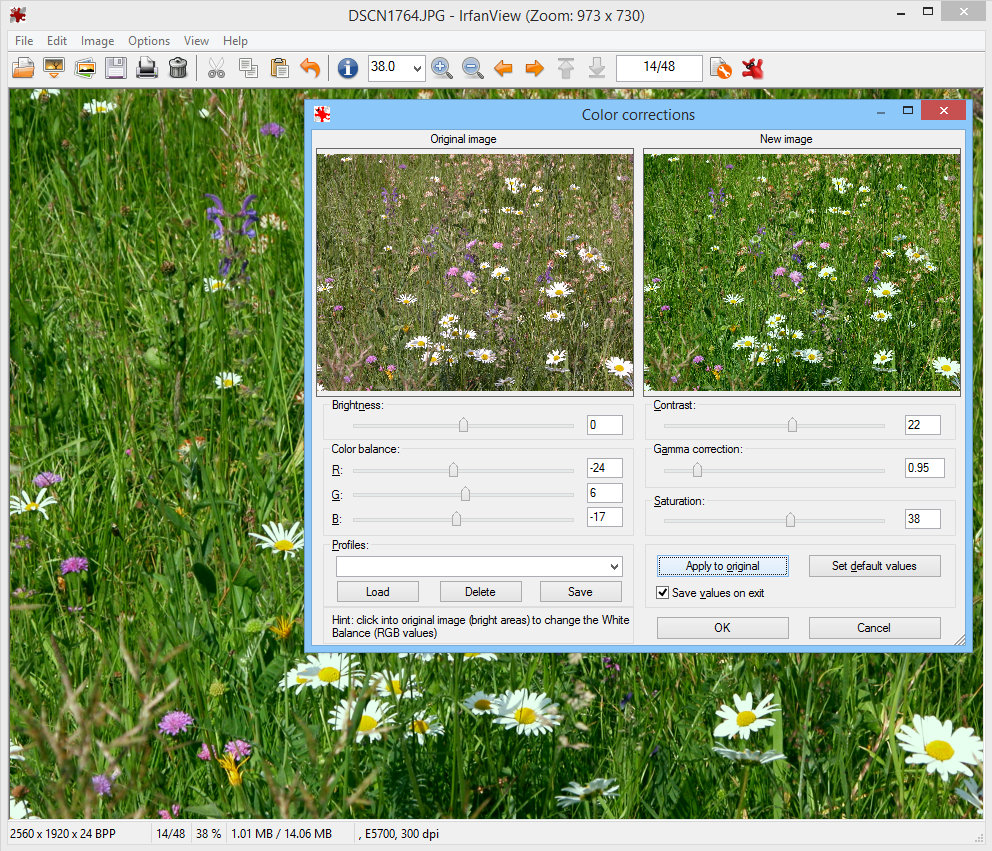
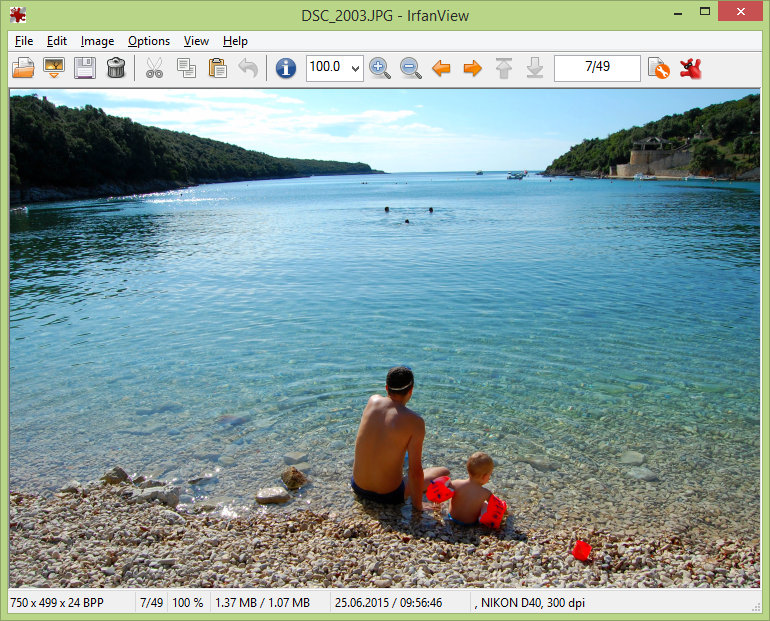
The viewer provides familiar navigation for opening images, moving between files and displaying pictures at different sizes. Users can rotate or flip an image, crop an area, resize it, and make basic color and tone adjustments. These tools cover common corrections such as preparing an image for a document, reducing a large photo for sharing, or trimming unwanted edges. Slideshow controls present a selected set of images in sequence, while support for animated GIFs lets users view moving images rather than only their individual frames.
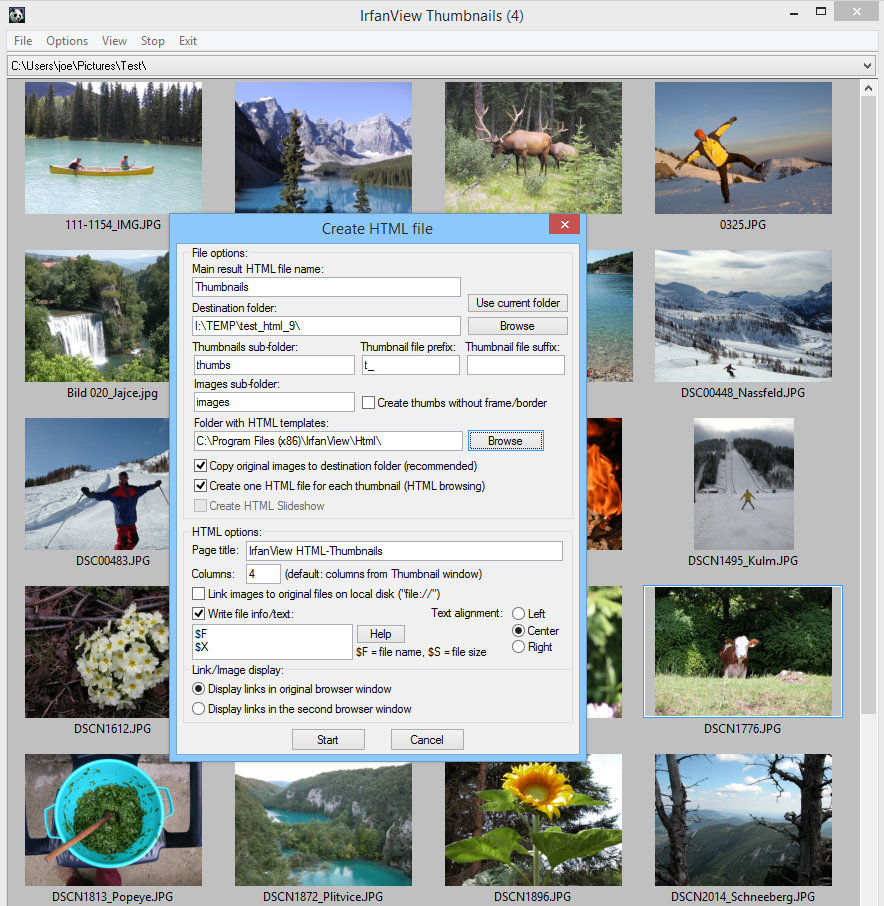
For larger collections, batch processing can apply operations to multiple files, including format conversion and resizing. This is useful when preparing a group of photos for a website, email or archive, and avoids repeating the same steps on each image. IrfanView can also capture screenshots, display multipage image files, and combine pictures into panoramas. Optional plugins add support for additional formats and functions, so the program can be adapted when a particular file type is not covered by its basic installation.
The program serves several everyday roles: a quick image viewer, a simple photo editor, a format converter and a utility for organizing visual material. Home users can browse and adjust personal photos, while office users can inspect scanned pages, capture screen content or convert images for use in documents. Slideshow creation is useful for presenting a folder of pictures, and batch tools help when a whole collection needs consistent sizing or output formats.
IrfanView is freeware for personal use and is available for Windows, including Windows 7 and Windows 7 x64. It is intended for desktop use and offers a smaller, more direct workflow than a full graphics editor; it is not a replacement for advanced layer-based design or detailed retouching software. Its combination of viewing, basic editing, conversion and batch operations makes it practical for users who want several common image tasks in one application.
The viewer provides familiar navigation for opening images, moving between files and displaying pictures at different sizes. Users can rotate or flip an image, crop an area, resize it, and make basic color and tone adjustments. These tools cover common corrections such as preparing an image for a document, reducing a large photo for sharing, or trimming unwanted edges. Slideshow controls present a selected set of images in sequence, while support for animated GIFs lets users view moving images rather than only their individual frames.
For larger collections, batch processing can apply operations to multiple files, including format conversion and resizing. This is useful when preparing a group of photos for a website, email or archive, and avoids repeating the same steps on each image. IrfanView can also capture screenshots, display multipage image files, and combine pictures into panoramas. Optional plugins add support for additional formats and functions, so the program can be adapted when a particular file type is not covered by its basic installation.
The program serves several everyday roles: a quick image viewer, a simple photo editor, a format converter and a utility for organizing visual material. Home users can browse and adjust personal photos, while office users can inspect scanned pages, capture screen content or convert images for use in documents. Slideshow creation is useful for presenting a folder of pictures, and batch tools help when a whole collection needs consistent sizing or output formats.
IrfanView is freeware for personal use and is available for Windows, including Windows 7 and Windows 7 x64. It is intended for desktop use and offers a smaller, more direct workflow than a full graphics editor; it is not a replacement for advanced layer-based design or detailed retouching software. Its combination of viewing, basic editing, conversion and batch operations makes it practical for users who want several common image tasks in one application.
Irfan View 4.57 download tags
Irfan View 4.57 Windows 7 release notes
New Release
Improved option "Try registry changes" (Properties->Extensions)
Option to use new Windows File-Open dialog (Properties->Misc)
Option to create only Shortcuts (LNK file) in File-Copy dialog
New Camera RAW PlugIn (based on LibRAW, thanks to Alex Tutubalin)
Support for WPG format (PlugIn, WPG version 1; thanks to Flurmy)
Improved GIF reading
PCX loading bug fixed (thanks to @DmitriyMelikov, CVE-2020-35133)
MNG PlugIn loading bug fixed (thanks to ThanhTP)
PCX format moved to FORMATS PlugIn
[ Irfan View release history ]
Improved option "Try registry changes" (Properties->Extensions)
Option to use new Windows File-Open dialog (Properties->Misc)
Option to create only Shortcuts (LNK file) in File-Copy dialog
New Camera RAW PlugIn (based on LibRAW, thanks to Alex Tutubalin)
Support for WPG format (PlugIn, WPG version 1; thanks to Flurmy)
Improved GIF reading
PCX loading bug fixed (thanks to @DmitriyMelikov, CVE-2020-35133)
MNG PlugIn loading bug fixed (thanks to ThanhTP)
PCX format moved to FORMATS PlugIn
[ Irfan View release history ]
Bookmark Irfan View
Irfan View for Windows 7 - Copyright information
All Irfan View reviews, submitted ratings and written comments become the sole property of Windows 7 download. You acknowledge that you, not windows7download, are responsible for the contents of your submission. However, windows7download reserves the right to remove or refuse to post any submission for any reason.
Windows 7 Download periodically updates pricing and software information of Irfan View full version from the publisher, but some information may be out-of-date. You should confirm all information.
Using warez version, crack, warez passwords, patches, serial numbers, registration codes, key generator, pirate key, keymaker or keygen for Irfan View license key is illegal and prevent future development of Irfan View. Download links are directly from our mirrors or publisher's website, Irfan View torrent or shared files from free file sharing and free upload services, including Rapidshare, MegaUpload, YouSendIt, SendSpace, DepositFiles, DivShare, HellShare, HotFile, FileServe or MediaFire, are not used.
Windows 7 Download periodically updates pricing and software information of Irfan View full version from the publisher, but some information may be out-of-date. You should confirm all information.
Using warez version, crack, warez passwords, patches, serial numbers, registration codes, key generator, pirate key, keymaker or keygen for Irfan View license key is illegal and prevent future development of Irfan View. Download links are directly from our mirrors or publisher's website, Irfan View torrent or shared files from free file sharing and free upload services, including Rapidshare, MegaUpload, YouSendIt, SendSpace, DepositFiles, DivShare, HellShare, HotFile, FileServe or MediaFire, are not used.
Post Irfan View review


Windows 7 Irfan View related downloads
Secondary Viewer Photo Viewer is an image viewer for people who want to display photographs and ...
... in a folder with lots them? 3D Picture Viewer allows you to view you pictures in 3D ...
Photo Mechanic is a standalone image browser that lets you view your digital photos with convenience and speed. Photo ...
Looking for an efficient and user-friendly photo editor for your Windows 7 system? Look no ... "Photo Snap" developed by Accessory Software. With a versatile range of tools and features, this software enables ...
Looking to browse and organize all your photos with ease? Look no further than Photo Browser ...
My Account
Help
Windows 7 Software Coupons
-
WinX MediaTrans
63% Off -
MacX DVD Ripper Pro
50% Off -
WinX DVD Ripper
50% Off -
MacX MediaTrans
63% Off -
MacX DVD Video Converter
58% Off
My Saved Stuff
You have not saved any software.
Click "Save" next to each software.
Click "Save" next to each software.
Would you like to receive announcements of new versions of your software by email or by RSS reader? Register for FREE!
Windows 7 Downloads Picks
- 3D Photo Browser Light 17.81
- Fresh View 8.40
- IrfanView 4.76
- Faststone Image Viewer 8.4
- EDFbrowser 2.14
- Image Viewer CP Gold ActiveX 22.5
- ExifTool GUI for Windows 6.3.11
- NifSkope 1.0.21.4886
- M3 Manager 6.0
- Alternate Pic View 3.650
- PDF-XChange Viewer 2.5.322.10
- Black Ice TIFF Viewer 14.86
- Irfan View 4.57
- 3D Picture Viewer 1.3
- ACDSee Photo Manager 27.0.2.2553
- Portable Universal Viewer 5.7.3
- Imagine 1.0.9
- Secondary Viewer Photo Viewer 1.0.90.276
- RadiAnt Viewer 2020.2.2
- FastStone MaxView 3.4
Popular Tags
zoom
pcx
png
photos
gif
rotate
digital
thumbnail
pdf
images
image
graphic viewer
edit
picture
slideshow
tiff
free
jpg
picture viewer
image viewer
windows
jpeg
multimedia
viewer
tif
photo viewer
graphic
view
bmp
photo
Popular Windows 7 Software
- CorelDRAW X7 (x32 bit) 17.4.0.887
- PSRemote 3.3
- WizFlow Professional 7.58 Build 2228
- CorelDRAW 2017 19.1.0.419
- QCAD Portable 3.29.3
- FotoWorks XL 2026 26.2.6
- Icecream Image Resizer 2.14
- Inpaint 11.0
- Contenta Converter PREMIUM 7.1
- Cut'n'Mix 6.0
- FreeVimager 9.9.27
- HDR Expose 2.1.1 build 9804
- Icons from File 5.1.1
- 3D Page Flip Book Templates of Colorful Eggs 1.0
- CorelDRAW X7 (x64 bit) 17.4.0.887
© 2026 Windows7Download.com - All logos, trademarks, art and other creative works are and remain copyright and property of their respective owners. Microsoft Windows is a registered trademarks of Microsoft Corporation. Microsoft Corporation in no way endorses or is affiliated with windows7download.com.