


3D Photo Browser Light for Windows 7 - "Explore 3D Images Easily" - 3D Photo Browser Light for Windows 7 - Windows 7 Download


3D Photo Browser Light 17.81
"Explore your photos like never before with 3D Photo Browser Light. A visual delight. "
Introducing 3D Photo Browser Light, a dynamic software from Mootools that packs a punch in its compact size. Perfect for beginners and professionals alike, this software offers seamless browsing and organization of your 3D files. Its user-friendly interface and powerful features make it an essential tool for anyone working in 3D. With 3D Photo Browser Light, you'll be able to manage your files faster and more efficiently than ever before. Download it now and take your 3D experience to the next level.
3D Photo Browser Light 17.81 full details

| File Size: | 74.40 MB |
|---|---|
| License: | Trialware |
| Price: | $69.00 |
| Released: |
2026-03-26
 |
| Downloads: | Total: 1932 | This Month: 229 |
| Publisher: | Mootools |
| Publisher URL: | https://www.mootools.com/en/software/3dbrowser |

Download 3D Photo Browser Light 17.81
Save 3D Photo Browser Light to My Stuff
Serial Key for 3D Photo Browser Light 17.81
Tweet
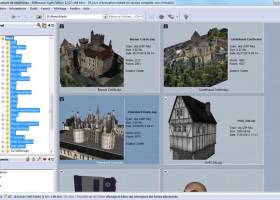
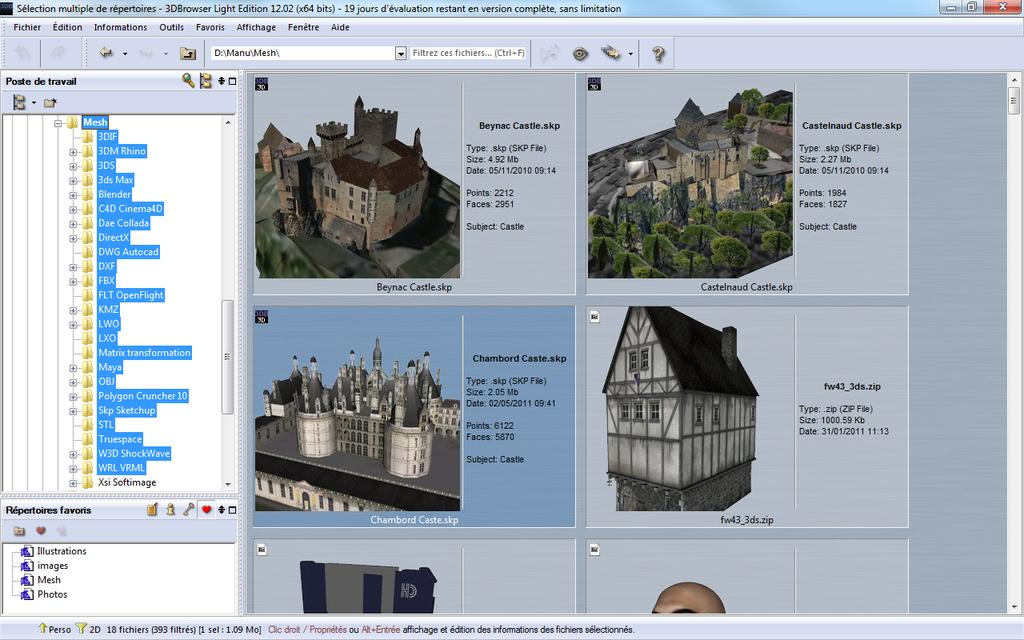
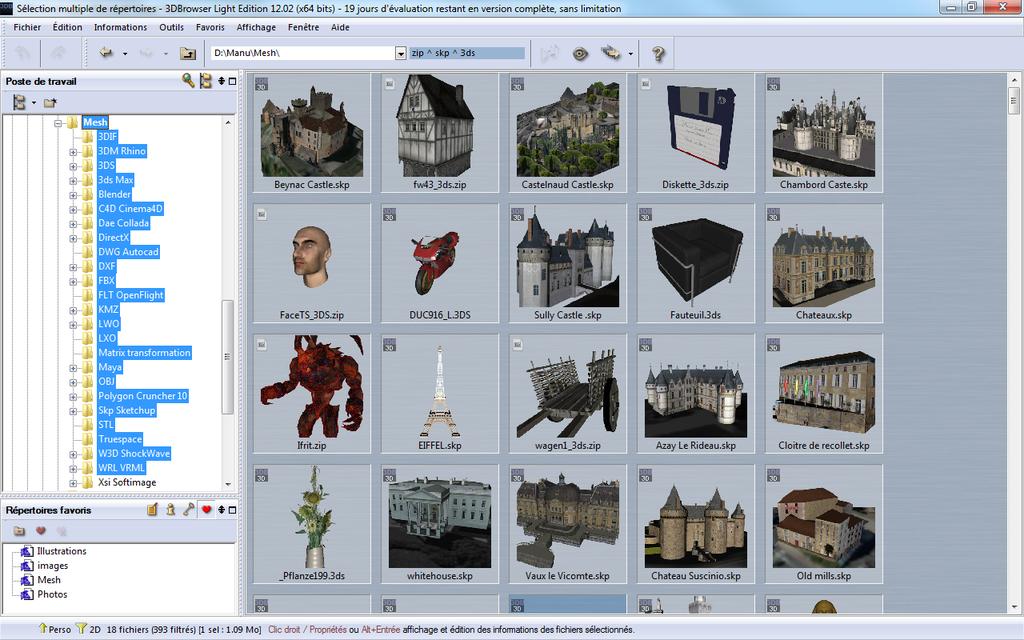
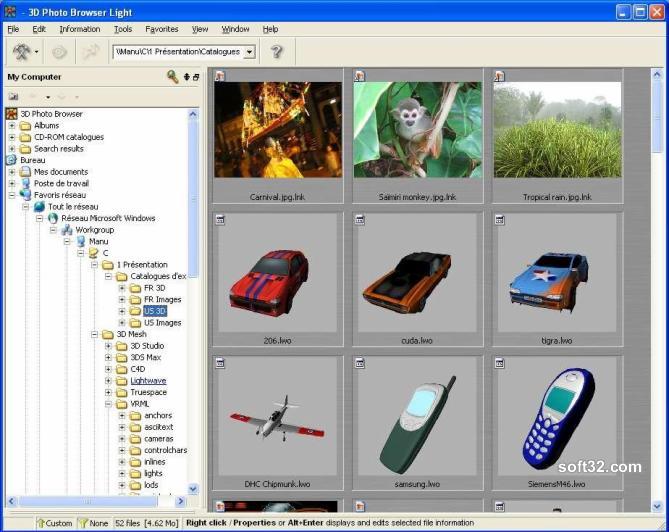
3D Photo Browser Light 17.81 full screenshots



3D Photo Browser Light - Windows 7 Download awards


3D Photo Browser Light 17.81 full description
3D Photo Browser Light is a file explorer, which makes editing, viewing and organizing your images, 3D files and audio files easier. For each directory, 3D Browser Light displays high quality thumbnails for each recognized files, computed in a background thread.
3D Browser Light recognized more than 60 image formats, many 3D formats and most of audio files. Several customizable display modes, sort modes and files filters makes browsing directories very comfortable.
Images or scenes can be displayed or edited with the 3D Browser Light viewers or in an external application, using the fast application access toolbar, drag & drop, or the application selection dialog.
Each file has its own property sheet which displays information such taking-picture condition (for images issued from a digital camera) or faces & points number, materials information for 3D files.
Features:
· Display thumbnails for your local, network or CD-Rom folders for all files recognized by 3D Photo Browser.
· Display modes: list / small icons / thumbnails (with zoom in/out feature).
· Customizable help bubbles for displaying the information you want about your files.
· Extra large thumbnails mode for high quality previews.
· Automatic update when files are modified outside 3D Photo Browser.
· Custom display mode, which allows displaying file preview with the most useful information about your files.
· Group display mode allows to logically group files together
· Visualization
· Images, video and GIF animated viewer and editor.
· OpenGL viewer including several rendering mode.
· Audio files playing feature and visualization of the MP3 information (author, title, length...).
· Various ways to open your files and edit them in another application (fast application toolbar, drag & drop, application selector...).
· Fade in-out slides show (displays your images and 3D scenes with the information you need)
· Advanced file association to 3D Photo Browser
· Common file features (copy, rename, move delete, drag & drop files, new folder...).
· Folders browsing history.
· Combined files operations (copy/delete/rename) for associated files (images and audio files which share the same name).
· Files attributes edition (read only/hidden) and possibility to update the created and modification date.
· Many filter modes.
· Custom filter edition to display only the files you need.
· Sort thumbnails in the way you want, using drag and drop.
3D Browser Light recognized more than 60 image formats, many 3D formats and most of audio files. Several customizable display modes, sort modes and files filters makes browsing directories very comfortable.
Images or scenes can be displayed or edited with the 3D Browser Light viewers or in an external application, using the fast application access toolbar, drag & drop, or the application selection dialog.
Each file has its own property sheet which displays information such taking-picture condition (for images issued from a digital camera) or faces & points number, materials information for 3D files.
Features:
· Display thumbnails for your local, network or CD-Rom folders for all files recognized by 3D Photo Browser.
· Display modes: list / small icons / thumbnails (with zoom in/out feature).
· Customizable help bubbles for displaying the information you want about your files.
· Extra large thumbnails mode for high quality previews.
· Automatic update when files are modified outside 3D Photo Browser.
· Custom display mode, which allows displaying file preview with the most useful information about your files.
· Group display mode allows to logically group files together
· Visualization
· Images, video and GIF animated viewer and editor.
· OpenGL viewer including several rendering mode.
· Audio files playing feature and visualization of the MP3 information (author, title, length...).
· Various ways to open your files and edit them in another application (fast application toolbar, drag & drop, application selector...).
· Fade in-out slides show (displays your images and 3D scenes with the information you need)
· Advanced file association to 3D Photo Browser
· Common file features (copy, rename, move delete, drag & drop files, new folder...).
· Folders browsing history.
· Combined files operations (copy/delete/rename) for associated files (images and audio files which share the same name).
· Files attributes edition (read only/hidden) and possibility to update the created and modification date.
· Many filter modes.
· Custom filter edition to display only the files you need.
· Sort thumbnails in the way you want, using drag and drop.
3D Photo Browser Light 17.81 download tags
3D Photo Browser Light 17.81 Windows 7 release notes
New Release
3DBrowser:
Updating the thumbnail of a scene contained in a ZIP file from the viewer also updates the thumbnail of the ZIP file.
OBJ: improved material support for OBJ files in ZIP archives
[ 3D Photo Browser Light release history ]
3DBrowser:
Updating the thumbnail of a scene contained in a ZIP file from the viewer also updates the thumbnail of the ZIP file.
OBJ: improved material support for OBJ files in ZIP archives
[ 3D Photo Browser Light release history ]
Bookmark 3D Photo Browser Light
3D Photo Browser Light for Windows 7 - Copyright information
All 3D Photo Browser Light reviews, submitted ratings and written comments become the sole property of Windows 7 download. You acknowledge that you, not windows7download, are responsible for the contents of your submission. However, windows7download reserves the right to remove or refuse to post any submission for any reason.
Windows 7 Download periodically updates pricing and software information of 3D Photo Browser Light full version from the publisher, but some information may be out-of-date. You should confirm all information.
Using warez version, crack, warez passwords, patches, serial numbers, registration codes, key generator, pirate key, keymaker or keygen for 3D Photo Browser Light license key is illegal and prevent future development of 3D Photo Browser Light. Download links are directly from our mirrors or publisher's website, 3D Photo Browser Light torrent or shared files from free file sharing and free upload services, including Rapidshare, MegaUpload, YouSendIt, SendSpace, DepositFiles, DivShare, HellShare, HotFile, FileServe or MediaFire, are not used.
Windows 7 Download periodically updates pricing and software information of 3D Photo Browser Light full version from the publisher, but some information may be out-of-date. You should confirm all information.
Using warez version, crack, warez passwords, patches, serial numbers, registration codes, key generator, pirate key, keymaker or keygen for 3D Photo Browser Light license key is illegal and prevent future development of 3D Photo Browser Light. Download links are directly from our mirrors or publisher's website, 3D Photo Browser Light torrent or shared files from free file sharing and free upload services, including Rapidshare, MegaUpload, YouSendIt, SendSpace, DepositFiles, DivShare, HellShare, HotFile, FileServe or MediaFire, are not used.
Post 3D Photo Browser Light review


Windows 7 3D Photo Browser Light related downloads
... in a folder with lots them? 3D Picture Viewer allows you to view you pictures in 3D ...
Secondary Viewer Photo Viewer is an image viewer on secondary display (for example in full HD ...
... - Plug-Ins for both MS IE or Firefox Browser's included. - Integrate seamlessly with your favorite translation ...
Universal Viewer was designed to be an advanced file viewer that supports a wide range of formats. ...
Exif Data Viewer is a free program to view and edit the Exif data in your digital photos, it supports EXIF Specification 2.3, can help you ...
My Account
Help
Windows 7 Software Coupons
-
FREE VPN PROXY by SEED4.ME WINDOWS
Free VPN by Seed4Me -
WinX DVD Copy Pro
42% Off -
WinX MediaTrans
63% Off -
MacX MediaTrans
63% Off -
MacX DVD Ripper Pro
50% Off
My Saved Stuff
You have not saved any software.
Click "Save" next to each software.
Click "Save" next to each software.
Would you like to receive announcements of new versions of your software by email or by RSS reader? Register for FREE!
Windows 7 Downloads Picks
- Alternate Pic View 3.650
- ACDSee Photo Manager 27.0.2.2553
- PDF-XChange Viewer 2.5.322.10
- IrfanView 4.67
- Secondary Viewer Photo Viewer 1.0.90.276
- Portable Universal Viewer 5.7.3
- Image Viewer CP Gold ActiveX 22.5
- 3D Photo Browser Light 17.81
- 3D Picture Viewer 1.3
- Faststone Image Viewer 8.2
- Irfan View 4.57
- Photo Mechanic 6.0 B4538
- Exif Data Viewer 1.0
- M3 Manager 6.0
- Alternate Pic View Lite 3.530
- EDFbrowser 2.14
- ExifTool GUI for Windows 6.3.11
- MIView x64 0.7 Build 53
- Black Ice TIFF Viewer 14.86
- Portable JPEGView 1.3.46.2
Popular Tags
pdf
tif
windows
bmp
free
digital
picture viewer
photo viewer
viewer
image
thumbnail
slideshow
gif
photo
view
images
png
pcx
photos
graphic viewer
rotate
graphic
jpeg
edit
jpg
zoom
tiff
picture
multimedia
image viewer
Popular Windows 7 Software
- CorelDRAW X7 (x32 bit) 17.4.0.887
- CorelDRAW X7 (x64 bit) 17.4.0.887
- CorelDRAW X5 15.2.0.686
- CorelDRAW X4
- iTop Screenshot 1.2.3.544
- CorelDRAW 2017 19.1.0.419
- CorelDRAW X6 16.4.0.1280
- Blender - 32 bit 2.80
- Adobe InDesign CS5 CS5.5 7.5.3
- CorelDRAW X8 18.0.0.450
- Graphic Workshop Professional 15.0a rev11
- Model Air Design 2.4
- Blender Portable 4.1.1
- Model Air Design 2.4
- Paint.NET 5.0.13
© 2026 Windows7Download.com - All logos, trademarks, art and other creative works are and remain copyright and property of their respective owners. Microsoft Windows is a registered trademarks of Microsoft Corporation. Microsoft Corporation in no way endorses or is affiliated with windows7download.com.