


WebShot for Windows 7 - "Capture Web Screenshots Easily with WebShot" - Windows 7 Download


WebShot 1.9.3.1
"Capture Websites with Ease - WebShot for Windows 7"
Get a comprehensive view of a website with WebShot - the top-of-the-line screen capture tool developed by Nathan Moinvaziri. This Windows 7 software allows you to capture full-page screenshots with a single click. With its intuitive UI, you can customize aspects of your screenshot to meet your needs. Perfect for web developers, designers, and anyone needing a quick and easy way to capture web pages. Give your work the edge it needs with WebShot.
WebShot 1.9.3.1 full details

| File Size: | 17.80 MB |
|---|---|
| License: | Freeware |
| Price: | FREE |
| Released: | 2014-01-07 |
| Downloads: | Total: 2020 | This Month: 8 |
| Publisher: | Nathan Moinvaziri |
| Publisher URL: | https://www.websitescreenshots.com/ |

Download WebShot 1.9.3.1
Save WebShot to My Stuff
Tweet

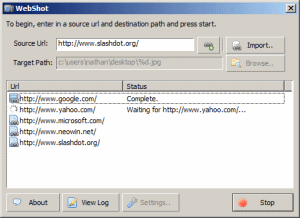
WebShot 1.9.3.1 full screenshots
WebShot - Windows 7 Download awards


WebShot 1.9.3.1 full description
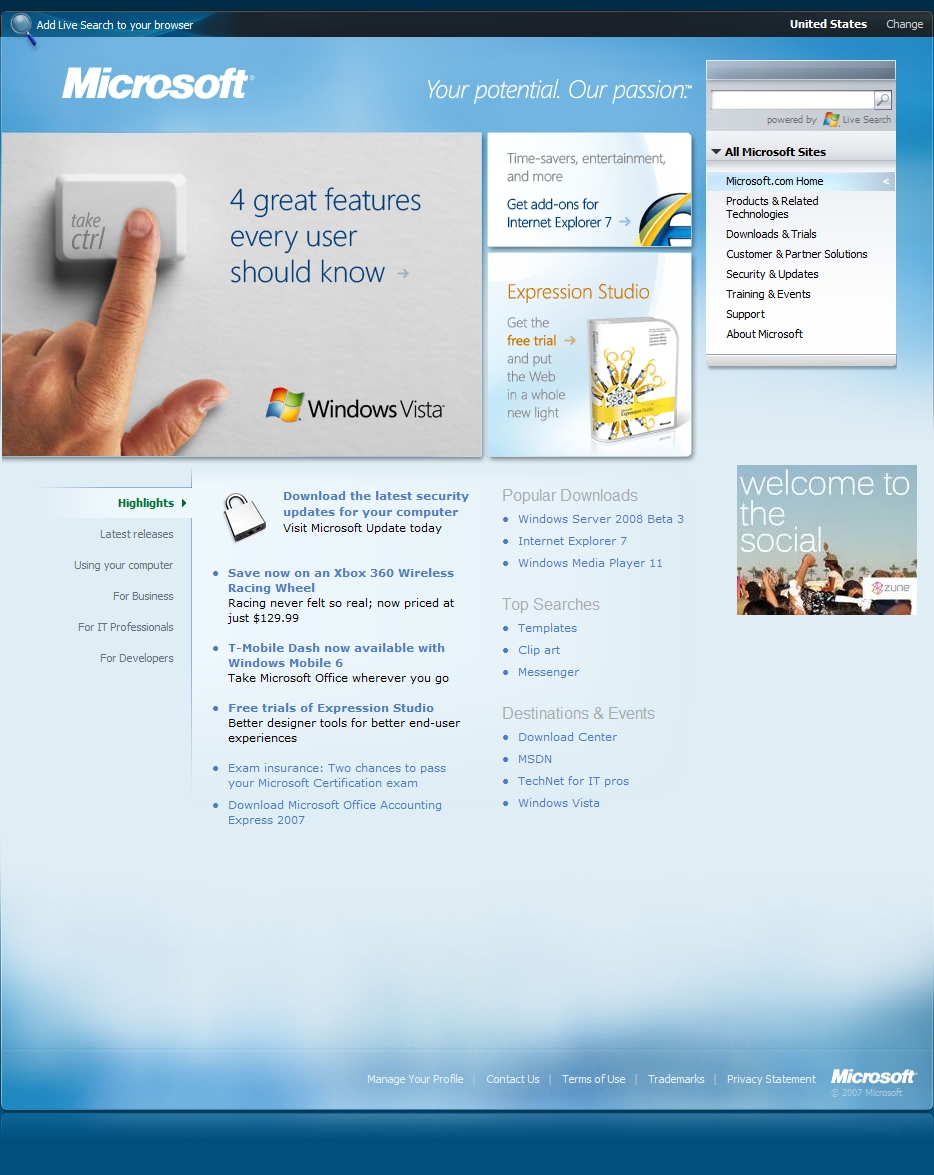
WebShot allows you to take screenshots of web pages and save them as full sized images or thumbnails. Screenshots images can be output in the JPG, GIF, PNG, or BMP formats.
The freeware version comes with a demo of the command line interface, which can be purchased, and used to streamline the screenshot process on whole websites. The server edition of WebShot comes with a DLL that will allow you to embed WebShot technology in your own applications.
Features:
Automatic determination of page width and height that captures the whole page accurately. Frame dimensions are
determined and calculated on pages that have them.
Browser size specification allows you to capture the whole page or part of it
Image thumbnailing reduces the final capture image easily
Timeouts allow you to wait for activex controls to load before capturing
Image encoding to JPG, GIF, PNG, and BMP with image quality control to save on disk space
CSV output allows you to easily parse the results of a screenshot capture operation
CSV output of page title, meta keywords, and description helps you parse the most important information from a page
Use within your own applications using the dll and example source code
Blocks most popups (javascript popups, script dialogs, injected via wmp popups, etc)
Multiple threads allow you to quickly capture more screenshots without running multiple processes
Custom user agents allow you to view a web page that might be served to other browsers
Easily delete all of Internet Explorer's cache, so your hard drive doesn't get full
Configure custom HTTP post strings and HTTP authentication credentials
Configurable message box popup automation to automatically deal with message boxes that Internet Explorer might throw
Higher quality color quantized gif images produce better screenshots with less disk space
Take multiple image captures several seconds apart on each url
Support for chromium
The freeware version comes with a demo of the command line interface, which can be purchased, and used to streamline the screenshot process on whole websites. The server edition of WebShot comes with a DLL that will allow you to embed WebShot technology in your own applications.
Features:
Automatic determination of page width and height that captures the whole page accurately. Frame dimensions are
determined and calculated on pages that have them.
Browser size specification allows you to capture the whole page or part of it
Image thumbnailing reduces the final capture image easily
Timeouts allow you to wait for activex controls to load before capturing
Image encoding to JPG, GIF, PNG, and BMP with image quality control to save on disk space
CSV output allows you to easily parse the results of a screenshot capture operation
CSV output of page title, meta keywords, and description helps you parse the most important information from a page
Use within your own applications using the dll and example source code
Blocks most popups (javascript popups, script dialogs, injected via wmp popups, etc)
Multiple threads allow you to quickly capture more screenshots without running multiple processes
Custom user agents allow you to view a web page that might be served to other browsers
Easily delete all of Internet Explorer's cache, so your hard drive doesn't get full
Configure custom HTTP post strings and HTTP authentication credentials
Configurable message box popup automation to automatically deal with message boxes that Internet Explorer might throw
Higher quality color quantized gif images produce better screenshots with less disk space
Take multiple image captures several seconds apart on each url
Support for chromium
WebShot 1.9.3.1 download tags
WebShot 1.9.3.1 Windows 7 release notes
New Release
* Added /processes command line parameter
* Fixed valid characters being removed from filenames
[ WebShot release history ]
* Added /processes command line parameter
* Fixed valid characters being removed from filenames
[ WebShot release history ]
Bookmark WebShot
WebShot for Windows 7 - Copyright information
All WebShot reviews, submitted ratings and written comments become the sole property of Windows 7 download. You acknowledge that you, not windows7download, are responsible for the contents of your submission. However, windows7download reserves the right to remove or refuse to post any submission for any reason.
Windows 7 Download periodically updates pricing and software information of WebShot full version from the publisher, but some information may be out-of-date. You should confirm all information.
Using warez version, crack, warez passwords, patches, serial numbers, registration codes, key generator, pirate key, keymaker or keygen for WebShot license key is illegal and prevent future development of WebShot. Download links are directly from our mirrors or publisher's website, WebShot torrent or shared files from free file sharing and free upload services, including Rapidshare, MegaUpload, YouSendIt, SendSpace, DepositFiles, DivShare, HellShare, HotFile, FileServe or MediaFire, are not used.
Windows 7 Download periodically updates pricing and software information of WebShot full version from the publisher, but some information may be out-of-date. You should confirm all information.
Using warez version, crack, warez passwords, patches, serial numbers, registration codes, key generator, pirate key, keymaker or keygen for WebShot license key is illegal and prevent future development of WebShot. Download links are directly from our mirrors or publisher's website, WebShot torrent or shared files from free file sharing and free upload services, including Rapidshare, MegaUpload, YouSendIt, SendSpace, DepositFiles, DivShare, HellShare, HotFile, FileServe or MediaFire, are not used.
Post WebShot review


Windows 7 WebShot related downloads
Introducing Simple Screenshot Capture Software - the ultimate solution to your screenshot needs! Developed by the experts at Sobolsoft, this ...
iTop Screenshot is a Windows screen-capture utility for people who ... images for reference, explanation, or sharing. It supports captures of a selected area, an individual window, or ...
Looking for an easy and fast way to take screenshots on your Windows 7 computer? Look no further ...
Introducing Screenshot Remote, the innovative software from NTWind Software that revolutionizes the way you capture and manage screenshots. Designed specifically for Windows 7, ...
Simple Webpage Capture allows you to take a perfect picture of ... WebPages being large and rather long taking a screenshot of the whole page is a big task. ...
My Account
Help
Windows 7 Software Coupons
-
WinX MediaTrans
63% Off -
MacX MediaTrans
63% Off -
Media Player Morpher
85% Off -
MacX Media Management Bundle
70% Off -
MacX Video Converter Pro
56% Off
My Saved Stuff
You have not saved any software.
Click "Save" next to each software.
Click "Save" next to each software.
Would you like to receive announcements of new versions of your software by email or by RSS reader? Register for FREE!
Windows 7 Downloads Picks
- iTop Screenshot 1.2.3.544
- Lightscreen 1.01
- RasterVect 15.8 15.8
- SnapaShot Pro Portable 5.0.5.1
- AutoScreenShot 1.0.5.10
- VueScan 9.8.54
- PicPick 7.6.2
- Video Snapshots Genius Business 4.2
- Portable Greenshot 1.2.10.6
- AutoScreenShot Portable 1.0.5.10
- iuVCS Deluxe 0.14.0.63
- Screeny SE 4.9.3
- WebShot 1.9.3.1
- Gyazo 6.0.2
- Yascu 1.0.525
- Screen Grab Pro Deluxe 2.03
- Simple Webpage Capture 1.0.0
- VueScan x64 9.8.34
- ScreenShooter 2.4.5.1859
- Roxio PhotoShow Premium Service
Popular Tags
screen capture
print
free
recording
image
software
grab
printscreen
screen recording
video screen capture
freeware
screen capture software
cam
snapshot
screenshot
record
wmv
screen shot
desktop
webcam
window
video
screen recorder
capture screen
avi
recorder
screen
print screen
capture
audio
Popular Windows 7 Software
- CorelDRAW X7 (x32 bit) 17.4.0.887
- CorelDRAW 2017 19.1.0.419
- PSRemote 3.3
- WizFlow Professional 7.58 Build 2228
- QCAD Portable 3.29.3
- FotoWorks XL 2026 26.2.6
- Contenta Converter PREMIUM 7.1
- Inpaint 11.0
- FreeVimager 9.9.27
- HDR Expose 2.1.1 build 9804
- Cut'n'Mix 6.0
- 3D Page Flip Book Templates of Colorful Eggs 1.0
- Icecream Image Resizer 2.14
- Icons from File 5.1.1
- Photoshop Search Multiple Files By Layer Name Software 7.0
© 2026 Windows7Download.com - All logos, trademarks, art and other creative works are and remain copyright and property of their respective owners. Microsoft Windows is a registered trademarks of Microsoft Corporation. Microsoft Corporation in no way endorses or is affiliated with windows7download.com.