

VocaTalk for Windows 7 - Create personal podcasts from written text - Windows 7 Download


VocaTalk 1.0.17 Beta
Turns text into podcast episodes with synthesized speech, music and sound effects.
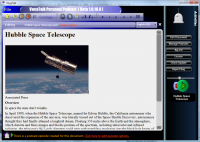
VocaTalk converts pasted text into personal audio podcasts using text-to-speech, digital signal processing, music and sound effects. Users can choose audio elements, generate episodes, and transfer them to an iPod, Zune or other MP3 player. Long texts can be split into episodes of about 50 to 60 minutes, while podcast-style handling helps manage episodes and listening progress.
VocaTalk 1.0.17 Beta full details

| File Size: | 4.70 MB |
|---|---|
| License: | Demo |
| Price: | FREE |
| Released: | 2010-06-24 |
| Downloads: | Total: 816 | This Month: 3 |
| Publisher: | Ilkay Benian |
| Publisher URL: | http://www.vocamedia.com/ |

Download VocaTalk 1.0.17 Beta
Save VocaTalk to My Stuff
Tweet
VocaTalk - Windows 7 Download awards



VocaTalk 1.0.17 Beta full description
VocaTalk turns written material into personal audio podcasts, combining text-to-speech narration with music and sound effects. It is intended for people who want to listen to articles, books, research or other text when reading is inconvenient, such as while commuting, exercising or doing household tasks. Rather than presenting speech as a plain readout, the program processes the generated voice and adds audio elements to create episodes with a documentary-style feel.
To make an episode, the user copies and pastes text into VocaTalk, chooses music and sound effects, then generates the audio. Text-to-speech technology reads the material aloud, while digital signal processing modifies the synthesized speech. Multiple voices can be used for the same text, and positional audio adds variation to the listening experience. Background music and effects can accompany the narration, so the finished episode combines spoken content with an audio setting rather than leaving the voice on its own.
Long material can be divided automatically into episodes of about 50 to 60 minutes, making large texts easier to listen to in separate sessions. Episodes can be queued for generation and saved for playback on an iPod, Zune or another MP3 player. VocaTalk uses podcasting to help manage episodes and keep track of listening progress, reducing the need to organize individual MP3 files manually. This workflow lets users prepare material ahead of time and listen when it suits them.
The program can be used to turn reading lists, articles or book-length material into audio for travel, exercise and other activities. It also suits people who prefer listening to text, or who want to prepare several pieces of content in advance and work through them over multiple sessions. The mix of narration, music and effects is designed to make extended synthesized speech more varied than an unadorned TTS recording.
VocaTalk is demo software for Windows Vista and Windows 7, including their 64-bit editions. It creates spoken audio from text using TTS and DSP, then provides podcast-style episode handling for listening on supported portable players. Users should expect generated speech rather than a recording of a human narrator; voice, music and effects shape the resulting presentation.
VocaTalk 1.0.17 Beta download tags
Bookmark VocaTalk
VocaTalk for Windows 7 - Copyright information
All VocaTalk reviews, submitted ratings and written comments become the sole property of Windows 7 download. You acknowledge that you, not windows7download, are responsible for the contents of your submission. However, windows7download reserves the right to remove or refuse to post any submission for any reason.
Windows 7 Download periodically updates pricing and software information of VocaTalk full version from the publisher, but some information may be out-of-date. You should confirm all information.
Using warez version, crack, warez passwords, patches, serial numbers, registration codes, key generator, pirate key, keymaker or keygen for VocaTalk license key is illegal and prevent future development of VocaTalk. Download links are directly from our mirrors or publisher's website, VocaTalk torrent or shared files from free file sharing and free upload services, including Rapidshare, MegaUpload, YouSendIt, SendSpace, DepositFiles, DivShare, HellShare, HotFile, FileServe or MediaFire, are not used.
Post VocaTalk review


Windows 7 VocaTalk related downloads
DJ Audio Editor is easy-to-use and well-organized audio application which allows ... make it playable every where. DJ Audio Editor Features: Open, create, edit and save audio ...
... operations in easy way.You can use Power Audio Editor to record your own voice, music or other ...
... of the instrument/sound/chord group etc. Kangas Sound Editor is a small software to create music and ...
... for an easy way to edit their iTunes Podcast.xml files will love this software developed by Sobolsoft. ...
HermesPod allows you to download podcasts, and listen to them where and when you ... Designed for people who want to listen to podcasts without worrying about technical details. Compatible: Can syncronize ...
My Account
Help
Windows 7 Software Coupons
-
WinX DVD Ripper
50% Off -
WinX MediaTrans
63% Off -
WinX HD Video Converter
56% Off -
WinX DVD Copy Pro
42% Off -
Media Player Morpher
85% Off
My Saved Stuff
You have not saved any software.
Click "Save" next to each software.
Click "Save" next to each software.
Would you like to receive announcements of new versions of your software by email or by RSS reader? Register for FREE!
Windows 7 Downloads Picks
- Monkey's Audio 13.45
- Blue Cat's Stereo Flanger 3.43
- MusicBee Portable 3.7.9796
- Blue Cat's Chorus 4.6
- Blue Cat's Stereo Flanger x64 3.43
- EasyTag 2.4.3
- Blue Cat's Widening Triple EQ 4.45
- TagScanner 6.1.21
- Portable TagScanner 6.1.21
- Blue Cat's Remote Control 3.11
- Sports League 1.1.12
- SynthFont 2.9.0.2
- RADIO Logger Pro 2.4.1.78
- DJ Audio Editor 9.1
- Codec 8.4h
- Blue Cat's Flanger 3.6
- Playlist Extractor 0.07
- Tag Clinic 4.3.10.3
- Bell-metronome
- Nero DiscSpeed 12.5.6.0
Popular Tags
the best music organizer
pc music organizer
wma
tag
software
organize music
get music organizer
music organizer software
organize music files
mp3 music organizer
files
mp3 organizer
video
file
music organizer
audio
automatized music organizer
music organizer download
automatic music organizer
music file organizer
automated music organizer
download music organizer
windows music organizer
mp3
duplicate
organize
music
song
organizer
computer music organizer
Popular Windows 7 Software
- RarmaRadio 2.80.1
- Monkey's Audio 13.45
- DVDFab 13.0.7.0
- 1X-AMP - MP3 Player Software 2026 26.2.5
- Keyboard Soundboard 2.1
- 1X-AMP - MP3 Player Software 2026 26.2.6
- EZ CD Audio Converter Free 13.2.1.1
- MP4 Player 6.4.31
- iTop Screen Recorder 7.1.0.3787
- Zortam Mp3 Media Studio 34.20
- VUPlayer 4.25
- Total Audio Converter 6.1.0 Build 324
- Media Player Codec Pack Lite 5.5.2
- Media Player Codec Pack 5.5.2
- PotPlayer 1.7.23159.0
© 2026 Windows7Download.com - All logos, trademarks, art and other creative works are and remain copyright and property of their respective owners. Microsoft Windows is a registered trademarks of Microsoft Corporation. Microsoft Corporation in no way endorses or is affiliated with windows7download.com.