


Shotcut for Windows 7 - Effortlessly Edit Videos with Shotcut - Windows 7 Download


Shotcut 26.9.27
Shotcut: Powerful video editor for Windows 7.
Welcome to a world of video editing excellence with Shotcut. Developed by Shotcutapp, this outstanding Windows 7 software empowers you to bring your creative visions to life. Equipped with a plethora of powerful features and a user-friendly interface, Shotcut allows you to effortlessly edit and enhance your videos. Whether you are a seasoned pro or a beginner, this software is designed to cater to your needs. Download Shotcut today and unlock a world of endless possibilities in video editing.
Shotcut 26.9.27 full details

| File Size: | 180.00 MB |
|---|---|
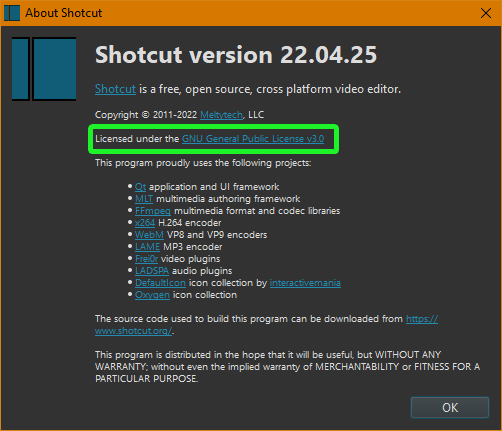
| License: | Open Source |
| Price: | FREE |
| Released: |
2026-09-28
 |
| Downloads: | Total: 923 | This Month: 230 |
| Publisher: | Dan Dennedy |
| Publisher URL: | https://www.shotcut.org/ |

Download Shotcut 26.9.27
Save Shotcut to My Stuff
Tweet
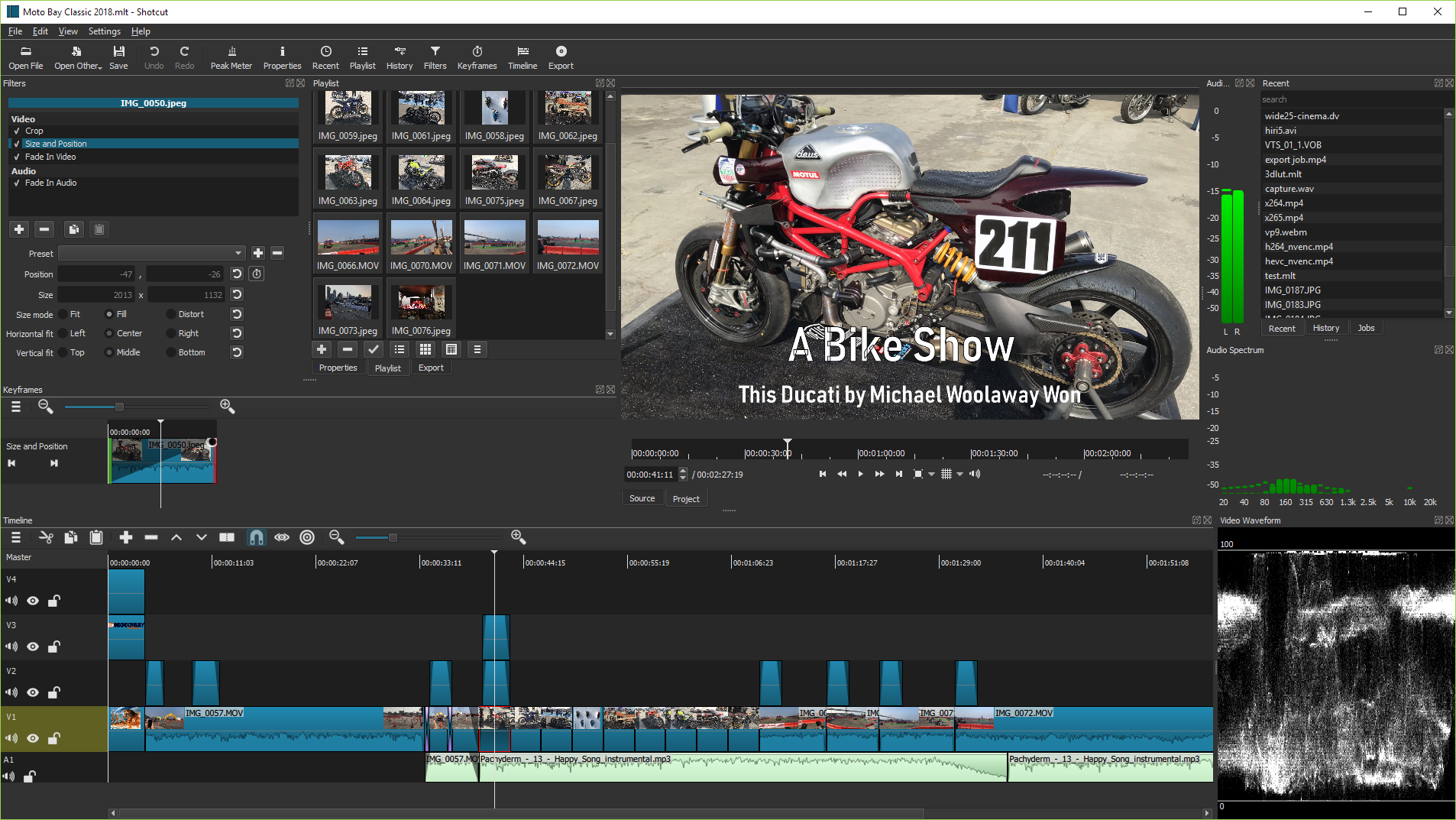
Shotcut 26.9.27 full screenshots


Shotcut - Windows 7 Download awards

Shotcut 26.9.27 full description
Welcome to the ultimate destination for downloading Shotcut, a remarkable Windows 7 software developed by Shotcutapp. Ignite your creativity with this feature-packed, user-friendly video editor that seamlessly combines power and simplicity. Whether you're a seasoned pro or an aspiring filmmaker, Shotcut is the perfect tool to unleash your imagination. With its intuitive interface and extensive range of editing capabilities, you can effortlessly craft professional-quality videos that captivate your audience. Explore a plethora of video and audio formats, apply stunning visual effects and transitions, and fine-tune your masterpiece with precision. Unleash the artist within you and transform your ideas into stunning realities. Download Shotcut now and indulge in the endless possibilities of video editing excellence.
Shotcut 26.9.27 download tags
Shotcut 26.9.27 Windows 7 release notes
New Release
Fixed security flaws in upgrade and Whisper downloads (failed HTTPS was retried over HTTP, certificate errors could be ignored, and a downloaded file could be used without a trusted digest).
Fixed Mask: Draw (Glaxnimate) filter, Operation > Subtract for 8-bit processing mode (broke in version 25.12).
Fixed using Size, Position & Rotate with Mask: Apply filters (broke in version 25.12).
Improved audio quality by removing a conversion to 16-bit integer and keeping the pipeline in 32-bit float.
Fixed LV2 external audio plugins not loading on Windows (unless LV2_PATH environment var set explicitly).
Fixed VA-API HEVC hardware encoder on Linux.
Fixed Show in Folder not working with non-ASCII characters on Linux.
Fixed Import Subtitles from File not working on Windows.
Fixed Subtitles view shows incorrect duration (broke in version 26.8).
Fixed moving Timeline clip next to another with snap while zoomed out may insert 1 blank frame.
Fixed copy and pasting a Timeline transition corrupt audio in the pasted transition.
Fixed window title bar missing on Linux with Settings > Display Method > Vulkan.
Fixed marker unexpectedly deleted when moving a clip to the left with Ripple Markers on.
Fixed keyframes on Timeline > Split after a transition.
Fixed Export job may report failure even though file was completed successfully.
Fixed some buffer overflow security issues in PGM/wipe reading in MLT and Set Equirectangular in Shotcut.
Fixed projects deleted from disk still appear in Projects.
Fixed Ctrl+Up and Ctrl+Down cannot change current track when Timeline loses focus.
Fixed Player > External Monitor > DeckLink (and related such as UltraStudio) HDMI/SDI may deadlock.
Fixed MLT XML nested clip's length (duration) not updated, now updates when selected but needs manual trim to increase clip.
Fixed redundant context menu on text edit controls in filters on Windows (broke in v26.8).
Fixed open project on a mounted CIFS/SMB share on Linux kernel 7.1 and above.
Fixed p
[ Shotcut release history ]
Fixed security flaws in upgrade and Whisper downloads (failed HTTPS was retried over HTTP, certificate errors could be ignored, and a downloaded file could be used without a trusted digest).
Fixed Mask: Draw (Glaxnimate) filter, Operation > Subtract for 8-bit processing mode (broke in version 25.12).
Fixed using Size, Position & Rotate with Mask: Apply filters (broke in version 25.12).
Improved audio quality by removing a conversion to 16-bit integer and keeping the pipeline in 32-bit float.
Fixed LV2 external audio plugins not loading on Windows (unless LV2_PATH environment var set explicitly).
Fixed VA-API HEVC hardware encoder on Linux.
Fixed Show in Folder not working with non-ASCII characters on Linux.
Fixed Import Subtitles from File not working on Windows.
Fixed Subtitles view shows incorrect duration (broke in version 26.8).
Fixed moving Timeline clip next to another with snap while zoomed out may insert 1 blank frame.
Fixed copy and pasting a Timeline transition corrupt audio in the pasted transition.
Fixed window title bar missing on Linux with Settings > Display Method > Vulkan.
Fixed marker unexpectedly deleted when moving a clip to the left with Ripple Markers on.
Fixed keyframes on Timeline > Split after a transition.
Fixed Export job may report failure even though file was completed successfully.
Fixed some buffer overflow security issues in PGM/wipe reading in MLT and Set Equirectangular in Shotcut.
Fixed projects deleted from disk still appear in Projects.
Fixed Ctrl+Up and Ctrl+Down cannot change current track when Timeline loses focus.
Fixed Player > External Monitor > DeckLink (and related such as UltraStudio) HDMI/SDI may deadlock.
Fixed MLT XML nested clip's length (duration) not updated, now updates when selected but needs manual trim to increase clip.
Fixed redundant context menu on text edit controls in filters on Windows (broke in v26.8).
Fixed open project on a mounted CIFS/SMB share on Linux kernel 7.1 and above.
Fixed p
[ Shotcut release history ]
Bookmark Shotcut
Shotcut for Windows 7 - Copyright information
All Shotcut reviews, submitted ratings and written comments become the sole property of Windows 7 download. You acknowledge that you, not windows7download, are responsible for the contents of your submission. However, windows7download reserves the right to remove or refuse to post any submission for any reason.
Windows 7 Download periodically updates pricing and software information of Shotcut full version from the publisher, but some information may be out-of-date. You should confirm all information.
Using warez version, crack, warez passwords, patches, serial numbers, registration codes, key generator, pirate key, keymaker or keygen for Shotcut license key is illegal and prevent future development of Shotcut. Download links are directly from our mirrors or publisher's website, Shotcut torrent or shared files from free file sharing and free upload services, including Rapidshare, MegaUpload, YouSendIt, SendSpace, DepositFiles, DivShare, HellShare, HotFile, FileServe or MediaFire, are not used.
Windows 7 Download periodically updates pricing and software information of Shotcut full version from the publisher, but some information may be out-of-date. You should confirm all information.
Using warez version, crack, warez passwords, patches, serial numbers, registration codes, key generator, pirate key, keymaker or keygen for Shotcut license key is illegal and prevent future development of Shotcut. Download links are directly from our mirrors or publisher's website, Shotcut torrent or shared files from free file sharing and free upload services, including Rapidshare, MegaUpload, YouSendIt, SendSpace, DepositFiles, DivShare, HellShare, HotFile, FileServe or MediaFire, are not used.
Post Shotcut review


Windows 7 Shotcut related downloads
The most easily used Video Converter tools. You can convert video files among VCD SVCD DVD MPEG AVI ...
Video Thumbnails Maker allows you to make thumbnails (caps, previews, screen-lists) and screenshots of video files. The utility can be used for home-video ...
TMPGEnc Video Mastering Works 7 features support for many input and output formats, detailed parameter settings, fast and precise cut-editing, video ...
Subtitle Edit is a free editor for video subtitles - a subtitle editor.With SE you can ...
In current market, if you want to convert different video formats or join, cut video/audio files, ...
My Account
Help
Windows 7 Software Coupons
-
MacX MediaTrans
63% Off -
Media Player Morpher
85% Off -
WinX DVD Copy Pro
42% Off -
MacX Media Management Bundle
70% Off -
MacX Video Converter Pro
56% Off
My Saved Stuff
You have not saved any software.
Click "Save" next to each software.
Click "Save" next to each software.
Would you like to receive announcements of new versions of your software by email or by RSS reader? Register for FREE!
Windows 7 Downloads Picks
- MpcStar 7.0
- BluffTitler 17.0.0.3
- Adobe Premiere Elements 2024.2
- MP4Box 1.0.1
- iTop Screen Recorder 6.5.0.3613
- Windows Media Player 11 11.2405.8.0
- Blue Iris 6.0.1.27
- Windows 7 Codec Pack 4.3.1
- Windows Essentials Codec Pack 4.3.2.207
- TMPGEnc Video Mastering Works 8.0.11.12
- Video To Video Converter 2.9 B2.9.6.11
- Subtitle Edit 4.0.15
- Free Video Converter 1.0.1.4
- Freemake Video Converter 6.0.0.2
- VLC Media Player x64 3.0.20
- Windows Media Player 12
- Free Online TV Player 4.9.5.0
- Total Video Player 1.31
- VLC Media Player Portable 3.0.23
- GiliSoft Video Editor 19.0.0
Popular Tags
3gp converter
vcd
mp3
avi
avi converter
psp
video converter
ipod
3gp
dvd ripper
converter
iphone
mp4
mpeg
divx
xvid
dvd
wmv
mpg
video
dvd to psp
flv
rmvb
asf
mp4 converter
movie
convert
dvd to ipod
mov
download
Popular Windows 7 Software
- MpcStar 7.0
- Free Any Video Converter Pro 3.8.8
- Nero StartSmart 7.11.10.0c
- KORG PA Manager 5.1.2010
- DVDFab 13.0.5.9
- 7thShare Any Video Converter 3.2.6
- BluffTitler 17.0.0.3
- WonderFox DVD Ripper Pro 24.0
- Audacity Portable 3.5.0
- Adobe Premiere Elements 2024.2
- 7thShare Any Blu-ray Ripper 3.2.6
- HD Video Converter Factory Pro 28.1
- Tipard Blu-ray Player 6.3.68
- Free HD Video Converter Factory 28.1
- MP4Box 1.0.1
© 2026 Windows7Download.com - All logos, trademarks, art and other creative works are and remain copyright and property of their respective owners. Microsoft Windows is a registered trademarks of Microsoft Corporation. Microsoft Corporation in no way endorses or is affiliated with windows7download.com.