


TMPGEnc Video Mastering Works for Windows 7 - Video editing, conversion, and encoding - Windows 7 Download


TMPGEnc Video Mastering Works 8.0.12.13
Edit, convert, enhance, and encode video with clip and timeline workflows.
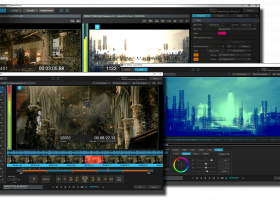
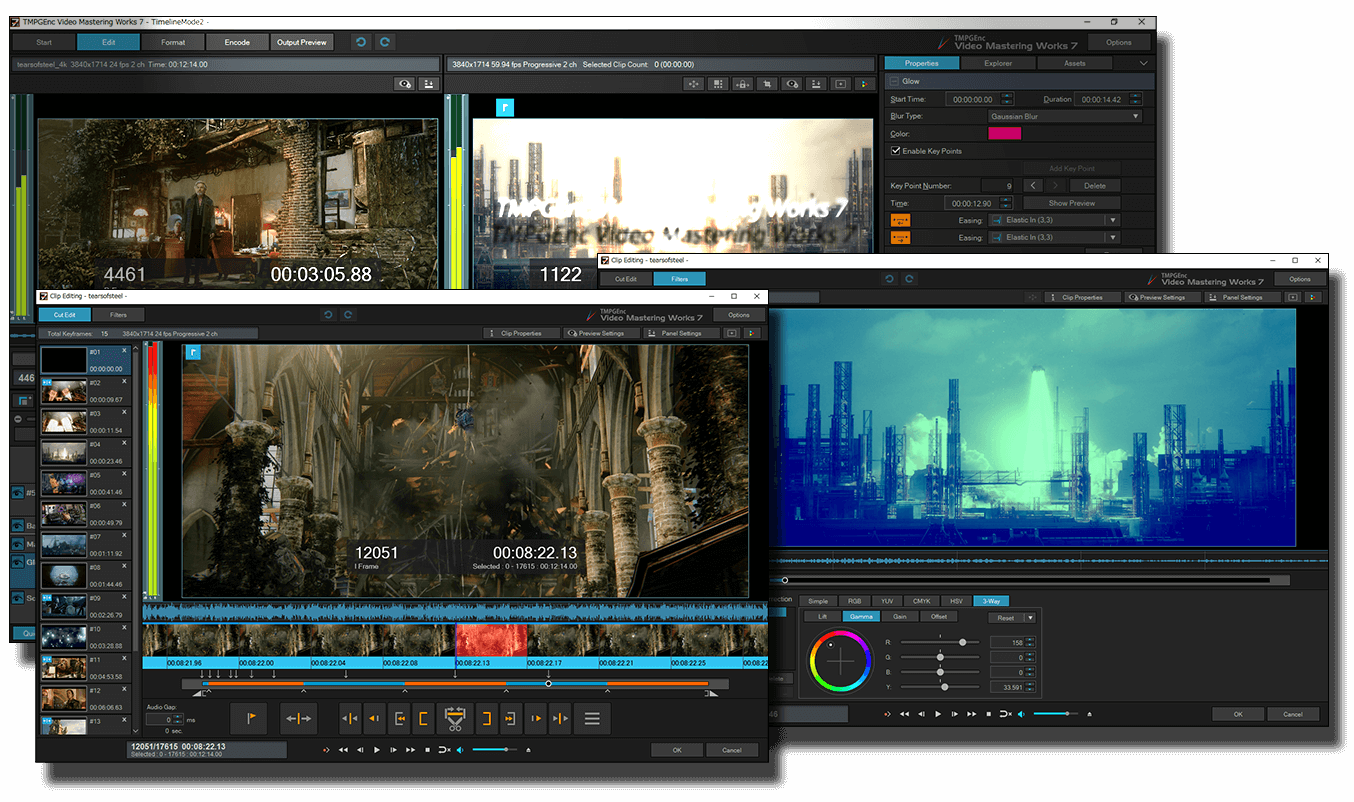
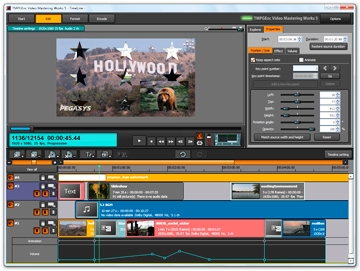
TMPGEnc Video Mastering Works combines video editing, conversion, and encoding in a single application. Users can import footage in many formats, cut unwanted scenes, adjust and enhance video and audio, then encode to a selected format. Normal Mode handles single-file conversion and clip joining; Timeline Mode supports layered video and mixed audio sources. Custom parameters and format templates provide different levels of control.
TMPGEnc Video Mastering Works 8.0.12.13 full details

| File Size: | 1433.60 MB |
|---|---|
| License: | Demo |
| Price: | $122.00 |
| Released: | 2026-05-27 |
| Downloads: | Total: 4303 | This Month: 7 |
| Publisher: | Pegasys Inc |
| Publisher URL: | https://tmpgenc.pegasys-inc.com/en/index.html |

Download TMPGEnc Video Mastering Works 8.0.12.13
Save TMPGEnc Video Mastering Works to My Stuff
Tweet
TMPGEnc Video Mastering Works 8.0.12.13 full screenshots

TMPGEnc Video Mastering Works - Windows 7 Download awards



TMPGEnc Video Mastering Works 8.0.12.13 full description
TMPGEnc Video Mastering Works is a video editing and encoding application for people who need to prepare footage for different output formats. It combines clip editing, picture and sound adjustments, and format conversion in one workflow. Users can bring in video from a range of formats, remove unwanted sections, make corrections, and encode the finished material with settings suited to its intended use.
The program offers two project modes for different kinds of work. Normal Mode is intended for converting a single video or joining several clips into one output. Timeline Mode supports more layered projects, including arrangements with multiple video layers or video combined with separate audio sources. This choice lets users start with a workflow that matches the structure of the project rather than treating every job as a simple file conversion.
Editing tools provide precise cut work for removing unwanted scenes and assembling usable sections of footage. Video and audio correction and enhancement tools can be applied before encoding, helping prepare source material for a finished file. The format selector guides the output setup, while detailed parameter controls allow encoding choices to be adjusted rather than relying only on a preset. Templates for popular formats offer a quicker starting point when a custom configuration is unnecessary.
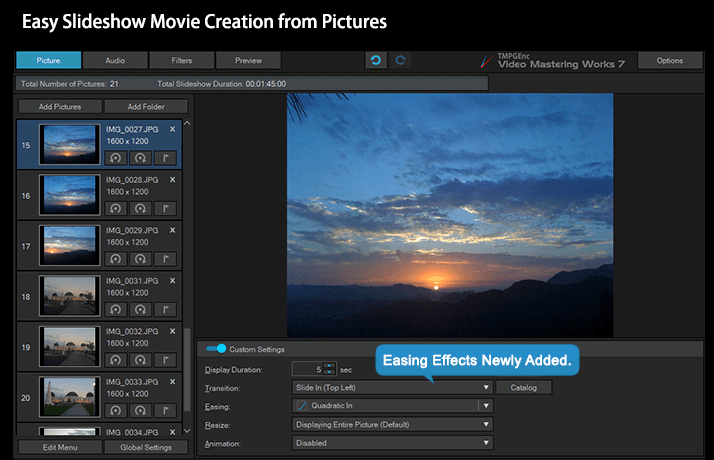
The overall process moves from importing and editing through output selection to encoding. This makes the software useful for everyday conversions, joining clips, preparing edited videos for a chosen format, and building more complex compositions from layered picture and audio material. Its combination of conversion, compression, editing, and encoding tools is aimed at video enthusiasts and other users who want control over how their footage is processed and delivered.
TMPGEnc Video Mastering Works is commercial software offered as a demo. It is available for 64-bit editions of Windows 7, Windows 8, Windows 10, and Windows 11. The range of controls may suit users who want to adjust encoding parameters, while the project modes and format templates provide more direct routes for straightforward jobs.
TMPGEnc Video Mastering Works 8.0.12.13 download tags
TMPGEnc Video Mastering Works 8.0.12.13 Windows 7 release notes
New Release
Improved:
Improved: VP9 video streams can now be selected for MP4 file output.
Added: Added the option “Prioritize responsiveness over destination rendering” to Preferences > [Preview Navigation Control: Keyboard Controls].
When enabled, seeking continues without waiting for the destination preview to render.
Improved: Filenames are now included in the display of jobs that output clips individually in the Batch Encode Tool.
Corrections:
Fixed: The background color of subtitles did not become fully opaque when the Color Management color space was set to ITU-R BT.2100 HLG/PQ.
Fixed: Occasionally an error occurred when exporting WebM VP9 files at specific resolutions.
Fixed: The CTRL+SHIFT+[Left Arrow] and CTRL+SHIFT+[Right Arrow] keyboard shortcuts did not work in Timeline mode.
Fixed: The [Adjust the slideshow duration to match the audio duration] option did not correctly reflect changes made to Local Settings.
Fixed: Occasionally an error occurred in the automatic transcription feature of the subtitle filter when using AMD GPUs and certain driver configurations.
Other corrections.
[ TMPGEnc Video Mastering Works release history ]
Bookmark TMPGEnc Video Mastering Works
TMPGEnc Video Mastering Works for Windows 7 - Copyright information
All TMPGEnc Video Mastering Works reviews, submitted ratings and written comments become the sole property of Windows 7 download. You acknowledge that you, not windows7download, are responsible for the contents of your submission. However, windows7download reserves the right to remove or refuse to post any submission for any reason.
Windows 7 Download periodically updates pricing and software information of TMPGEnc Video Mastering Works full version from the publisher, but some information may be out-of-date. You should confirm all information.
Using warez version, crack, warez passwords, patches, serial numbers, registration codes, key generator, pirate key, keymaker or keygen for TMPGEnc Video Mastering Works license key is illegal and prevent future development of TMPGEnc Video Mastering Works. Download links are directly from our mirrors or publisher's website, TMPGEnc Video Mastering Works torrent or shared files from free file sharing and free upload services, including Rapidshare, MegaUpload, YouSendIt, SendSpace, DepositFiles, DivShare, HellShare, HotFile, FileServe or MediaFire, are not used.
Post TMPGEnc Video Mastering Works review


Windows 7 TMPGEnc Video Mastering Works related downloads
GiliSoft Video Editor may help you make awesome edited movies, it cut and join video clips with zero quality loss, make split screen ...
Edit video with ease. Turn your home videos into all-time family favorites. Make them laugh. Make ...
AVCWare Video Editor by avcware.com is a highly capable software that offers a comprehensive suite of video editing tools. With this software, users can edit, enhance, ...
... latest addition to the ThunderSoft family - ThunderSoft Video Editor Pro. This Windows 7 software offers professional-grade video ...
The GiliSoft Video Editor Pro by GiliSoft International LLC. is the ultimate solution for anyone looking to enhance their video editing skills. With intuitive editing tools and a user-friendly ...
My Account
Help
Windows 7 Software Coupons
-
MacX DVD Ripper Pro
50% Off -
WinX DVD Ripper
50% Off -
Media Player Morpher
85% Off -
WinX MediaTrans
63% Off -
WinX HD Video Converter
56% Off
My Saved Stuff
You have not saved any software.
Click "Save" next to each software.
Click "Save" next to each software.
Would you like to receive announcements of new versions of your software by email or by RSS reader? Register for FREE!
Windows 7 Downloads Picks
- iTop Screen Recorder 7.1.0.3787
- Xtreme Media Player 0.8.0
- Video To Video Converter 2.9 B2.9.6.11
- Windows Media Player 11 11.2405.8.0
- Zoom Player Home Premium 7.00
- GOM Media Player 2.1.21.4846
- Ladybug Player 7.1
- Windows Essentials Codec Pack 4.3.2.207
- BluffTitler 17.0.0.4
- Video Manager 1.0.0.417
- Windows 7 Codec Pack 4.3.1
- Celtx 2.9.1
- StarCodec x64 20261016
- MediaInfo 26.01
- GiliSoft Video Editor 19.0.0
- Free Online TV Player 4.9.5.0
- K-Lite Codec Pack (Standard) 18.5.5
- 3GP Player 2013 1.4
- Video Edit Converter Gold 4.6
- SONY Vegas Pro 21.0 B315
Popular Tags
converter
dvd
ipod
iphone
mpeg
dvd to ipod
mp4 converter
video
vcd
download
avi converter
dvd ripper
3gp
convert
xvid
mp4
flv
avi
3gp converter
psp
mp3
video converter
rmvb
dvd to psp
wmv
asf
movie
divx
mpg
mov
Popular Windows 7 Software
- RarmaRadio 2.80.1
- Monkey's Audio 13.45
- iTop Screen Recorder 7.1.0.3787
- DVDFab 13.0.7.0
- Keyboard Soundboard 2.1
- 1X-AMP - MP3 Player Software 2026 26.2.5
- 1X-AMP - MP3 Player Software 2026 26.2.6
- EZ CD Audio Converter Free 13.2.1.1
- MP4 Player 6.4.31
- foobar2000 2.26.2
- Zortam Mp3 Media Studio 34.20
- PotPlayer 1.7.23159.0
- VUPlayer 4.25
- Total Audio Converter 6.1.0 Build 324
- Media Player Codec Pack Lite 5.5.2
© 2026 Windows7Download.com - All logos, trademarks, art and other creative works are and remain copyright and property of their respective owners. Microsoft Windows is a registered trademarks of Microsoft Corporation. Microsoft Corporation in no way endorses or is affiliated with windows7download.com.