

Remote Mouse for Windows 7 - Control your computer remotely with ease. - Windows 7 Download


Remote Mouse 4.727
Control your computer remotely with ease using Remote Mouse app.
Remote Mouse, developed by the Remote Mouse Development Team, transforms your smartphone or tablet into a versatile wireless mouse and keyboard for your computer. With a user-friendly interface, it allows seamless navigation, making it perfect for presentations or media control from a distance. The software supports multiple platforms, ensuring compatibility with Windows, macOS, and Linux. Its intuitive design and responsive performance make Remote Mouse an essential tool for anyone seeking conv ...
Remote Mouse 4.727 full details

| File Size: | 2.10 MB |
|---|---|
| License: | Freeware |
| Price: | FREE |
| Released: | 2026-10-27 |
| Downloads: | Total: 20 | This Month: 8 |
| Publisher: | Remote Mouse Development Team |
| Publisher URL: | https://www.remotemouse.net/ |

Download Remote Mouse 4.727
Save Remote Mouse to My Stuff
Tweet

Remote Mouse 4.727 full screenshots


Remote Mouse - Windows 7 Download awards

Remote Mouse 4.727 full description
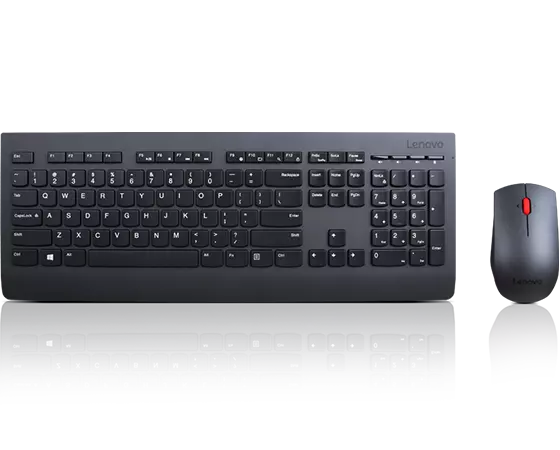
Remote Mouse, developed by the innovative Remote Mouse Development Team, is a versatile and user-friendly application designed to transform your mobile device into a wireless mouse, keyboard, and remote control for your computer. This software stands out for its seamless integration, intuitive interface, and robust functionality, making it an essential tool for anyone looking to enhance their computing experience.
One of the most compelling features of Remote Mouse is its ease of setup. The application is compatible with both Windows and Mac operating systems, and the installation process is straightforward. Simply download the app on your mobile device and the corresponding server software on your computer. Within minutes, your smartphone or tablet is ready to function as a fully-fledged remote control.
The app's interface is sleek and intuitive, ensuring that even the least tech-savvy users can navigate it with ease. The main screen mimics a touchpad, allowing for smooth and responsive cursor control. The keyboard function is equally impressive, offering a full QWERTY layout with additional function keys, making typing on your computer from a distance a breeze.
Remote Mouse also excels in customization. Users can personalize the interface to suit their preferences, adjusting the sensitivity of the touchpad, enabling or disabling specific features, and even choosing from various themes to match their style. This level of customization ensures that the app can cater to a wide range of user needs and preferences.
In addition to basic mouse and keyboard functions, Remote Mouse offers a suite of advanced features that elevate its utility. The app includes media controls, allowing users to play, pause, skip tracks, and adjust the volume of their media player without needing to be near their computer. This is particularly useful for those who use their computers for entertainment purposes, such as watching movies or listening to music.
Another standout feature is the app's ability to function as a remote control for presentations. With Remote Mouse, you can effortlessly navigate through slides, making it an invaluable tool for professionals who frequently give presentations. The app also supports multi-touch gestures, enabling users to perform actions such as zooming and scrolling with ease.
Security is a top priority for the Remote Mouse Development Team, and the app includes several features to ensure a secure connection between your mobile device and computer. The app uses encryption to protect your data, and users can set a password to prevent unauthorized access.
Performance-wise, Remote Mouse is highly reliable, with minimal lag and consistent connectivity. The app works over Wi-Fi, ensuring that you can control your computer from anywhere within your network's range. This makes it ideal for use in both home and office environments.
In summary, Remote Mouse is a powerful and versatile tool that significantly enhances the way you interact with your computer. Its ease of use, extensive customization options, and advanced features make it a standout choice for anyone looking to add a new level of convenience and functionality to their computing experience. Whether you're using it for work, entertainment, or presentations, Remote Mouse is sure to impress with its seamless performance and user-friendly design.
Remote Mouse 4.727 download tags
Bookmark Remote Mouse
Remote Mouse for Windows 7 - Copyright information
All Remote Mouse reviews, submitted ratings and written comments become the sole property of Windows 7 download. You acknowledge that you, not windows7download, are responsible for the contents of your submission. However, windows7download reserves the right to remove or refuse to post any submission for any reason.
Windows 7 Download periodically updates pricing and software information of Remote Mouse full version from the publisher, but some information may be out-of-date. You should confirm all information.
Using warez version, crack, warez passwords, patches, serial numbers, registration codes, key generator, pirate key, keymaker or keygen for Remote Mouse license key is illegal and prevent future development of Remote Mouse. Download links are directly from our mirrors or publisher's website, Remote Mouse torrent or shared files from free file sharing and free upload services, including Rapidshare, MegaUpload, YouSendIt, SendSpace, DepositFiles, DivShare, HellShare, HotFile, FileServe or MediaFire, are not used.
Post Remote Mouse review


Windows 7 Remote Mouse related downloads
Mouse Shaker is an application which recognize mouse symbols, if a user move his mouse in ...
... moves and perform them faster and scheduled Mouse Recorder Pro 2 is a free mouse and ...
Mouse Recorder Pro is an input recording application (mouse ... of recordings you have made ( moving your mouse, clicking on a button, pressing keys). ...
Remote Scheduler is an innovative task scheduling application (Windows Only) which manage application execution on ...
... you're experiencing "access denied" errors when trying to remotely access your Windows 7 computer, look no further ...
My Account
Help
Windows 7 Software Coupons
-
MacX MediaTrans
63% Off -
WinX MediaTrans
63% Off -
MacX DVD Video Converter
58% Off -
MacX Video Converter Pro
56% Off -
WinX DVD Copy Pro
42% Off
My Saved Stuff
You have not saved any software.
Click "Save" next to each software.
Click "Save" next to each software.
Would you like to receive announcements of new versions of your software by email or by RSS reader? Register for FREE!
Windows 7 Downloads Picks
- Windows Access Panel 1.0
- Windows 7 Service Pack 1 7601.17514.1011
- Argente Utilities 3.1.0.8
- Cygwin 3.6.12
- Smart Game Booster 6.0.1.1231
- Windows Logon Notifier 1.0
- AutoHotkey 2.0.31
- Advanced SystemCare 20.0.1.256
- Windows 7 Manager (x64bit) 5.2.0
- Windows 7 Manager (x32bit) 5.2.0
- Autoruns for Windows 14.11
- Mz Cpu Accelerator 4.1.0
- Portable Wise Registry Cleaner 11.3.2 Build 734
- Ultimate Windows Tweaker 2.2
- CCleaner 7.13.1573.0 Ad-suppo
- Microsoft Fix it Center beta
- Notepad++ Plugin Manager 2.7.0
- Advanced SystemCare Professional 20.0.1.256
- Disk CleanUp Wizard 2.1
- Portable Glary Utilities 6.49.0.53
Popular Tags
tune
cleaner
backup
optimizer
vista
uninstall
driver
defrag
tweak
speed
utility
boost
disk
startup
faster
memory
cpu
spyware
ram
windows
optimize
remove
security
disk cleaner
system
registry
clean
registry cleaner
repair
performance
Popular Windows 7 Software
- Auslogics Registry Cleaner 11.2.0.6
- Driver Easy 7.2.3 Build 6590
- Don't Sleep 10.44
- ALTRun 2026.10.26
- WinTools.one Professional 26.10.1
- Ashampoo UnInstaller Pro 27 27.0.1
- Free iPhone Backup Extractor 3.8.0.2725
- File Juggler 3.1.9
- System Mechanic Professional 23.1
- NSClient++ 0.26.0
- Oracle-to-Access 3.1
- CompanionLink for Outlook 11 Build 11024
- ExtraDisks x64 26.10.1
- Windows 7
- UFS Explorer Professional Recovery 10.23.0
© 2026 Windows7Download.com - All logos, trademarks, art and other creative works are and remain copyright and property of their respective owners. Microsoft Windows is a registered trademarks of Microsoft Corporation. Microsoft Corporation in no way endorses or is affiliated with windows7download.com.