


PDFCreator for Windows 7 - "Create PDFs easily with PDFCreator" - Windows 7 Download


PDFCreator 6.2.2
"Create high-quality PDFs with ease using PDFCreator. Download now!"
PDFCreator, developed by OS Development, is the perfect solution for converting your documents into PDF files. With a user-friendly interface, this software allows you to customize your PDFs by adding watermarks, passwords, and more. Its advanced features make it easy to merge, split, and compress your PDFs, while also allowing you to digitally sign PDFs for added security. PDFCreator is the ultimate tool for anyone who needs to create professional and high-quality PDFs quickly and efficiently.
PDFCreator 6.2.2 full details

| File Size: | 102.00 MB |
|---|---|
| License: | Trialware |
| Price: | $27.71 |
| Released: |
2026-03-11
 |
| Downloads: | Total: 2875 | This Month: 253 |
| Publisher: | pdfforge GmbH |
| Publisher URL: | https://www.pdfforge.org/pdfcreator |

Download PDFCreator 6.2.2
Save PDFCreator to My Stuff
Tweet
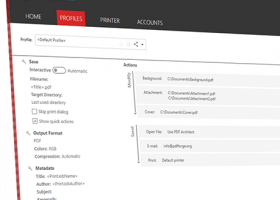
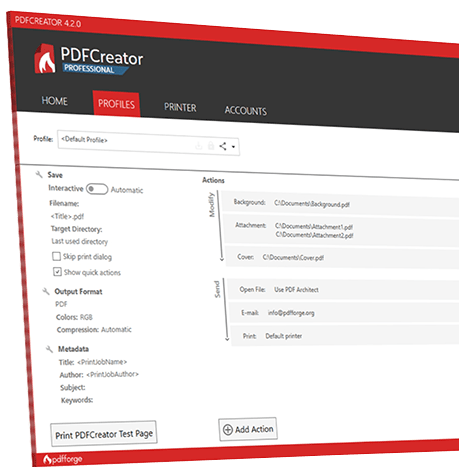
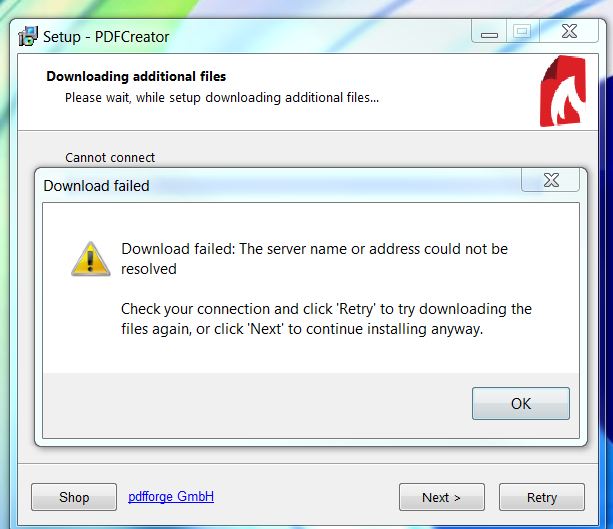
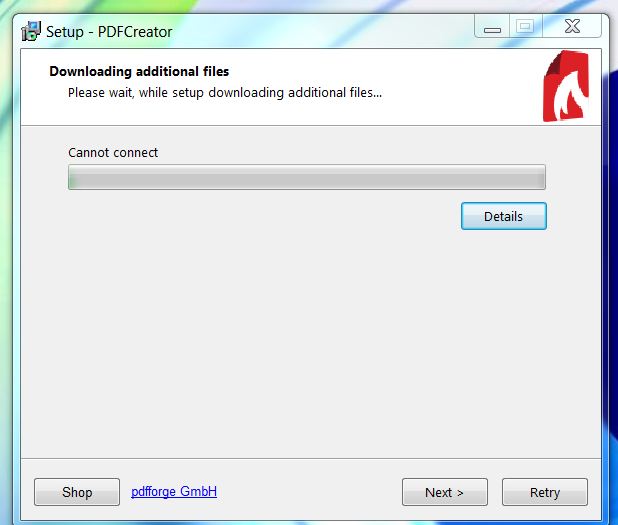
PDFCreator 6.2.2 full screenshots

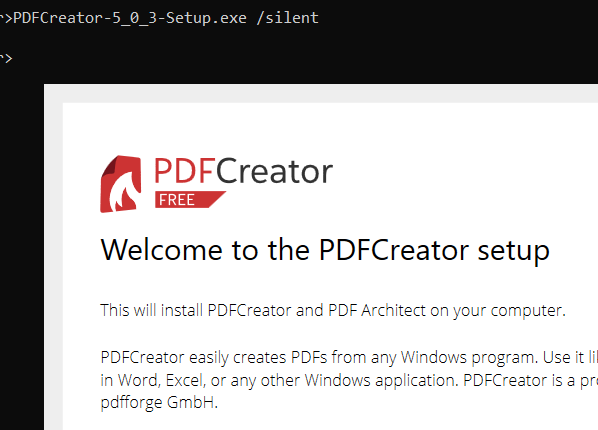
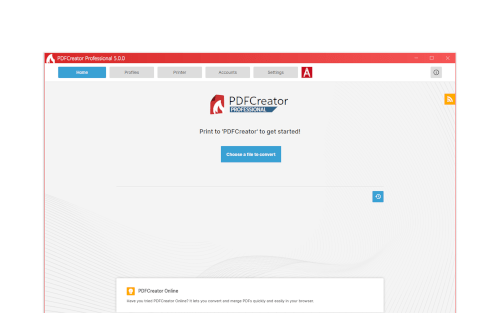
PDFCreator - Windows 7 Download awards


PDFCreator 6.2.2 full description
PDFCreator is a free tool to create PDF files from nearly any Windows application.
PDFCreator is a tool to create PDF files from nearly any Windows application. Key features: create PDFs from any program that is able to print; security: encrypt PDFs and protect them from being opened or printed; send generated files via e-mail; create more than just PDFs: PNG, JPG, TIFF, BMP, PCX, PS, and EPS; autosave files to folders and filenames based on tags like username, computer name, date, and time; merge multiple files into one PDF; PDFCreator also runs on terminal servers without problems.
PDFCreator converts every printable document to PDF and many other formats.
Convert your Documents to PDF, JPG, PNG, TIF and more
Merge multiple documents to one file
Profiles make frequently used settings available with one click
Use automatic saving to have a fully automated PDF printer
We take care of the complexity and make converting PDFs simple for you
Professional features allow you to control and secure your output to achieve the results you desire
Compress and resize images to reduce the file size
Encrypt your PDFs with AES and protect them with a password
Prevent unauthorized access to your PDFs by changing the security settings
Use the COM interface to control PDFCreator from your application
Coming soon: With our corporate subscription you will get access to our MSI setup for easy deployment through Active Directory
PDFCreator will remain free forever. You may use it at home, in your company and may even give it to your friends and colleagues.
PDFCreator is Open Source software and licensed under the terms of the Affero General Public License (AGPL) to give you the maximum freedom
You are free to use PDFCreator at home or at work
You may access the source code and compile it on your own, as long as it stays under the AGPL
Please note that we display advertisements during the setup to cover our costs. If you do not like advertisements, we also offer PDFCreator Plus, which gives you access to our ad-free setup.
Key Features:
Create PDF files
If you can print your document, you can convert it to PDF with our freeware application PDFCreator. And not only PDF, you can convert the document to other popular formats as well, like PNG, JPEG and TIF.
Secure your PDFs
PDFCreator allows to secure your documents against unauthorized access or modifications. You can restrict access to your PDFs, require a password to open the document or restrict printing and modifying your document with 128 bit AES encryption.
Digital signatures
If you need to sign a document and send it across the globe, it takes a lot of time. You can use digital signatures to speed up this process: Sign the document digitally with PDFCreator. This verifies you as author and you won’t have to print and scan the document.
Archive-ready with PDF/A
Today most people and companies want to archive documents for years or decades and you have to make sure that they will be readable when you need them. The PDF/A standard ensures this by applying strict standards on what can and must be included in the PDF. PDFCreator is able to create PDF/A files for your archiving needs.
Use Profiles for easy access
If you have different cases in which you use PDFCreator, you might need different settings for each. PDFCreator has profiles for this. You can create a profile for every situation and have it available with one click. You can also have multiple PDFCreator printers and define which profile will be preselected for you.
Automatic saving
Auto-save allows you to have a fully automated PDF printer. You activate auto-save in your profile and select where the files will be saved. Every document you print will be saved automatically. Combine it with tokens and it becomes even more powerful.
PDFCreator is a tool to create PDF files from nearly any Windows application. Key features: create PDFs from any program that is able to print; security: encrypt PDFs and protect them from being opened or printed; send generated files via e-mail; create more than just PDFs: PNG, JPG, TIFF, BMP, PCX, PS, and EPS; autosave files to folders and filenames based on tags like username, computer name, date, and time; merge multiple files into one PDF; PDFCreator also runs on terminal servers without problems.
PDFCreator converts every printable document to PDF and many other formats.
Convert your Documents to PDF, JPG, PNG, TIF and more
Merge multiple documents to one file
Profiles make frequently used settings available with one click
Use automatic saving to have a fully automated PDF printer
We take care of the complexity and make converting PDFs simple for you
Professional features allow you to control and secure your output to achieve the results you desire
Compress and resize images to reduce the file size
Encrypt your PDFs with AES and protect them with a password
Prevent unauthorized access to your PDFs by changing the security settings
Use the COM interface to control PDFCreator from your application
Coming soon: With our corporate subscription you will get access to our MSI setup for easy deployment through Active Directory
PDFCreator will remain free forever. You may use it at home, in your company and may even give it to your friends and colleagues.
PDFCreator is Open Source software and licensed under the terms of the Affero General Public License (AGPL) to give you the maximum freedom
You are free to use PDFCreator at home or at work
You may access the source code and compile it on your own, as long as it stays under the AGPL
Please note that we display advertisements during the setup to cover our costs. If you do not like advertisements, we also offer PDFCreator Plus, which gives you access to our ad-free setup.
Key Features:
Create PDF files
If you can print your document, you can convert it to PDF with our freeware application PDFCreator. And not only PDF, you can convert the document to other popular formats as well, like PNG, JPEG and TIF.
Secure your PDFs
PDFCreator allows to secure your documents against unauthorized access or modifications. You can restrict access to your PDFs, require a password to open the document or restrict printing and modifying your document with 128 bit AES encryption.
Digital signatures
If you need to sign a document and send it across the globe, it takes a lot of time. You can use digital signatures to speed up this process: Sign the document digitally with PDFCreator. This verifies you as author and you won’t have to print and scan the document.
Archive-ready with PDF/A
Today most people and companies want to archive documents for years or decades and you have to make sure that they will be readable when you need them. The PDF/A standard ensures this by applying strict standards on what can and must be included in the PDF. PDFCreator is able to create PDF/A files for your archiving needs.
Use Profiles for easy access
If you have different cases in which you use PDFCreator, you might need different settings for each. PDFCreator has profiles for this. You can create a profile for every situation and have it available with one click. You can also have multiple PDFCreator printers and define which profile will be preselected for you.
Automatic saving
Auto-save allows you to have a fully automated PDF printer. You activate auto-save in your profile and select where the files will be saved. Every document you print will be saved automatically. Combine it with tokens and it becomes even more powerful.
PDFCreator 6.2.2 download tags
PDFCreator 6.2.2 Windows 7 release notes
New Release
Bugs fixed:
Fixed a setup crash that occurred when displaying release notes for all 6.2 versions. Please update PDFCreator 6.2.0 and 6.2.1 to version 6.2.2, as the earlier setups will crash when showing the 6.2.2 release notes.Note: Apart from the bug fixes below, version 6.2.2 is functionally identical to 6.2.0 and 6.2.1.
Resolved an issue where files contained broken characters and unwanted empty pages, when their preview had not finished loading.
PDFCreator Custom: Fixed an issue that prevented conversions from the Windows context menu.
PDFCreator Custom: Updated the Images2PDF parameter for the installer.
PDFCreator Professional, PDFCreator Terminal Server and PDFCreator Custom Fixed the priority support on the last setup page.
COM Interface: Fixed an issue where converting to an existing document always merged files. The new default is to overwrite existing files, but this behavior can be changed via settings again.
Other changes:
Reviewed and updated the COM interface examples and documentation in the user guide.
[ PDFCreator release history ]
Bugs fixed:
Fixed a setup crash that occurred when displaying release notes for all 6.2 versions. Please update PDFCreator 6.2.0 and 6.2.1 to version 6.2.2, as the earlier setups will crash when showing the 6.2.2 release notes.Note: Apart from the bug fixes below, version 6.2.2 is functionally identical to 6.2.0 and 6.2.1.
Resolved an issue where files contained broken characters and unwanted empty pages, when their preview had not finished loading.
PDFCreator Custom: Fixed an issue that prevented conversions from the Windows context menu.
PDFCreator Custom: Updated the Images2PDF parameter for the installer.
PDFCreator Professional, PDFCreator Terminal Server and PDFCreator Custom Fixed the priority support on the last setup page.
COM Interface: Fixed an issue where converting to an existing document always merged files. The new default is to overwrite existing files, but this behavior can be changed via settings again.
Other changes:
Reviewed and updated the COM interface examples and documentation in the user guide.
[ PDFCreator release history ]
Bookmark PDFCreator
PDFCreator for Windows 7 - Copyright information
All PDFCreator reviews, submitted ratings and written comments become the sole property of Windows 7 download. You acknowledge that you, not windows7download, are responsible for the contents of your submission. However, windows7download reserves the right to remove or refuse to post any submission for any reason.
Windows 7 Download periodically updates pricing and software information of PDFCreator full version from the publisher, but some information may be out-of-date. You should confirm all information.
Using warez version, crack, warez passwords, patches, serial numbers, registration codes, key generator, pirate key, keymaker or keygen for PDFCreator license key is illegal and prevent future development of PDFCreator. Download links are directly from our mirrors or publisher's website, PDFCreator torrent or shared files from free file sharing and free upload services, including Rapidshare, MegaUpload, YouSendIt, SendSpace, DepositFiles, DivShare, HellShare, HotFile, FileServe or MediaFire, are not used.
Windows 7 Download periodically updates pricing and software information of PDFCreator full version from the publisher, but some information may be out-of-date. You should confirm all information.
Using warez version, crack, warez passwords, patches, serial numbers, registration codes, key generator, pirate key, keymaker or keygen for PDFCreator license key is illegal and prevent future development of PDFCreator. Download links are directly from our mirrors or publisher's website, PDFCreator torrent or shared files from free file sharing and free upload services, including Rapidshare, MegaUpload, YouSendIt, SendSpace, DepositFiles, DivShare, HellShare, HotFile, FileServe or MediaFire, are not used.
Post PDFCreator review


Windows 7 PDFCreator related downloads
GIRDAC PDF to Image Converter is a software application for converting PDF documents to to over 100 image file formats. ...
PDF To Excel Converter is a windows application to convert PDF document to Excel XLS / XLSX formats fast ...
GIRDAC PDF Converter Pro is a software application for converting PDF documents to Microsoft Word and Excel file formats. ...
Includes PDF-XChange Editor Plus and PDF-Tools and PDF-XChange Standard Create new PDF files from the output ...
GIRDAC PDF to Word Converter is a software application for converting PDF documents to Microsoft Word .DOC, .DOCX .XML and ...
My Account
Help
Windows 7 Software Coupons
-
WinX DVD Ripper
50% Off -
Media Player Morpher
85% Off -
WinX MediaTrans
63% Off -
MacX DVD Ripper Pro
50% Off -
FREE VPN PROXY by SEED4.ME WINDOWS
Free VPN by Seed4Me
My Saved Stuff
You have not saved any software.
Click "Save" next to each software.
Click "Save" next to each software.
Would you like to receive announcements of new versions of your software by email or by RSS reader? Register for FREE!
Windows 7 Downloads Picks
- Microsoft Office 2007
- LibreOffice 26.2.3.2 Latest
- LibreOffice x64 24.2.4
- Quite Imposing Plus 6.0d
- PDF-XChange Lite 10.2.1.385
- EMF Printer Driver 17.76 Revision 3239
- Microsoft Office 2010 x32 14.0 BETA
- Microsoft Office 2016 x64 2405 B17628.20164
- Microsoft Office 2003
- WebEx MeetMeNow 2.0 44.6.0.29928
- XL Toolbox 7.0.0 Alpha 18
- Microsoft Office 2007 Service Pack SP3
- Microsoft Office Compatibility Pack for Word, Excel, and PowerPoint 2007 File Formats 4
- FinePrint (x64 bit) 11.44
- Advanced Reliable Software 1.9
- Microsoft Office 2013 15.0.4420.1017 RTM
- PDF to Word Converter 19.4.2.4
- Notepad++ Portable 8.9.4
- CZ Excel Converter 4.0 B130902
- GIRDAC PDF Converter Ultimate 23.2.2.4
Popular Tags
tool
excel
word
microsoft
software
data
adobe
create pdf
xls
acrobat
pdf converter
converter
outlook
conversion
powerpoint
doc
pdf
free
word to pdf
text
files
spreadsheet
convert
pdf creator
editor
document
printer
add in
create
office
Popular Windows 7 Software
- Microsoft Office 2007
- LoadPlanner Desktop 2.6.4
- LibreOffice 26.2.3.2 Latest
- LibreOffice x64 24.2.4
- Card Maker Software For Windows OS 8.2.0.2
- dbForge Data Compare for Oracle 2025.3
- Alternate Timer 4.850
- EasyBilling Invoicing Software 9.9.4
- dbForge Transaction Log for SQL Server 2025.3
- Quick Receipt Software 2.9.4
- ChequeSystem Cheque Printing Software 8.7.0
- dbForge Monitor for SQL Server 2025.3
- dbForge Schema Compare for SQL Server 2025.3.149
- dbForge Compare Bundle for SQL Server 2025.3
- dbForge Data Compare for SQL Server 2025.3
© 2026 Windows7Download.com - All logos, trademarks, art and other creative works are and remain copyright and property of their respective owners. Microsoft Windows is a registered trademarks of Microsoft Corporation. Microsoft Corporation in no way endorses or is affiliated with windows7download.com.