


Defraggler for Windows 7 - Boost Your PC's Performance: Download Defraggler Now! - Windows 7 Download


Defraggler 2.22.995
"Optimize your PC's performance with Defraggler. Organize your files efficiently."
Defraggler is an essential tool for keeping your Windows 7 PC running smoothly. Developed by Piriform Ltd., this software targets fragmentation in your hard drives, organizing data for faster access and reducing load times. Its intuitive interface, powerful functionality, and automatic scheduling options make it a must-have in any PC maintenance kit. Boosting performance has never been easier with Defraggler, and with regular use, you can ensure your system is always operating at its best. Upgrade your Windows 7 experience today with Defraggler.
Defraggler 2.22.995 full details

| File Size: | 6.10 MB |
|---|---|
| License: | Freeware |
| Price: | FREE |
| Released: | 2018-05-22 |
| Downloads: | Total: 2224 | This Month: 156 |
| Publisher: | Piriform Ltd. |
| Publisher URL: | https://www.ccleaner.com/ |

Download Defraggler 2.22.995
Save Defraggler to My Stuff
Tweet
Defraggler - Windows 7 Download awards


Defraggler 2.22.995 full description
Defraggler is a file defragmentation tool. It differs from other defrag tools on the market, by enabling you to quickly and simply defrag the files you want to, without having to process the whole drive. Simply run it, select the file and defragment in seconds.
Use Defraggler to defrag your entire hard drive, or individual files - unique in the industry. This compact and portable Windows application supports NTFS and FAT32 file systems.
From everyone here at Piriform, the company that brought you CCleaner and Recuva... we now bring you a file defragmentation tool... Defraggler!
It differs from other defrag tools on the market, by enabling you to quickly and simply defrag the files you want to, without having to process the whole drive. Simply run it, select the file and defragment in seconds. No more struggling with the Windows defragmentation tool!
And remember like all Piriform products, Defraggler is completely free for both corporate and individual use.
Features:
Defrag Individual Files or Drives
Most defrag tools only allow you to defrag an entire drive. Defraggler lets you specify one or more files, folders, or the whole drive to defragment. Pick the trouble spots on your hard drive - like your favorite videos, your business software, or your Web browser. Defraggler does exactly what you tell it to.
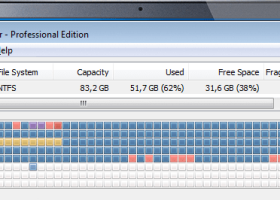
Interactive drive map
At a glance, you can see how defragmented your hard drive is. Defraggler's drive map shows you blocks that are empty, not fragmented, or needing defragmentation. To see the files on an area of your hard drive, click the colored block. Or, view all of the files on your hard drive sorted by size, path, or number of fragments. Want to save the list for later? Defraggler has a report option which lets you save lists of all or some files to a text log.
Defragment free space
Most defrag tools only defrag files on a drive. Defraggler goes one step further and defragments the free space, too. If your free space is defragmented and all chopped up, new files written to that space will end up defragmented right away. Defraggler can defragment free space so new files are automatically all in one place, making your hard drive run faster and Windows work more effectively.
Move large files to end of drive
Hard drives are fastest at the beginning of the drive and slowest at the end. If the files you use most often are at the beginning, your PC will run faster. You can tell Defraggler to put your large files (such as archives, videos, or backups) at the end of the drive and it will automatically put the smaller, often-used ones at the front. The result? More efficient use of hard drive space and faster computing.
Defragging in the background
Don't waste precious time. Defraggler runs in the background so you can continue to work, play, and have fun. It's small and uses few system resources, so you won't experience any slowdowns in the process.
Scheduled defragmentation
Defragment while you sleep - and wake up with a faster PC. Set Defraggler to run daily, weekly, or monthly and be assured that it's keeping your hard drive speedier, more reliable, and more efficient.
Portable version
You never know when you'll be asked to fix a slow PC. If you're the tech guru in the family, you may be called upon to help while visiting your favorite uncle…or the neighbors down the street. Defraggler's portable version is self-contained and fits on a USB drive, so you're always ready to help.
Multi-language support
No matter what your native tongue is, Defraggler speaks your language. It currently supports 37 all major languages, including English.
User community and documentation
Get the most from Defraggler by reading our extensive, easy-to-follow documentation at docs.piriform.com, then join the conversation with other Defraggler users at forum.piriform.com.
Use Defraggler to defrag your entire hard drive, or individual files - unique in the industry. This compact and portable Windows application supports NTFS and FAT32 file systems.
From everyone here at Piriform, the company that brought you CCleaner and Recuva... we now bring you a file defragmentation tool... Defraggler!
It differs from other defrag tools on the market, by enabling you to quickly and simply defrag the files you want to, without having to process the whole drive. Simply run it, select the file and defragment in seconds. No more struggling with the Windows defragmentation tool!
And remember like all Piriform products, Defraggler is completely free for both corporate and individual use.
Features:
Defrag Individual Files or Drives
Most defrag tools only allow you to defrag an entire drive. Defraggler lets you specify one or more files, folders, or the whole drive to defragment. Pick the trouble spots on your hard drive - like your favorite videos, your business software, or your Web browser. Defraggler does exactly what you tell it to.
Interactive drive map
At a glance, you can see how defragmented your hard drive is. Defraggler's drive map shows you blocks that are empty, not fragmented, or needing defragmentation. To see the files on an area of your hard drive, click the colored block. Or, view all of the files on your hard drive sorted by size, path, or number of fragments. Want to save the list for later? Defraggler has a report option which lets you save lists of all or some files to a text log.
Defragment free space
Most defrag tools only defrag files on a drive. Defraggler goes one step further and defragments the free space, too. If your free space is defragmented and all chopped up, new files written to that space will end up defragmented right away. Defraggler can defragment free space so new files are automatically all in one place, making your hard drive run faster and Windows work more effectively.
Move large files to end of drive
Hard drives are fastest at the beginning of the drive and slowest at the end. If the files you use most often are at the beginning, your PC will run faster. You can tell Defraggler to put your large files (such as archives, videos, or backups) at the end of the drive and it will automatically put the smaller, often-used ones at the front. The result? More efficient use of hard drive space and faster computing.
Defragging in the background
Don't waste precious time. Defraggler runs in the background so you can continue to work, play, and have fun. It's small and uses few system resources, so you won't experience any slowdowns in the process.
Scheduled defragmentation
Defragment while you sleep - and wake up with a faster PC. Set Defraggler to run daily, weekly, or monthly and be assured that it's keeping your hard drive speedier, more reliable, and more efficient.
Portable version
You never know when you'll be asked to fix a slow PC. If you're the tech guru in the family, you may be called upon to help while visiting your favorite uncle…or the neighbors down the street. Defraggler's portable version is self-contained and fits on a USB drive, so you're always ready to help.
Multi-language support
No matter what your native tongue is, Defraggler speaks your language. It currently supports 37 all major languages, including English.
User community and documentation
Get the most from Defraggler by reading our extensive, easy-to-follow documentation at docs.piriform.com, then join the conversation with other Defraggler users at forum.piriform.com.
Defraggler 2.22.995 download tags
Defraggler 2.22.995 Windows 7 release notes
New Release
Fixed a bug that caused a scheduled defrag to fail silently
Improved SSD detection for newer SSD devices
Improved SSD detection for laptops
Added new Privacy menu Installer
/L (list) switch now highlights SSDs
Added a warning when attempting to defrag SSDs
Added switch for forcing defragmentation of SSDs
Fixed text cutoff on the 'Defrag' button in Dutch
Added a warning when attempting to defrag SSDs
Fixed text bleeds in the installer for German and other languages
[ Defraggler release history ]
Fixed a bug that caused a scheduled defrag to fail silently
Improved SSD detection for newer SSD devices
Improved SSD detection for laptops
Added new Privacy menu Installer
/L (list) switch now highlights SSDs
Added a warning when attempting to defrag SSDs
Added switch for forcing defragmentation of SSDs
Fixed text cutoff on the 'Defrag' button in Dutch
Added a warning when attempting to defrag SSDs
Fixed text bleeds in the installer for German and other languages
[ Defraggler release history ]
Bookmark Defraggler
Defraggler for Windows 7 - Copyright information
All Defraggler reviews, submitted ratings and written comments become the sole property of Windows 7 download. You acknowledge that you, not windows7download, are responsible for the contents of your submission. However, windows7download reserves the right to remove or refuse to post any submission for any reason.
Windows 7 Download periodically updates pricing and software information of Defraggler full version from the publisher, but some information may be out-of-date. You should confirm all information.
Using warez version, crack, warez passwords, patches, serial numbers, registration codes, key generator, pirate key, keymaker or keygen for Defraggler license key is illegal and prevent future development of Defraggler. Download links are directly from our mirrors or publisher's website, Defraggler torrent or shared files from free file sharing and free upload services, including Rapidshare, MegaUpload, YouSendIt, SendSpace, DepositFiles, DivShare, HellShare, HotFile, FileServe or MediaFire, are not used.
Windows 7 Download periodically updates pricing and software information of Defraggler full version from the publisher, but some information may be out-of-date. You should confirm all information.
Using warez version, crack, warez passwords, patches, serial numbers, registration codes, key generator, pirate key, keymaker or keygen for Defraggler license key is illegal and prevent future development of Defraggler. Download links are directly from our mirrors or publisher's website, Defraggler torrent or shared files from free file sharing and free upload services, including Rapidshare, MegaUpload, YouSendIt, SendSpace, DepositFiles, DivShare, HellShare, HotFile, FileServe or MediaFire, are not used.
Post Defraggler review


Windows 7 Defraggler related downloads
Defraggler is a defragmentation tool designed to work on ... folders or the entire disk drive. After analysis, Defraggler will list all the fragmented files on the ...
My Account
Help
Windows 7 Software Coupons
-
WinX MediaTrans
63% Off -
MacX Video Converter Pro
56% Off -
MacX DVD Video Converter
58% Off -
Media Player Morpher
85% Off -
WinX DVD Copy Pro
42% Off
My Saved Stuff
You have not saved any software.
Click "Save" next to each software.
Click "Save" next to each software.
Would you like to receive announcements of new versions of your software by email or by RSS reader? Register for FREE!
Windows 7 Downloads Picks
- Portable XYplorer 28.30.0600 x64
- xplorer² 5.1.0.1
- FRSFileList 1.7.0
- File Defragger 2.1
- Disk Savvy Pro x64 17.7.18
- SpeedCommander 22.20 Build 11900
- Data Igloo standard 2.0
- BestSync Portable 2010 x64 5.4.34
- Portable cdrtfe 1.5.9.1
- Sync Breeze Server x64 17.8.26
- file@home 4.1.4
- Portable WhereIsIt 2012 Build 522
- BestSync Portable x64 2024 (19.0.1.5)
- SuperCopier x64 2.2.6.6
- EMDB 5.41
- WinDirStat 2.5.0
- Extended File Details 1.0
- Drives Monitor 18.1
- Filmotech 3.11.2
- xplorer² x64 5.1.0.1
Popular Tags
mp3
search
directory
undelete
hard
disk
recovery
files
file
file manager
tool
music
software
data recovery software
erase
cleaner
duplicate files
lotus notes to outlook
file recovery
folders
find
drive
data recovery
nsf to pst
data
duplicate
folder
delete
remove
utility
Popular Windows 7 Software
- Network Monitor II 31.7
- Avro Keyboard 5.6.0.0
- Media Creation Tool x64 22H2
- Ghostscript (x64 bit) 10.03.1
- Windows 7
- iTop Data Recovery 6.1.0.936
- Windows 7 Service Pack 1 7601.17514.1011
- iTop Easy Desktop 4.2.0.312
- Advanced SystemCare 19.3.0.200
- Smart Game Booster 5.3.1.692
- iTop PDF 3.6.0.4
- GoodSync2Go 12.9.29.9
- The Dude 7.22.2 Stable
- IObit Uninstaller 15.4.0.1
- Atlantis Word Processor 5.0.4
© 2026 Windows7Download.com - All logos, trademarks, art and other creative works are and remain copyright and property of their respective owners. Microsoft Windows is a registered trademarks of Microsoft Corporation. Microsoft Corporation in no way endorses or is affiliated with windows7download.com.