


Bluebeam PDF Revu Standard Edition for Windows 7 - Revolutionize PDF editing with Bluebeam PDF Revu. - Windows 7 Download


Bluebeam PDF Revu Standard Edition 20.2.85
Revolutionize your PDF management with our Standard Edition!
Bluebeam PDF Revu Standard Edition, developed by Bluebeam Software, is the ultimate solution for PDF creation, editing, and collaboration on Windows 7. With a user-friendly interface and powerful features, such as OCR technology and batch processing, this software streamlines your PDF workflow. Say goodbye to manual tasks and tedious processes, and say hello to a more efficient and productive way of working with PDFs. Download Bluebeam PDF Revu Standard Edition now and take your PDF editing to the next level.
Bluebeam PDF Revu Standard Edition 20.2.85 full details

| File Size: | 1100.00 MB |
|---|---|
| License: | Trialware |
| Price: | $349.00 |
| Released: | 2022-08-19 |
| Downloads: | Total: 489 | This Month: 98 |
| Publisher: | Bluebeam Software, Inc. |
| Publisher URL: | https://www.bluebeam.com/ |

Download Bluebeam PDF Revu Standard Edition 20.2.85
Save Bluebeam PDF Revu Standard Edition to My Stuff
Tweet
Bluebeam PDF Revu Standard Edition - Windows 7 Download awards

Bluebeam PDF Revu Standard Edition 20.2.85 full description
Bluebeam Revu Standard is an intuitive PDF solution, designed for users who want to improve the way they work. With best-in-class PDF creation, markup and editing technology, Revu Standard has all of the tools you need to make paperless workflow a reality.
Use Bluebeam's plugin for MS Office to create high-quality PDFs from Word, Excel®, Outlook® and PowerPoint® with the click of a button, or create PDFs from other Windows® files using the Bluebeam PDF printer. Add customizable markups such as text, highlights, shapes, symbols and measurements to PDFs electronically, and save custom markups in the patented Tool Chest™ for easy reuse. Easily edit and assemble PDFs by adding, deleting, and combining PDF pages. Perform cost calculations, automatically compare drawings, track markups in a list, integrate with SharePoint® or ProjectWise®, go mobile on a tablet PC and collaborate with colleagues in real time using Bluebeam Studio™.
Easy PDF creation:
· Just push a button in MS Office (Word, Excel and PowerPoint) for one button and batch PDF creation. To convert other Windows files to PDF, just print to the Bluebeam PDF printer.
Still the most intuitive interface:
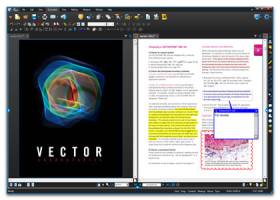
· Revu displays open PDFs in tab form so you can easily switch between documents. Use MutliView™ technology and view up to 16 PDFs simultaneously. Also, customize the interface with a quick profile change.
No hunting for markup tools:
· Bluebeam displays all the markup tools and properties settings in the toolbars so you can quickly select a tool, customize it and markup your document. Bluebeam even spell checks your text markups for you.
One click markup:
· There’s no need for extra or repetitive steps. Bluebeam’s exclusive Tool Chest stores every markup and comment you make so you can reapply with just a mouse click.
Special Features for Design and Construction Pros:
· Bluebeam was built for architects, engineers, construction professionals and other technical professionals. Special features include industry-standard markups such as takeoffs and change clouds, a drawing comparison tool, hatch patterns and more.
FEATURES:
Tablet users love it:
· View and markup PDF files with the ease of your tablet pen using tablet-specific functionality like searchable ink, built-in TIP, custom interface and zooming.
Sign, stamp and secure:
· Your intellectual property is important to you, so Bluebeam helps you keep it safe. Control who can view, print, comment or copy from your PDFs and define and place digital signatures and PDF stamps.
Integrated online search:
· Bluebeam’s latest innovation, the WebTab™ lets you search the Internet directly within Revu. View online PDF catalogs, supplier PDFs, or any website, combine online content with your original PDF or create a new PDF. No more switching back and forth between applications – Revu has it all.
So much included with your purchase:
· At half the price of the leading PDF software, choosing Bluebeam is a no brainer. Included with your license is free email tech support, tutorials and online resources. Optional maintenance plans and training programs are available too.
Use Bluebeam's plugin for MS Office to create high-quality PDFs from Word, Excel®, Outlook® and PowerPoint® with the click of a button, or create PDFs from other Windows® files using the Bluebeam PDF printer. Add customizable markups such as text, highlights, shapes, symbols and measurements to PDFs electronically, and save custom markups in the patented Tool Chest™ for easy reuse. Easily edit and assemble PDFs by adding, deleting, and combining PDF pages. Perform cost calculations, automatically compare drawings, track markups in a list, integrate with SharePoint® or ProjectWise®, go mobile on a tablet PC and collaborate with colleagues in real time using Bluebeam Studio™.
Easy PDF creation:
· Just push a button in MS Office (Word, Excel and PowerPoint) for one button and batch PDF creation. To convert other Windows files to PDF, just print to the Bluebeam PDF printer.
Still the most intuitive interface:
· Revu displays open PDFs in tab form so you can easily switch between documents. Use MutliView™ technology and view up to 16 PDFs simultaneously. Also, customize the interface with a quick profile change.
No hunting for markup tools:
· Bluebeam displays all the markup tools and properties settings in the toolbars so you can quickly select a tool, customize it and markup your document. Bluebeam even spell checks your text markups for you.
One click markup:
· There’s no need for extra or repetitive steps. Bluebeam’s exclusive Tool Chest stores every markup and comment you make so you can reapply with just a mouse click.
Special Features for Design and Construction Pros:
· Bluebeam was built for architects, engineers, construction professionals and other technical professionals. Special features include industry-standard markups such as takeoffs and change clouds, a drawing comparison tool, hatch patterns and more.
FEATURES:
Tablet users love it:
· View and markup PDF files with the ease of your tablet pen using tablet-specific functionality like searchable ink, built-in TIP, custom interface and zooming.
Sign, stamp and secure:
· Your intellectual property is important to you, so Bluebeam helps you keep it safe. Control who can view, print, comment or copy from your PDFs and define and place digital signatures and PDF stamps.
Integrated online search:
· Bluebeam’s latest innovation, the WebTab™ lets you search the Internet directly within Revu. View online PDF catalogs, supplier PDFs, or any website, combine online content with your original PDF or create a new PDF. No more switching back and forth between applications – Revu has it all.
So much included with your purchase:
· At half the price of the leading PDF software, choosing Bluebeam is a no brainer. Included with your license is free email tech support, tutorials and online resources. Optional maintenance plans and training programs are available too.
Bluebeam PDF Revu Standard Edition 20.2.85 download tags
Bookmark Bluebeam PDF Revu Standard Edition
Bluebeam PDF Revu Standard Edition for Windows 7 - Copyright information
All Bluebeam PDF Revu Standard Edition reviews, submitted ratings and written comments become the sole property of Windows 7 download. You acknowledge that you, not windows7download, are responsible for the contents of your submission. However, windows7download reserves the right to remove or refuse to post any submission for any reason.
Windows 7 Download periodically updates pricing and software information of Bluebeam PDF Revu Standard Edition full version from the publisher, but some information may be out-of-date. You should confirm all information.
Using warez version, crack, warez passwords, patches, serial numbers, registration codes, key generator, pirate key, keymaker or keygen for Bluebeam PDF Revu Standard Edition license key is illegal and prevent future development of Bluebeam PDF Revu Standard Edition. Download links are directly from our mirrors or publisher's website, Bluebeam PDF Revu Standard Edition torrent or shared files from free file sharing and free upload services, including Rapidshare, MegaUpload, YouSendIt, SendSpace, DepositFiles, DivShare, HellShare, HotFile, FileServe or MediaFire, are not used.
Windows 7 Download periodically updates pricing and software information of Bluebeam PDF Revu Standard Edition full version from the publisher, but some information may be out-of-date. You should confirm all information.
Using warez version, crack, warez passwords, patches, serial numbers, registration codes, key generator, pirate key, keymaker or keygen for Bluebeam PDF Revu Standard Edition license key is illegal and prevent future development of Bluebeam PDF Revu Standard Edition. Download links are directly from our mirrors or publisher's website, Bluebeam PDF Revu Standard Edition torrent or shared files from free file sharing and free upload services, including Rapidshare, MegaUpload, YouSendIt, SendSpace, DepositFiles, DivShare, HellShare, HotFile, FileServe or MediaFire, are not used.
Post Bluebeam PDF Revu Standard Edition review


Windows 7 Bluebeam PDF Revu Standard Edition related downloads
Bluebeam Revu Standard x64 is an intuitive PDF solution, designed for users who want to improve ...
My Account
Help
Windows 7 Software Coupons
-
WinX DVD Copy Pro
42% Off -
Media Player Morpher
85% Off -
MacX Video Converter Pro
56% Off -
MacX MediaTrans
63% Off -
WinX HD Video Converter
56% Off
My Saved Stuff
You have not saved any software.
Click "Save" next to each software.
Click "Save" next to each software.
Would you like to receive announcements of new versions of your software by email or by RSS reader? Register for FREE!
Windows 7 Downloads Picks
- Microsoft Office 2007
- LibreOffice 26.2.3.2 Latest
- LibreOffice x64 24.2.4
- Quite Imposing Plus 6.0d
- PDF-XChange Lite 10.2.1.385
- EMF Printer Driver 17.76 Revision 3239
- Microsoft Office 2010 x32 14.0 BETA
- Microsoft Office 2016 x64 2405 B17628.20164
- Microsoft Office 2003
- WebEx MeetMeNow 2.0 44.6.0.29928
- XL Toolbox 7.0.0 Alpha 18
- Microsoft Office Compatibility Pack for Word, Excel, and PowerPoint 2007 File Formats 4
- Microsoft Office 2007 Service Pack SP3
- FinePrint (x64 bit) 11.44
- Advanced Reliable Software 1.9
- Microsoft Office 2013 15.0.4420.1017 RTM
- PDF to Word Converter 19.4.2.4
- Notepad++ Portable 8.9.4
- CZ Excel Converter 4.0 B130902
- Microsoft Office 2013 x64 15.0.4420.1017 RTM
Popular Tags
converter
editor
printer
create pdf
powerpoint
excel
office
convert
pdf creator
data
doc
outlook
software
microsoft
conversion
files
free
word to pdf
create
pdf converter
spreadsheet
word
xls
acrobat
add in
tool
text
adobe
document
pdf
Popular Windows 7 Software
- Microsoft Office 2007
- LoadPlanner Desktop 2.6.4
- LibreOffice 26.2.3.2 Latest
- LibreOffice x64 24.2.4
- Card Maker Software For Windows OS 8.2.0.2
- dbForge Data Compare for Oracle 2025.3
- Alternate Timer 4.850
- EasyBilling Invoicing Software 9.9.4
- dbForge Transaction Log for SQL Server 2025.3
- Quick Receipt Software 3.0.1
- ChequeSystem Cheque Printing Software 8.7.0
- dbForge Monitor for SQL Server 2025.3
- dbForge Schema Compare for SQL Server 2025.3.149
- dbForge Compare Bundle for SQL Server 2025.3
- dbForge Data Compare for SQL Server 2025.3
© 2026 Windows7Download.com - All logos, trademarks, art and other creative works are and remain copyright and property of their respective owners. Microsoft Windows is a registered trademarks of Microsoft Corporation. Microsoft Corporation in no way endorses or is affiliated with windows7download.com.