


AlomWare Toolbox for Windows 7 - "Boost productivity with versatile AlomWare Toolbox." - Windows 7 Download


AlomWare Toolbox 8.0.0.1
"Streamline tasks with versatile Windows 7 software"
Looking for a comprehensive set of tools to manage your Windows 7 system? Look no further than AlomWare Toolbox, a powerful software suite developed by AlomWare. This software includes a vast array of utilities to help you manage your files, optimize system performance, customize your desktop and much more. With its intuitive interface and seamless integration with your Windows 7 operating system, AlomWare Toolbox is an essential tool for any Windows 7 user. Download it today and discover the power of AlomWare Toolbox.
AlomWare Toolbox 8.0.0.1 full details

| File Size: | 3.40 MB |
|---|---|
| License: | Free To Try |
| Price: | $40.00 |
| Released: |
2026-04-26
 |
| Downloads: | Total: 338 | This Month: 232 |
| Publisher: | AlomWare |
| Publisher URL: | https://www.alomware.com/ |

Download AlomWare Toolbox 8.0.0.1
Save AlomWare Toolbox to My Stuff
Tweet
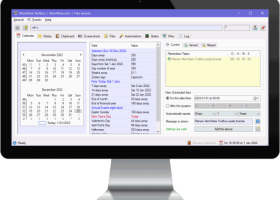
AlomWare Toolbox 8.0.0.1 full screenshots


AlomWare Toolbox - Windows 7 Download awards

AlomWare Toolbox 8.0.0.1 full description
AlomWare Toolbox is your essential PC sidekick for your business that saves you time, work and money by bringing system tweaks and automation functions to your daily office use. No longer do you have to suffer with the way your computer runs by default, and neither do you have to perform everyday boring manual tasks like typing the same text over and over (email addresses, phone numbers, canned replies to clients, etc) or laboriously setting up your app windows to specific sizes and positions before using them each morning.
Starting today, you'll be able to type data or phrases from either hotkeys, text shortcuts, or pop-up lists; force your windows to open where you want (and keep them on top, make them transparent, etc); save and restore your PC's state without rebooting; tweak your PC like having a transparent taskbar and custom notification positions; show the Caps Lock status in the System Tray (perfect for laptops!); keep and modify your clipboard text; set scheduled tasks and reminders to show messages or run actions; and so much more! Please see our Solutions page for a detailed list of how AlomWare Toolbox improves your productivity to make you work smarter than ever before. We hope you'll be surprised.
AlomWare Toolbox is always 100% FREE for casual use in repeatable five-hourly sessions with no sign-up, no account creation, and no credit card needed. Optional: Buying a one-year unlock code (per PC) gets you no session limits for uninterrupted use and technical support.
AlomWare Toolbox has a variety of tweaks for Windows®, such as: stopping removable drives from going to sleep; having a transparent taskbar; shifting the taskbar to prevent monitor burn-in (a nice alternative to auto-hiding it); keeping the Num Lock key on at all times; showing the Caps Lock status in the system tray; hearing typewriter sounds while you type; letting you specify where toast notifications appear on the desktop (instead of defaulting to the bottom-right corner); and much more. None of these tweaks are permanent and don't change your PC or Registry to apply them, and they will stop when you quit the app.
AlomWare Toolbox has a productivity-boosting "PC overview" feature that shows all open windows (and folders) on your desktop as a live thumbnail strip. This means you can keep an eye over everything running on your PC at all times, without having to switch windows, move them, or minimize them. Even maximized windows will no longer block you from seeing what's happening at any time. Clicking a thumbnail will bring its window to the front, similar to the Windows® taskbar but with the benefit of real-time imagery! You can right-click any thumbnail to apply actions to its window, such as keeping it on top, transparent, minimizing it to the System Tray, freezing the focus to it, and so on. When your work is done, you can even close all open windows (and/or folders) with just two clicks!
Take control of your windows! When you middle-click the icon area of any window, the Power menu appears so you can do something to it or its app. The usual handy things are there such as making that window stay on top of all others, minimizing it to the system tray, and setting its transparency. AlomWare Toolbox also gives you advanced features like: creating an automated action to open that app or document; changing it to a small on-top thumbnail view; freezing the focus to it so other apps can't switch you out of it; force quitting the window's app; and automatically doing something when the app or folder closes (such as shutting down your PC).
Starting today, you'll be able to type data or phrases from either hotkeys, text shortcuts, or pop-up lists; force your windows to open where you want (and keep them on top, make them transparent, etc); save and restore your PC's state without rebooting; tweak your PC like having a transparent taskbar and custom notification positions; show the Caps Lock status in the System Tray (perfect for laptops!); keep and modify your clipboard text; set scheduled tasks and reminders to show messages or run actions; and so much more! Please see our Solutions page for a detailed list of how AlomWare Toolbox improves your productivity to make you work smarter than ever before. We hope you'll be surprised.
AlomWare Toolbox is always 100% FREE for casual use in repeatable five-hourly sessions with no sign-up, no account creation, and no credit card needed. Optional: Buying a one-year unlock code (per PC) gets you no session limits for uninterrupted use and technical support.
AlomWare Toolbox has a variety of tweaks for Windows®, such as: stopping removable drives from going to sleep; having a transparent taskbar; shifting the taskbar to prevent monitor burn-in (a nice alternative to auto-hiding it); keeping the Num Lock key on at all times; showing the Caps Lock status in the system tray; hearing typewriter sounds while you type; letting you specify where toast notifications appear on the desktop (instead of defaulting to the bottom-right corner); and much more. None of these tweaks are permanent and don't change your PC or Registry to apply them, and they will stop when you quit the app.
AlomWare Toolbox has a productivity-boosting "PC overview" feature that shows all open windows (and folders) on your desktop as a live thumbnail strip. This means you can keep an eye over everything running on your PC at all times, without having to switch windows, move them, or minimize them. Even maximized windows will no longer block you from seeing what's happening at any time. Clicking a thumbnail will bring its window to the front, similar to the Windows® taskbar but with the benefit of real-time imagery! You can right-click any thumbnail to apply actions to its window, such as keeping it on top, transparent, minimizing it to the System Tray, freezing the focus to it, and so on. When your work is done, you can even close all open windows (and/or folders) with just two clicks!
Take control of your windows! When you middle-click the icon area of any window, the Power menu appears so you can do something to it or its app. The usual handy things are there such as making that window stay on top of all others, minimizing it to the system tray, and setting its transparency. AlomWare Toolbox also gives you advanced features like: creating an automated action to open that app or document; changing it to a small on-top thumbnail view; freezing the focus to it so other apps can't switch you out of it; force quitting the window's app; and automatically doing something when the app or folder closes (such as shutting down your PC).
AlomWare Toolbox 8.0.0.1 download tags
AlomWare Toolbox 8.0.0.1 Windows 7 release notes
New Release
Bug fix: For the "String: Get line number" step; which missed the last line if a blank line didn't follow it.
Bug fix: For the "String: Get matching line" step; which was incorrectly set to only work with single-line strings.
Enhancement: Setting the opening state for UWP windows (such as the Windows Calculator) now works more reliably to detect them.
Addition: New automation step called "Computer: Mute all windows but active", which mutes the volume of all windows except the active one. You will need to manually unmute them later, or use the 'Computer: Unmute all windows' step.
Addition: New automation step called "Computer: Unmute all windows", which unmutes the volume of all windows (if muted).
Maintenance: Other minor bug and stability fixes, code optimisations, and cosmetic text changes.
[ AlomWare Toolbox release history ]
Bug fix: For the "String: Get line number" step; which missed the last line if a blank line didn't follow it.
Bug fix: For the "String: Get matching line" step; which was incorrectly set to only work with single-line strings.
Enhancement: Setting the opening state for UWP windows (such as the Windows Calculator) now works more reliably to detect them.
Addition: New automation step called "Computer: Mute all windows but active", which mutes the volume of all windows except the active one. You will need to manually unmute them later, or use the 'Computer: Unmute all windows' step.
Addition: New automation step called "Computer: Unmute all windows", which unmutes the volume of all windows (if muted).
Maintenance: Other minor bug and stability fixes, code optimisations, and cosmetic text changes.
[ AlomWare Toolbox release history ]
Bookmark AlomWare Toolbox
AlomWare Toolbox for Windows 7 - Copyright information
All AlomWare Toolbox reviews, submitted ratings and written comments become the sole property of Windows 7 download. You acknowledge that you, not windows7download, are responsible for the contents of your submission. However, windows7download reserves the right to remove or refuse to post any submission for any reason.
Windows 7 Download periodically updates pricing and software information of AlomWare Toolbox full version from the publisher, but some information may be out-of-date. You should confirm all information.
Using warez version, crack, warez passwords, patches, serial numbers, registration codes, key generator, pirate key, keymaker or keygen for AlomWare Toolbox license key is illegal and prevent future development of AlomWare Toolbox. Download links are directly from our mirrors or publisher's website, AlomWare Toolbox torrent or shared files from free file sharing and free upload services, including Rapidshare, MegaUpload, YouSendIt, SendSpace, DepositFiles, DivShare, HellShare, HotFile, FileServe or MediaFire, are not used.
Windows 7 Download periodically updates pricing and software information of AlomWare Toolbox full version from the publisher, but some information may be out-of-date. You should confirm all information.
Using warez version, crack, warez passwords, patches, serial numbers, registration codes, key generator, pirate key, keymaker or keygen for AlomWare Toolbox license key is illegal and prevent future development of AlomWare Toolbox. Download links are directly from our mirrors or publisher's website, AlomWare Toolbox torrent or shared files from free file sharing and free upload services, including Rapidshare, MegaUpload, YouSendIt, SendSpace, DepositFiles, DivShare, HellShare, HotFile, FileServe or MediaFire, are not used.
Post AlomWare Toolbox review


Windows 7 AlomWare Toolbox related downloads
Portable Breevy is the portable version of Breevy developed to be able to ... from a USB flash drive or any other portable device. Portable Breevy is a text expander, ...
Jarte is a free, small, portable word processor based on the Microsoft WordPad word ... word processors have become huge, cumbersome vessels of software that remind us of ocean liners. The seeming ...
... terms highlighted in a contrasting color. The straightforward software application runs on a very low amount of ...
Portable AMP Calendar is a handy utility designed to display a calendar based on the ...
Portable CsvEditor is the portable version of CsvEditor developed to be able to ... from a USB flash drive or any other portable device. This software will offer you a ...
My Account
Help
Windows 7 Software Coupons
-
FREE VPN PROXY by SEED4.ME WINDOWS
Free VPN by Seed4Me -
WinX DVD Copy Pro
42% Off -
WinX MediaTrans
63% Off -
MacX MediaTrans
63% Off -
MacX DVD Ripper Pro
50% Off
My Saved Stuff
You have not saved any software.
Click "Save" next to each software.
Click "Save" next to each software.
Would you like to receive announcements of new versions of your software by email or by RSS reader? Register for FREE!
Windows 7 Downloads Picks
- Microsoft Office 2007
- LibreOffice 26.2.3.2 Latest
- LibreOffice x64 24.2.4
- Quite Imposing Plus 6.0d
- PDF-XChange Lite 10.2.1.385
- EMF Printer Driver 17.76 Revision 3239
- Microsoft Office 2010 x32 14.0 BETA
- Microsoft Office 2016 x64 2405 B17628.20164
- Microsoft Office 2003
- WebEx MeetMeNow 2.0 44.6.0.29928
- XL Toolbox 7.0.0 Alpha 18
- Microsoft Office 2007 Service Pack SP3
- Microsoft Office Compatibility Pack for Word, Excel, and PowerPoint 2007 File Formats 4
- FinePrint (x64 bit) 11.44
- Advanced Reliable Software 1.9
- Microsoft Office 2013 15.0.4420.1017 RTM
- PDF to Word Converter 19.4.2.4
- Notepad++ Portable 8.9.4
- CZ Excel Converter 4.0 B130902
- GIRDAC PDF Converter Ultimate 23.2.2.4
Popular Tags
pdf converter
excel
software
add in
conversion
editor
outlook
free
spreadsheet
word to pdf
text
doc
adobe
word
acrobat
pdf creator
printer
xls
office
document
create pdf
converter
create
microsoft
pdf
files
convert
tool
data
powerpoint
Popular Windows 7 Software
- Microsoft Office 2007
- LoadPlanner Desktop 2.6.4
- LibreOffice 26.2.3.2 Latest
- LibreOffice x64 24.2.4
- Card Maker Software For Windows OS 8.2.0.2
- dbForge Data Compare for Oracle 2025.3
- Alternate Timer 4.850
- EasyBilling Invoicing Software 9.9.4
- dbForge Transaction Log for SQL Server 2025.3
- Quick Receipt Software 2.9.4
- ChequeSystem Cheque Printing Software 8.7.0
- dbForge Monitor for SQL Server 2025.3
- dbForge Schema Compare for SQL Server 2025.3.149
- dbForge Compare Bundle for SQL Server 2025.3
- dbForge Data Compare for SQL Server 2025.3
© 2026 Windows7Download.com - All logos, trademarks, art and other creative works are and remain copyright and property of their respective owners. Microsoft Windows is a registered trademarks of Microsoft Corporation. Microsoft Corporation in no way endorses or is affiliated with windows7download.com.