


VeryUtils XPS to PDF Converter Command Line for Windows 7 - Convert XPS to PDF with ease. - Windows 7 Download


VeryUtils XPS to PDF Converter Command Line 2.7
"Effortlessly convert XPS to PDF with our powerful command-line software."
Welcome to the ultimate Windows 7 software download website! We understand your software needs, and luckily, we have just what you're looking for. Allow us to introduce the "VeryUtils XPS to PDF Converter Command Line". Developed by VeryUtils.com Inc., this powerful tool makes converting XPS files to PDF format a breeze. Say goodbye to formatting issues and hello to seamless conversions. With its high-speed performance and user-friendly interface, this software is perfect for businesses and individuals alike. Download now and experience ultimate efficiency!
VeryUtils XPS to PDF Converter Command Line 2.7 full details

| File Size: | 24.61 MB |
|---|---|
| License: | Free To Try |
| Price: | $79.00 |
| Released: | 2019-03-14 |
| Downloads: | Total: 188 | This Month: 98 |
| Publisher: | VeryUtils.com Inc. |
| Publisher URL: | http://veryutils.com |

Download VeryUtils XPS to PDF Converter Command Line 2.7
Save VeryUtils XPS to PDF Converter Command Line to My Stuff
Tweet
VeryUtils XPS to PDF Converter Command Line - Windows 7 Download awards

VeryUtils XPS to PDF Converter Command Line 2.7 full description
Welcome to the world of VeryUtils.com Inc.! We're thrilled to offer you the ultimate tool for converting your XPS files to PDF format. Our XPS to PDF Converter Command Line is a powerful, intuitive, and cost-effective solution for both businesses and individuals. With just a few clicks, you'll be able to convert tons of documents to PDF format without losing any data quality or messing with the page layout.
Our software is designed specifically for Windows 7 users and is equipped with all the necessary features that you need to make the conversion process as seamless and efficient as possible. The good news is, our XPS to PDF Converter Command Line is incredibly easy to use, even for beginners. All you have to do is launch the application, input the file location, and hit the "Start" button. It's that simple!
What sets us apart from the rest is our commitment to ensuring that our users have access to the best software solutions on the market. Our XPS to PDF Converter Command Line is no exception. It's designed with the latest technology and features that guarantee fast and flawless conversions, every time.
Don't hesitate to try our XPS to PDF Converter Command Line today and take the first step towards a more efficient and seamless document conversion experience. Invest in the best, invest in VeryUtils.com Inc.!
Our software is designed specifically for Windows 7 users and is equipped with all the necessary features that you need to make the conversion process as seamless and efficient as possible. The good news is, our XPS to PDF Converter Command Line is incredibly easy to use, even for beginners. All you have to do is launch the application, input the file location, and hit the "Start" button. It's that simple!
What sets us apart from the rest is our commitment to ensuring that our users have access to the best software solutions on the market. Our XPS to PDF Converter Command Line is no exception. It's designed with the latest technology and features that guarantee fast and flawless conversions, every time.
Don't hesitate to try our XPS to PDF Converter Command Line today and take the first step towards a more efficient and seamless document conversion experience. Invest in the best, invest in VeryUtils.com Inc.!
VeryUtils XPS to PDF Converter Command Line 2.7 download tags
VeryUtils XPS to PDF Converter Command Line 2.7 Windows 7 release notes
New Release
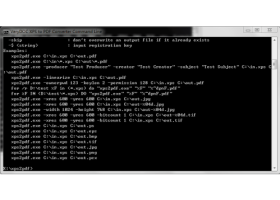
1. Batch convert XPS files to PDF files from command line.
2. Batch convert XPS files to Image files from command line.
3. Batch print XPS files to PDF files using virtual printer.
[ VeryUtils XPS to PDF Converter Command Line release history ]
1. Batch convert XPS files to PDF files from command line.
2. Batch convert XPS files to Image files from command line.
3. Batch print XPS files to PDF files using virtual printer.
[ VeryUtils XPS to PDF Converter Command Line release history ]
VeryUtils XPS to PDF Converter Command Line 2.7 Windows 7 requirements
No limit
Bookmark VeryUtils XPS to PDF Converter Command Line
VeryUtils XPS to PDF Converter Command Line for Windows 7 - Copyright information
All VeryUtils XPS to PDF Converter Command Line reviews, submitted ratings and written comments become the sole property of Windows 7 download. You acknowledge that you, not windows7download, are responsible for the contents of your submission. However, windows7download reserves the right to remove or refuse to post any submission for any reason.
Windows 7 Download periodically updates pricing and software information of VeryUtils XPS to PDF Converter Command Line full version from the publisher, but some information may be out-of-date. You should confirm all information.
Using warez version, crack, warez passwords, patches, serial numbers, registration codes, key generator, pirate key, keymaker or keygen for VeryUtils XPS to PDF Converter Command Line license key is illegal and prevent future development of VeryUtils XPS to PDF Converter Command Line. Download links are directly from our mirrors or publisher's website, VeryUtils XPS to PDF Converter Command Line torrent or shared files from free file sharing and free upload services, including Rapidshare, MegaUpload, YouSendIt, SendSpace, DepositFiles, DivShare, HellShare, HotFile, FileServe or MediaFire, are not used.
Windows 7 Download periodically updates pricing and software information of VeryUtils XPS to PDF Converter Command Line full version from the publisher, but some information may be out-of-date. You should confirm all information.
Using warez version, crack, warez passwords, patches, serial numbers, registration codes, key generator, pirate key, keymaker or keygen for VeryUtils XPS to PDF Converter Command Line license key is illegal and prevent future development of VeryUtils XPS to PDF Converter Command Line. Download links are directly from our mirrors or publisher's website, VeryUtils XPS to PDF Converter Command Line torrent or shared files from free file sharing and free upload services, including Rapidshare, MegaUpload, YouSendIt, SendSpace, DepositFiles, DivShare, HellShare, HotFile, FileServe or MediaFire, are not used.
Post VeryUtils XPS to PDF Converter Command Line review


Windows 7 VeryUtils XPS to PDF Converter Command Line related downloads
Advanced Command Line PDF Splitter is a scriptable utility targeting users who frequently extract specific pages or page ranges from PDF documents, divide large PDF files into smaller documents ...
Advanced Command Line PDF Stamper is a comprehensive command-line application that can help you place complex watermarks ...
... a must-have for any tech-savvy user - the VeryUtils XPS Print Command Line. Developed by the renowned ...
VeryUtils Java PDFTools (jpdftools.jar) Command Line is a Java toolkit for working with PDF documents. This Java PDFTools allows creation of new ...
PDF Validator Command Line is a Command Line software which can be used to verify conformance ...
Welcome to the world of efficient and reliable software solutions with VeryUtils.com Inc. Among their impressive ...
My Account
Help
Windows 7 Software Coupons
-
FREE VPN PROXY by SEED4.ME WINDOWS
Free VPN by Seed4Me -
WinX MediaTrans
63% Off -
Media Player Morpher
85% Off -
MacX Media Management Bundle
70% Off -
MacX DVD Ripper Pro
50% Off
My Saved Stuff
You have not saved any software.
Click "Save" next to each software.
Click "Save" next to each software.
Would you like to receive announcements of new versions of your software by email or by RSS reader? Register for FREE!
Windows 7 Downloads Picks
- Microsoft Office 2007
- LibreOffice 26.2.3.2 Latest
- LibreOffice x64 24.2.4
- Quite Imposing Plus 6.0d
- PDF-XChange Lite 10.2.1.385
- EMF Printer Driver 17.76 Revision 3239
- Microsoft Office 2010 x32 14.0 BETA
- Microsoft Office 2016 x64 2405 B17628.20164
- Microsoft Office 2003
- WebEx MeetMeNow 2.0 44.6.0.29928
- XL Toolbox 7.0.0 Alpha 18
- Microsoft Office Compatibility Pack for Word, Excel, and PowerPoint 2007 File Formats 4
- Microsoft Office 2007 Service Pack SP3
- FinePrint (x64 bit) 11.44
- Advanced Reliable Software 1.9
- Microsoft Office 2013 15.0.4420.1017 RTM
- PDF to Word Converter 19.4.2.4
- Notepad++ Portable 8.9.4
- CZ Excel Converter 4.0 B130902
- GIRDAC PDF Converter Ultimate 23.2.2.4
Popular Tags
outlook
xls
software
files
pdf creator
create pdf
printer
add in
spreadsheet
data
powerpoint
tool
adobe
convert
word to pdf
pdf converter
document
office
pdf
microsoft
acrobat
converter
create
doc
editor
excel
free
word
text
conversion
Popular Windows 7 Software
- Microsoft Office 2007
- LoadPlanner Desktop 2.6.4
- LibreOffice 26.2.3.2 Latest
- LibreOffice x64 24.2.4
- Card Maker Software For Windows OS 8.2.0.2
- dbForge Data Compare for Oracle 2025.3
- Alternate Timer 4.850
- EasyBilling Invoicing Software 9.9.4
- dbForge Transaction Log for SQL Server 2025.3
- Quick Receipt Software 3.0.1
- ChequeSystem Cheque Printing Software 8.7.0
- dbForge Monitor for SQL Server 2025.3
- dbForge Schema Compare for SQL Server 2025.3.149
- dbForge Compare Bundle for SQL Server 2025.3
- dbForge Data Compare for SQL Server 2025.3
© 2026 Windows7Download.com - All logos, trademarks, art and other creative works are and remain copyright and property of their respective owners. Microsoft Windows is a registered trademarks of Microsoft Corporation. Microsoft Corporation in no way endorses or is affiliated with windows7download.com.