


Portable ClipDiary for Windows 7 - Saves clipboard history for later use - Windows 7 Download


Portable ClipDiary 5.7
Portable clipboard utility that records text, images and files.
Portable ClipDiary records text, images and files copied to the Clipboard, helping users retrace information. It runs without installation from a hard disk or USB and leaves no registry changes. Features include hotkeys, tray access, history viewing, paste, rename, remove, multi-paste, Google lookup, save to text, and disabling live monitoring. Settings cover startup, updates, sounds, language, hotkeys, colors and exclusions.
Portable ClipDiary 5.7 full details

| File Size: | 6.70 MB |
|---|---|
| License: | Trialware |
| Price: | $19.99 |
| Released: |
2026-10-05
 |
| Downloads: | Total: 1 | This Month: 1 |
| Publisher: | Softvoile |
| Publisher URL: | http://softvoile.com/ |

Download Portable ClipDiary 5.7
Save Portable ClipDiary to My Stuff
Tweet
Portable ClipDiary 5.7 full screenshots


Portable ClipDiary - Windows 7 Download awards

Portable ClipDiary 5.7 full description
Portable ClipDiary is the portable edition of ClipDiary, a clipboard utility developed by Softvoile. It records contents that pass through the Clipboard, supporting text, images and files. It is intended for users who need to retrace their steps to locate a particular piece of information. Version 5.7 is trialware and runs on Windows 11, Windows 10, Windows 8, Windows 7, Windows Vista and Windows XP (32-bit and 64-bit).
Because installation is not required, the program files can be placed anywhere on the hard disk and started by running the executable. They can also be stored on a USB flash disk or similar storage unit to run on any PC with no previous installers. It does not make changes to the Windows registry or create additional files on the hard disk, leaving the system clean after removal.
At startup, the preferred UI language is selected. Initial configuration covers the hotkeys used to open the Clipboard history window and to quickly copy the previous or next clip to the Clipboard. The program can also be set to automatically paste a clip after quickly copying it.
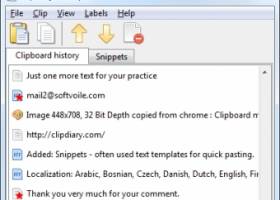
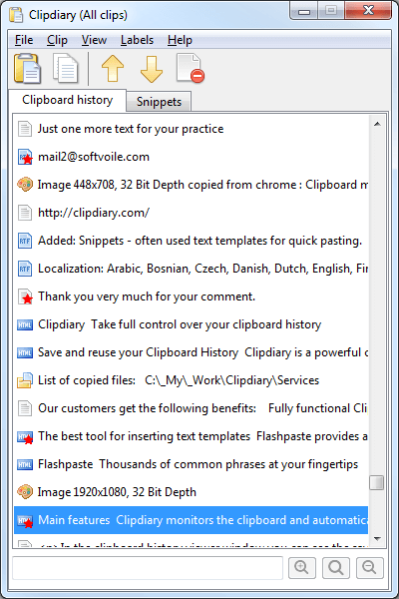
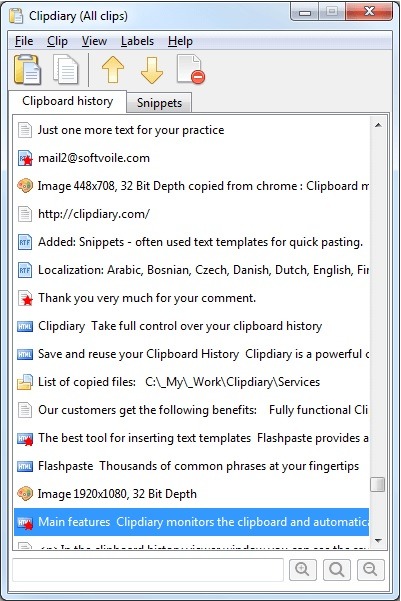
A system tray icon opens the Clipboard history if the assigned hotkey is forgotten. Newly copied clips are recorded to the history. Selecting an item in the list shows its source name, size and date of creation. The item can be pasted to an active window, renamed and removed from history. Advanced options allow multiple selected items to be pasted to an active window, a clip to be looked up on Google Search, and a clip to be saved to a text document. Clipboard live monitoring can be disabled.
Settings include automatically running at system startup, checking for updates every month, playing a sound when recording clips, changing the UI language, remapping hotkeys, customizing UI colors, and creating an exclusion list of applications and formats to avoid saving clips from.
The source describes the tool as running on low CPU and RAM. It also states there were no stability issues during evaluation, with no hangs, crashes or error dialogs. It notes the program may be a bit difficult to get accustomed to.
Because installation is not required, the program files can be placed anywhere on the hard disk and started by running the executable. They can also be stored on a USB flash disk or similar storage unit to run on any PC with no previous installers. It does not make changes to the Windows registry or create additional files on the hard disk, leaving the system clean after removal.
At startup, the preferred UI language is selected. Initial configuration covers the hotkeys used to open the Clipboard history window and to quickly copy the previous or next clip to the Clipboard. The program can also be set to automatically paste a clip after quickly copying it.
A system tray icon opens the Clipboard history if the assigned hotkey is forgotten. Newly copied clips are recorded to the history. Selecting an item in the list shows its source name, size and date of creation. The item can be pasted to an active window, renamed and removed from history. Advanced options allow multiple selected items to be pasted to an active window, a clip to be looked up on Google Search, and a clip to be saved to a text document. Clipboard live monitoring can be disabled.
Settings include automatically running at system startup, checking for updates every month, playing a sound when recording clips, changing the UI language, remapping hotkeys, customizing UI colors, and creating an exclusion list of applications and formats to avoid saving clips from.
The source describes the tool as running on low CPU and RAM. It also states there were no stability issues during evaluation, with no hangs, crashes or error dialogs. It notes the program may be a bit difficult to get accustomed to.
Portable ClipDiary 5.7 download tags
Bookmark Portable ClipDiary
Portable ClipDiary for Windows 7 - Copyright information
All Portable ClipDiary reviews, submitted ratings and written comments become the sole property of Windows 7 download. You acknowledge that you, not windows7download, are responsible for the contents of your submission. However, windows7download reserves the right to remove or refuse to post any submission for any reason.
Windows 7 Download periodically updates pricing and software information of Portable ClipDiary full version from the publisher, but some information may be out-of-date. You should confirm all information.
Using warez version, crack, warez passwords, patches, serial numbers, registration codes, key generator, pirate key, keymaker or keygen for Portable ClipDiary license key is illegal and prevent future development of Portable ClipDiary. Download links are directly from our mirrors or publisher's website, Portable ClipDiary torrent or shared files from free file sharing and free upload services, including Rapidshare, MegaUpload, YouSendIt, SendSpace, DepositFiles, DivShare, HellShare, HotFile, FileServe or MediaFire, are not used.
Windows 7 Download periodically updates pricing and software information of Portable ClipDiary full version from the publisher, but some information may be out-of-date. You should confirm all information.
Using warez version, crack, warez passwords, patches, serial numbers, registration codes, key generator, pirate key, keymaker or keygen for Portable ClipDiary license key is illegal and prevent future development of Portable ClipDiary. Download links are directly from our mirrors or publisher's website, Portable ClipDiary torrent or shared files from free file sharing and free upload services, including Rapidshare, MegaUpload, YouSendIt, SendSpace, DepositFiles, DivShare, HellShare, HotFile, FileServe or MediaFire, are not used.
Post Portable ClipDiary review


Windows 7 Portable ClipDiary related downloads
Clipboard History Pro is a Windows clipboard manager featuring optional cloud synchronization and AES encryption. With ...
Clipboard Master - the smart Clipboard and Text Modules Tool. Keeps all previous texts, pictures and files copied to the clipboard in a list, and inserts them in any ...
Introducing Clipboard Magic, the ultimate tool for enhancing your Windows ... to effortlessly manage and organize all of your clipboard entries. Clipboard Magic saves all copied text fragments, ...
... in Windows 7 software, we highly recommend downloading Clipboard History from Outertech. This powerful software allows you to ...
... to the ultimate destination for downloading the "Free Clipboard Viewer", a highly efficient and user-friendly software developed ...
My Account
Help
Windows 7 Software Coupons
-
FREE VPN PROXY by SEED4.ME WINDOWS
Free VPN by Seed4Me -
WinX MediaTrans
63% Off -
MacX DVD Video Converter
58% Off -
WinX DVD Ripper
50% Off -
WinX DVD Copy Pro
42% Off
My Saved Stuff
You have not saved any software.
Click "Save" next to each software.
Click "Save" next to each software.
Would you like to receive announcements of new versions of your software by email or by RSS reader? Register for FREE!
Windows 7 Downloads Picks
Popular Tags
clipboard history
efficient
memory
images
clipboard utility
clip
clipboard
windows 7
text
paste text
multiclipboard
user-friendly
file
efficiency
screeen shot
windows
insert
multi-clipboard
clipmate
tool
utility
screenshot
cut
copy
save
paste
clipboard manager
productivity
screen capture
multi clipboard
Popular Windows 7 Software
- Network Monitor II 31.7
- Avro Keyboard 5.6.0.0
- Media Creation Tool x64 22H2
- Ghostscript (x64 bit) 10.03.1
- Windows 7
- iTop Data Recovery 6.1.0.936
- Windows 7 Service Pack 1 7601.17514.1011
- iTop Easy Desktop 4.5.0.349
- Advanced SystemCare 19.6.0.238
- Smart Game Booster 6.0.1.1231
- iTop PDF 3.6.0.4
- GoodSync2Go 12.9.29.9
- The Dude 7.24.5 Stable
- IObit Uninstaller 15.4.0.1
- Atlantis Word Processor 5.0.4
© 2026 Windows7Download.com - All logos, trademarks, art and other creative works are and remain copyright and property of their respective owners. Microsoft Windows is a registered trademarks of Microsoft Corporation. Microsoft Corporation in no way endorses or is affiliated with windows7download.com.