


AnyDesk for Windows 7 - "Revolutionize remote access" - AnyDesk unleashes seamless connectivity. - Windows 7 Download


AnyDesk 9.7.2
"Experience lightning-fast remote access with AnyDesk - the ultimate Windows 7 tool."
Introducing AnyDesk, a fast and reliable remote desktop application designed by philandro Software GmbH. Access your computer from anywhere with ease, without compromising on speed or security. With AnyDesk, you can connect to multiple computers simultaneously and transfer files seamlessly. Say goodbye to lag and hello to an uninterrupted remote desktop experience that's perfect for both personal and professional use. Download now and see for yourself what makes AnyDesk the best choice for your remote desktop needs.
AnyDesk 9.7.2 full details

| File Size: | 7.90 MB |
|---|---|
| License: | Freeware |
| Price: | $19.92 |
| Released: |
2026-05-04
 |
| Downloads: | Total: 2448 | This Month: 123 |
| Publisher: | philandro Software GmbH |
| Publisher URL: | https://anydesk.com/ |

Download AnyDesk 9.7.2
Save AnyDesk to My Stuff
Tweet
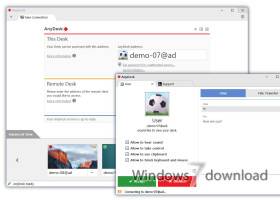
AnyDesk 9.7.2 full screenshots




AnyDesk - Windows 7 Download awards

AnyDesk 9.7.2 full description
You know how remote desktop used to be: slow and tedious. For the development of AnyDesk, we took a step back and asked ourselves fundamental questions. How should remote desktop work? What is feasible with modern computer hardware? AnyDesk was designed from the ground up to be ground breaking. At its core is DeskRT, a new video codec that is specifically designed for graphical user interfaces. That's why AnyDesk is one leap ahead.
AnyDesk is the fastest remote desktop software on the market. It allows for new usage scenarios and applications that have not been possible with current remote desktop software.
Latency at the lowest possible level is critical for working on a remote desktop. The lower the latency, the quicker the remote PC responds to your input. Since internet connections always impose a certain latency when transmitting data from one PC to the other, it is very important that AnyDesk adds as little as possible to the bill. In local networks, AnyDesks latency lies below 60 milliseconds and is no longer perceptible.
AnyDesk connections are being routed over Erlang-based servers. This technology is widely used in large and robust telecommunication systems. And its reliability makes sure our product is available whenever you need it. A great tool should boost your productivity. This is why we designed AnyDesk to stay out of your way. AnyDesk is the first remote desktop software that doesn't require you to think about what you can do. CAD, video editing or simply working comfortably with an office suite for hours are just a few examples.
AnyDesk is the fastest remote desktop software on the market. It allows for new usage scenarios and applications that have not been possible with current remote desktop software.
Latency at the lowest possible level is critical for working on a remote desktop. The lower the latency, the quicker the remote PC responds to your input. Since internet connections always impose a certain latency when transmitting data from one PC to the other, it is very important that AnyDesk adds as little as possible to the bill. In local networks, AnyDesks latency lies below 60 milliseconds and is no longer perceptible.
AnyDesk connections are being routed over Erlang-based servers. This technology is widely used in large and robust telecommunication systems. And its reliability makes sure our product is available whenever you need it. A great tool should boost your productivity. This is why we designed AnyDesk to stay out of your way. AnyDesk is the first remote desktop software that doesn't require you to think about what you can do. CAD, video editing or simply working comfortably with an office suite for hours are just a few examples.
AnyDesk 9.7.2 download tags
AnyDesk 9.7.2 Windows 7 release notes
New Release
New Features:
In the AnyDesk One Meeting feature, selecting different audio or video devices in the device settings now takes effect immediately, there is no need to unmute or re-enable them
In the AnyDesk One Meeting feature, configuring an audio or video device by selecting it in the device settings configures it persistently so that when it is plugged in again at a later time, it will be switched to automatically
All audio and video settings for the AnyDesk One Meeting feature have been moved from Preferences to the in-meeting device settings for easier access
In the AnyDesk One Meeting feature, added a new slider that allows users to configure microphone boost, enabling precise control over microphone loudness
During an AnyDesk One meeting that was initiated from the AnyDesk One Chat feature, a chat panel can now be shown by pressing the chat button in the meeting panel
The AnyDesk One Meeting supports more webcams
In the AnyDesk One Meeting feature, improved automatic webcam resolution and frame rate selection to better match 720p at 30 FPS
Fixed Bugs:
Fixed a crash that occurred during installation when a printer driver was present
Fixed a typo in a permission name used in command-line options
Fixed a user interface issue in AnyDesk One settings
Fixed an issue in the AnyDesk One Meeting where unplugging audio or video devices caused them to become unusable
Fixed a bug in the AnyDesk One Meeting where connecting a second webcam could disable the active one
Fixed inconsistent theming in the meeting sidebar when dark mode was enabled
Other Changes:
Full-screen mode is now enabled by default
[ AnyDesk release history ]
New Features:
In the AnyDesk One Meeting feature, selecting different audio or video devices in the device settings now takes effect immediately, there is no need to unmute or re-enable them
In the AnyDesk One Meeting feature, configuring an audio or video device by selecting it in the device settings configures it persistently so that when it is plugged in again at a later time, it will be switched to automatically
All audio and video settings for the AnyDesk One Meeting feature have been moved from Preferences to the in-meeting device settings for easier access
In the AnyDesk One Meeting feature, added a new slider that allows users to configure microphone boost, enabling precise control over microphone loudness
During an AnyDesk One meeting that was initiated from the AnyDesk One Chat feature, a chat panel can now be shown by pressing the chat button in the meeting panel
The AnyDesk One Meeting supports more webcams
In the AnyDesk One Meeting feature, improved automatic webcam resolution and frame rate selection to better match 720p at 30 FPS
Fixed Bugs:
Fixed a crash that occurred during installation when a printer driver was present
Fixed a typo in a permission name used in command-line options
Fixed a user interface issue in AnyDesk One settings
Fixed an issue in the AnyDesk One Meeting where unplugging audio or video devices caused them to become unusable
Fixed a bug in the AnyDesk One Meeting where connecting a second webcam could disable the active one
Fixed inconsistent theming in the meeting sidebar when dark mode was enabled
Other Changes:
Full-screen mode is now enabled by default
[ AnyDesk release history ]
Bookmark AnyDesk
AnyDesk for Windows 7 - Copyright information
All AnyDesk reviews, submitted ratings and written comments become the sole property of Windows 7 download. You acknowledge that you, not windows7download, are responsible for the contents of your submission. However, windows7download reserves the right to remove or refuse to post any submission for any reason.
Windows 7 Download periodically updates pricing and software information of AnyDesk full version from the publisher, but some information may be out-of-date. You should confirm all information.
Using warez version, crack, warez passwords, patches, serial numbers, registration codes, key generator, pirate key, keymaker or keygen for AnyDesk license key is illegal and prevent future development of AnyDesk. Download links are directly from our mirrors or publisher's website, AnyDesk torrent or shared files from free file sharing and free upload services, including Rapidshare, MegaUpload, YouSendIt, SendSpace, DepositFiles, DivShare, HellShare, HotFile, FileServe or MediaFire, are not used.
Windows 7 Download periodically updates pricing and software information of AnyDesk full version from the publisher, but some information may be out-of-date. You should confirm all information.
Using warez version, crack, warez passwords, patches, serial numbers, registration codes, key generator, pirate key, keymaker or keygen for AnyDesk license key is illegal and prevent future development of AnyDesk. Download links are directly from our mirrors or publisher's website, AnyDesk torrent or shared files from free file sharing and free upload services, including Rapidshare, MegaUpload, YouSendIt, SendSpace, DepositFiles, DivShare, HellShare, HotFile, FileServe or MediaFire, are not used.
Post AnyDesk review


Windows 7 AnyDesk related downloads
DesktopAssist remote access software, enables you to remotely access and securely control your desktop. DesktopAssist uses ...
My Account
Help
Windows 7 Software Coupons
-
WinX HD Video Converter
56% Off -
MacX MediaTrans
63% Off -
MacX Media Management Bundle
70% Off -
WinX DVD Ripper
50% Off -
FREE VPN PROXY by SEED4.ME WINDOWS
Free VPN by Seed4Me
My Saved Stuff
You have not saved any software.
Click "Save" next to each software.
Click "Save" next to each software.
Would you like to receive announcements of new versions of your software by email or by RSS reader? Register for FREE!
Windows 7 Downloads Picks
- TeamViewer Host 15.76.6
- VNC for Mac and Linux 7.16.0 (r14)
- TeamViewer QuickSupport 15.76.6
- UltraVNC 1.6.4.0
- LogMeIn Pro 4.1.16174
- DameWare Mini Remote Control 64bit 12.3.0.12
- AirPort Utility 5.6.1.2
- DameWare Mini Remote Control 12.3.0.12
- ScreenConnect 21.5.2870.7759
- Xmanager Enterprise 7.0 B0151
- SmartCode ViewerX VNC Viewer ActiveX 7.15.1
- NetRemote 2.0.21.144
- Freefloat Access One 2.0.31
- Icloud 7.21.0.23
- Goverlan Remote Administration Suite 8.01.10
- XenViewer 1.1.135
- Smart Bluetooth Marketing 1.4.0.151
- DualDesk Lite 20.5.1.0
- Ideal Administration 20.0
- ThinWin 0.2.8
Popular Tags
pc remote control
control
shutdown
network tools
server
rdp
remote desktop
network
software
keylogger
remote assistance
logoff
restart
remote access
remote support
remote
chat
remote spy
reboot
internet
spy
remote control
helpdesk
remote pc
vnc
pc monitoring
remote admin
file transfer
remote shutdown
windows
Popular Windows 7 Software
- Network Traffic Generator and Monitor 12.6
- Firefox 64bit x64 127.0.2
- iTop VPN 7.4.0.6857
- Google Chrome 126.0.6478.127
- RouterOS 7.22.1 Stable
- Universal Maps Downloader 10.253
- SSuite NetSurfer Browser x64 2.30.16.10
- iTop Private Browser 3.1.0.255
- Allavsoft 3.29.1.9611
- NetSpot for Windows 5.1.0.703
- SSuite NetSurfer Browser 2.30.16.10
- Google Chrome 17 17.0.963.78
- SoftPerfect Network Scanner 26.3
- Google Chrome Portable 126.0.6478.127
- Dukto Portable R6
© 2026 Windows7Download.com - All logos, trademarks, art and other creative works are and remain copyright and property of their respective owners. Microsoft Windows is a registered trademarks of Microsoft Corporation. Microsoft Corporation in no way endorses or is affiliated with windows7download.com.