


Turbo C++ for Windows 7 - A legacy C++ compiler for DOS-era development - Windows 7 Download


Turbo C++ 3.0
A legacy C++ development environment for building DOS programs and studying early C++.
Windows7Download.com review:
How to install Turbo C++ on Windows 7
How to install Turbo C++ on Windows 7 x64
Author's description:
Turbo C++ is a Borland C++ compiler and integrated development environment for working with DOS-era programs and early C++ code. Its editor and build tools keep source editing and compilation in one place. It supports C++ templates, inline assembly and DOS executable targets for 8086 real mode and 286 protected mode, including the Intel 80186. The discontinued software is available as freeware.Turbo C++ 3.0 full details

| File Size: | 3.35 MB |
|---|---|
| License: | Freeware |
| Price: | FREE |
| Released: | 2008-10-22 |
| Downloads: | Total: 1027017 | This Month: 840 |
| Publisher: | Borland Software Corporation |
| Publisher URL: | https://www.microfocus.com/en-us/products/borland |

Download Turbo C++ 3.0
Save Turbo C++ to My Stuff
Tweet

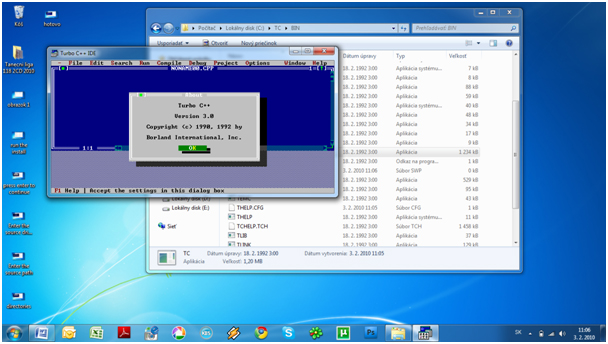
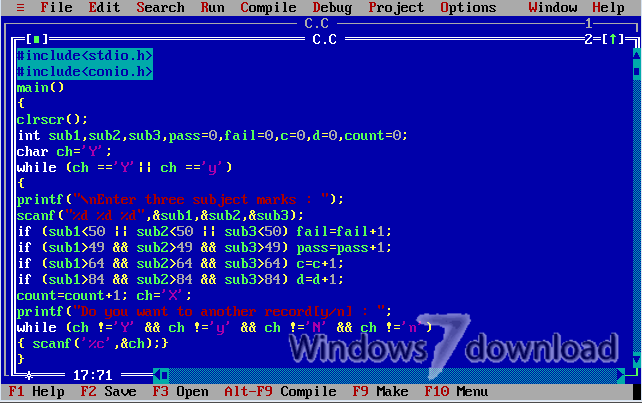
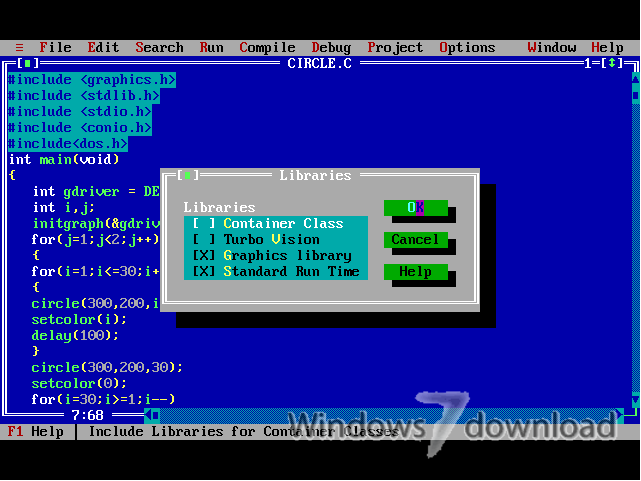
Turbo C++ 3.0 full screenshots


Turbo C++ - Windows 7 Download awards


Turbo C++ 3.0 full description
Turbo C++ is a legacy C++ compiler and integrated development environment from Borland, intended for programmers working with DOS-era software and for learners exploring early C++ tools. Its editor, compiler and development workflow bring source editing and program building together in one environment, rather than relying on separate applications for each step.
The compiler supports C++ templates, allowing programmers to write reusable code that can work with different data types. It also supports Borland-style inline assembly, so assembly instructions can be placed within C++ source when a project needs low-level operations. This makes the environment relevant to studying older systems programming techniques as well as maintaining software written for compatible DOS systems.
Programs can be built for MS-DOS in 8086 real mode or 286 protected mode, with support also covering the Intel 80186. These target options let developers create executables for different generations and operating modes of DOS-era processors. The integrated environment provides a central place to edit and compile projects, and its debugging tools help trace program behavior while investigating errors.
Turbo C++ suits students examining the history of C++, hobbyists experimenting with vintage programming environments, and developers maintaining older DOS applications. Its support for an early C++ standard makes it useful for understanding code written before later language revisions, though modern C++ projects may require a current compiler and updated libraries. Inline assembly and processor-specific output also make it useful for learning how software interacted more directly with older hardware.
The software is discontinued and available as freeware. It was originally designed as an MS-DOS compiler, while the download listing includes Windows 7 among its supported operating systems; compatibility can depend on the system setup and may require a DOS-compatible environment. Turbo C++ is best suited to legacy projects and education rather than new software intended for current Windows systems.
The compiler supports C++ templates, allowing programmers to write reusable code that can work with different data types. It also supports Borland-style inline assembly, so assembly instructions can be placed within C++ source when a project needs low-level operations. This makes the environment relevant to studying older systems programming techniques as well as maintaining software written for compatible DOS systems.
Programs can be built for MS-DOS in 8086 real mode or 286 protected mode, with support also covering the Intel 80186. These target options let developers create executables for different generations and operating modes of DOS-era processors. The integrated environment provides a central place to edit and compile projects, and its debugging tools help trace program behavior while investigating errors.
Turbo C++ suits students examining the history of C++, hobbyists experimenting with vintage programming environments, and developers maintaining older DOS applications. Its support for an early C++ standard makes it useful for understanding code written before later language revisions, though modern C++ projects may require a current compiler and updated libraries. Inline assembly and processor-specific output also make it useful for learning how software interacted more directly with older hardware.
The software is discontinued and available as freeware. It was originally designed as an MS-DOS compiler, while the download listing includes Windows 7 among its supported operating systems; compatibility can depend on the system setup and may require a DOS-compatible environment. Turbo C++ is best suited to legacy projects and education rather than new software intended for current Windows systems.
Turbo C++ 3.0 download tags
Bookmark Turbo C++
Turbo C++ for Windows 7 - Copyright information
All Turbo C++ reviews, submitted ratings and written comments become the sole property of Windows 7 download. You acknowledge that you, not windows7download, are responsible for the contents of your submission. However, windows7download reserves the right to remove or refuse to post any submission for any reason.
Windows 7 Download periodically updates pricing and software information of Turbo C++ full version from the publisher, but some information may be out-of-date. You should confirm all information.
Using warez version, crack, warez passwords, patches, serial numbers, registration codes, key generator, pirate key, keymaker or keygen for Turbo C++ license key is illegal and prevent future development of Turbo C++. Download links are directly from our mirrors or publisher's website, Turbo C++ torrent or shared files from free file sharing and free upload services, including Rapidshare, MegaUpload, YouSendIt, SendSpace, DepositFiles, DivShare, HellShare, HotFile, FileServe or MediaFire, are not used.
Windows 7 Download periodically updates pricing and software information of Turbo C++ full version from the publisher, but some information may be out-of-date. You should confirm all information.
Using warez version, crack, warez passwords, patches, serial numbers, registration codes, key generator, pirate key, keymaker or keygen for Turbo C++ license key is illegal and prevent future development of Turbo C++. Download links are directly from our mirrors or publisher's website, Turbo C++ torrent or shared files from free file sharing and free upload services, including Rapidshare, MegaUpload, YouSendIt, SendSpace, DepositFiles, DivShare, HellShare, HotFile, FileServe or MediaFire, are not used.
Turbo C++ users' reviews
Turbo C++ 3.0
review by Steve (Aug 10, 2020)

This is a big question for those who are still using Turbo C++ Version 3.0 in Windows 7. As everyone knows that full screen is not supported with the version 3.0 in w7; it is ridiculous to work in the small screen where I think no one can ever imagine writing a program there! This solution will help all the C, C++ learners using TC++ 3.0 in w7
Step 1: Open TC++ (normally C:TCBINTC.EXE).
Step 2: Go to the top left of the window bar and right click. It will show a menu as shown in the figure. Then select properties from the menu. Now it will show the properties window, in which you select the Font tab. There you can see two font options just WINDOW PREVIEW=10*18
OR: To use turbo c++ in fulscreen just disable the graphics and then re-enable it after use.
OR: DOSBox software
OR try this:
1. go to Command Prompt
2. type: cd TC ( assuming c:TC is the folder where TC++ has been installed)
3. type: TC ( to execute the program)
4. press Alt+Enter to make it a full screen.
Step 1: Open TC++ (normally C:TCBINTC.EXE).
Step 2: Go to the top left of the window bar and right click. It will show a menu as shown in the figure. Then select properties from the menu. Now it will show the properties window, in which you select the Font tab. There you can see two font options just WINDOW PREVIEW=10*18
OR: To use turbo c++ in fulscreen just disable the graphics and then re-enable it after use.
OR: DOSBox software
OR try this:
1. go to Command Prompt
2. type: cd TC ( assuming c:TC is the folder where TC++ has been installed)
3. type: TC ( to execute the program)
4. press Alt+Enter to make it a full screen.
Turbo C++ 3.0
review by khushdeep singh (Aug 9, 2020)

i installed tubo c++ 3.0 ver
but when i press alt+enter for full screen. they said that (this system does not support fullscreen mode)
please help me! by finding me solution.. ASAP! THANK YOU...
but when i press alt+enter for full screen. they said that (this system does not support fullscreen mode)
please help me! by finding me solution.. ASAP! THANK YOU...
Turbo C++ 3.0
review by Sherry (Jul 26, 2018)
Best Compiler
Turbo C++ 3.0
review by anant raj (Dec 1, 2017)
IT IS A GOOD APP FOR PROGRAMMING
Turbo C++ 3.0
review by shaurya agarwal (Jun 27, 2016)
turboo C++ is good software...
Post Turbo C++ review


Windows 7 Turbo C++ related downloads
Turbo Pascal is a software development system that includes ... cheap and widely known version was sold as Turbo Pascal. The name Borland Pascal is also used ...
... cracks and loaders, protection against debuggers (SoftICE, TRW, Turbo Debugger...), protection against code tracing, counteraction to dumping ...
My Account
Help
Windows 7 Software Coupons
-
Media Player Morpher
85% Off -
WinX MediaTrans
63% Off -
MacX DVD Ripper Pro
50% Off -
MacX Media Management Bundle
70% Off -
MacX MediaTrans
63% Off
My Saved Stuff
You have not saved any software.
Click "Save" next to each software.
Click "Save" next to each software.
Would you like to receive announcements of new versions of your software by email or by RSS reader? Register for FREE!
Windows 7 Downloads Picks
Popular Tags
imsi
addin
excel
visual studio
project
streaming
ide
tool
windows
visual c
documentation
.net
software
mobile
imei
battery
editor
net
format
vb net
visual basic
source
tools
code
sim
alarm
number
metrics
programming
c++
Popular Windows 7 Software
- Simply Fortran 4.1 Build 4955
- PHP 8.5.11
- dotConnect for MySQL Professional 10.1.35
- dotConnect for Oracle Professional Edition 11.1.33
- Miraplacid Text Driver SDK 8.0
- Turbo C++ 3.0
- dbForge Documenter for SQL Server 2026.1
- Windows Installer 4.5
- StyleControls 5.86
- Software Ideas Modeler Portable 15.40
- Free OCR C# 2022.8.7804
- Windows Post-Install 8.7.2
- Review Assistant 4.3.11
- Java SE Development Kit (JDK) 8 Update 221
- Code::Blocks for Windows 20.03 Build Apr 3 20
© 2026 Windows7Download.com - All logos, trademarks, art and other creative works are and remain copyright and property of their respective owners. Microsoft Windows is a registered trademarks of Microsoft Corporation. Microsoft Corporation in no way endorses or is affiliated with windows7download.com.