


WinBox for Windows 7 - WinBox: The Ultimate Windows 7 Network Management Tool. - Windows 7 Download


WinBox 4.1.0
WinBox: Powerful Windows 7 software for managing MikroTik routers with ease.
WinBox by MikroTik is the ultimate Windows 7 software for configuring routers and other network devices. With its intuitive and user-friendly interface, WinBox allows you to easily manage your network with just a few clicks. This powerful software comes with advanced features such as firewall management, VPN client configuration, and more. It is perfect for network administrators and IT professionals who want to streamline their network management tasks. Download WinBox now and experience the difference it can make to your network management.
WinBox 4.1.0 full details

| File Size: | 19.00 MB |
|---|---|
| License: | Freeware |
| Price: | FREE |
| Released: |
2026-04-15
 |
| Downloads: | Total: 526 | This Month: 245 |
| Publisher: | MikroTik |
| Publisher URL: | https://mikrotik.com/ |

Download WinBox 4.1.0
Save WinBox to My Stuff
Tweet

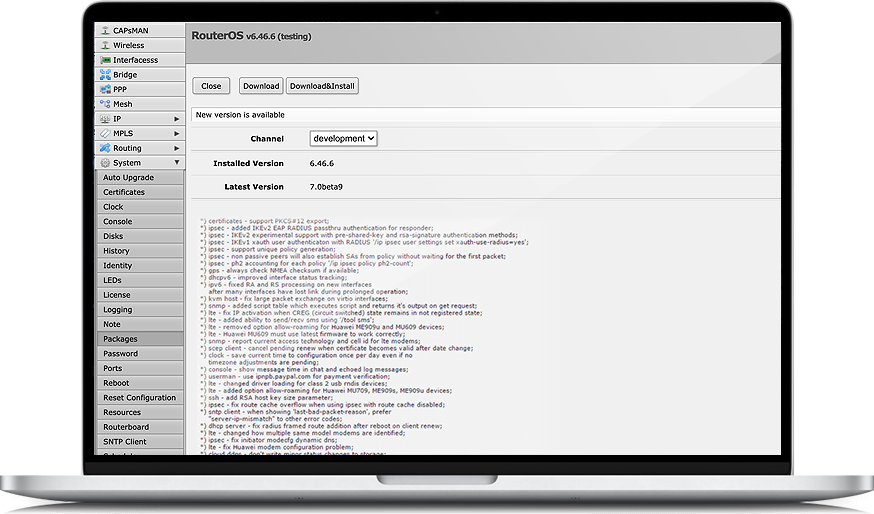
WinBox 4.1.0 full screenshots


WinBox - Windows 7 Download awards

WinBox 4.1.0 full description
As an expert in Windows 7 software, I highly recommend WinBox by MikroTik. This excellent software provides smooth and efficient remote administration for MikroTik RouterOS routers. Installing WinBox is a breeze, and it takes only minutes to set up. Its user-friendly interface makes configuring and monitoring network settings a breeze. With WinBox, network administrators can easily perform diagnostics, manage bandwidth, and configure settings, all from one well-organized platform. Additionally, WinBox supports both IPv6 and IPv4 networks, and it provides invaluable customization options for the user. This software is great for those who want to remotely manage their network settings without compromising performance. Overall, WinBox is a must-have for network managers and administrators looking for a user-friendly and efficient platform for their MikroTik RouterOS routers.
WinBox 4.1.0 download tags
WinBox 4.1.0 Windows 7 release notes
New Release
Form: improve "address" field by allowing to select Interface and VRF fields (where supported);
Form: allow opening linked object or its parent table for certain fields (e.g., when adding an IP address and selecting an interface from the dropdown, it is possible to open either the interface table or the selected interface);
Form: add support for input field postfix;
Form: add support for min/max row count limit for multi fields;
Form: add support for monospace font in scripts;
Form: add support for new "note" attribute which shows documentation or hints on label hover;
Form: change style of multi field plus/minus buttons;
Form: fix "hyperlink" field type (IP/Routes Immediate Gateway);
Form: fix sorting for some fields;
Form: increase minimal width for combobox and multi-selection fields;
Mdi: fix resizing when window was moved to top or left side and then resized;
Mdi: move window resize mouse area 1px deeper within content;
Mdi: try to move whole window into workspace when (re)opening;
Table: change disabled row icon color;
Table: fix warnings printed in app output;
Table: make New button with dropdown expand full available height;
Table: send only disable/enable attribute when disabling/enabling row;
Table: try to fix Windows on ARM rendering issues;
Table: update some firewall table icons to stand out more;
Ui: fix Cancel button focus in file transfer progress dialog;
Ui: increase combobox popup's minimal width;
Ui: make checkbox/radio/tooltip background color darker in light mode;
Ui: make search result rows a little taller;
Ui: simplify error message with MAC connection when device is not responding;
Add new field type support used by future RouterOS version;
Change intermediary certificate for Windows executable signing;
[ WinBox release history ]
Form: improve "address" field by allowing to select Interface and VRF fields (where supported);
Form: allow opening linked object or its parent table for certain fields (e.g., when adding an IP address and selecting an interface from the dropdown, it is possible to open either the interface table or the selected interface);
Form: add support for input field postfix;
Form: add support for min/max row count limit for multi fields;
Form: add support for monospace font in scripts;
Form: add support for new "note" attribute which shows documentation or hints on label hover;
Form: change style of multi field plus/minus buttons;
Form: fix "hyperlink" field type (IP/Routes Immediate Gateway);
Form: fix sorting for some fields;
Form: increase minimal width for combobox and multi-selection fields;
Mdi: fix resizing when window was moved to top or left side and then resized;
Mdi: move window resize mouse area 1px deeper within content;
Mdi: try to move whole window into workspace when (re)opening;
Table: change disabled row icon color;
Table: fix warnings printed in app output;
Table: make New button with dropdown expand full available height;
Table: send only disable/enable attribute when disabling/enabling row;
Table: try to fix Windows on ARM rendering issues;
Table: update some firewall table icons to stand out more;
Ui: fix Cancel button focus in file transfer progress dialog;
Ui: increase combobox popup's minimal width;
Ui: make checkbox/radio/tooltip background color darker in light mode;
Ui: make search result rows a little taller;
Ui: simplify error message with MAC connection when device is not responding;
Add new field type support used by future RouterOS version;
Change intermediary certificate for Windows executable signing;
[ WinBox release history ]
Bookmark WinBox
WinBox for Windows 7 - Copyright information
All WinBox reviews, submitted ratings and written comments become the sole property of Windows 7 download. You acknowledge that you, not windows7download, are responsible for the contents of your submission. However, windows7download reserves the right to remove or refuse to post any submission for any reason.
Windows 7 Download periodically updates pricing and software information of WinBox full version from the publisher, but some information may be out-of-date. You should confirm all information.
Using warez version, crack, warez passwords, patches, serial numbers, registration codes, key generator, pirate key, keymaker or keygen for WinBox license key is illegal and prevent future development of WinBox. Download links are directly from our mirrors or publisher's website, WinBox torrent or shared files from free file sharing and free upload services, including Rapidshare, MegaUpload, YouSendIt, SendSpace, DepositFiles, DivShare, HellShare, HotFile, FileServe or MediaFire, are not used.
Windows 7 Download periodically updates pricing and software information of WinBox full version from the publisher, but some information may be out-of-date. You should confirm all information.
Using warez version, crack, warez passwords, patches, serial numbers, registration codes, key generator, pirate key, keymaker or keygen for WinBox license key is illegal and prevent future development of WinBox. Download links are directly from our mirrors or publisher's website, WinBox torrent or shared files from free file sharing and free upload services, including Rapidshare, MegaUpload, YouSendIt, SendSpace, DepositFiles, DivShare, HellShare, HotFile, FileServe or MediaFire, are not used.
Post WinBox review


Windows 7 WinBox related downloads
... access · RIP, OSPF, BGP routing · remote WinBox GUI and Web admin · telnet/mac-telnet/ssh/console admin · ...
My Account
Help
Windows 7 Software Coupons
-
WinX MediaTrans
63% Off -
MacX Video Converter Pro
56% Off -
MacX DVD Video Converter
58% Off -
Media Player Morpher
85% Off -
WinX DVD Copy Pro
42% Off
My Saved Stuff
You have not saved any software.
Click "Save" next to each software.
Click "Save" next to each software.
Would you like to receive announcements of new versions of your software by email or by RSS reader? Register for FREE!
Windows 7 Downloads Picks
- iTop VPN 7.4.0.6857
- RouterOS 7.22.1 Stable
- SABnzbd 4.3.2
- Security Center Lite 4.2
- Network Activity Indicator 1.9
- NetWorx Portable 26.1
- Security Center Pro 4.2
- PuTTY 0.81
- SmartCode VNC Manager Standard Edition 2025.03.1
- TV-Browser 4.2.7
- WebLoad Professional 8.6.0.026
- Hironico Db Tool 2.2.0
- Change MAC Address 25.01
- IPSentry Network Monitoring Suite 7.70.309
- Windows Live Writer 2009 14.0.8089.726
- Microsoft Assessment and Planning Toolkit 5.5.3638.0
- Adobe Flash Player 10 for 64-bit Windows Preview 2
- MyConnection Server 11.4c Build 26040817
- Portable iReasoning MIB Browser Enterprise 14.0 B4717
- Network Drive Manager 2.8.0
Popular Tags
security
search
identity management
google
address
web
message
server
dns
html
network
software inventory
ping
ebay
rss
download
auction
pages
computer
internet
proxy
email
freeware
inventory
free
software
tool
manager
lan
website
Popular Windows 7 Software
- Network Traffic Generator and Monitor 12.6
- Firefox 64bit x64 127.0.2
- iTop VPN 7.4.0.6857
- Google Chrome 126.0.6478.127
- RouterOS 7.22.1 Stable
- Universal Maps Downloader 10.253
- SSuite NetSurfer Browser x64 2.30.16.10
- iTop Private Browser 3.1.0.255
- Allavsoft 3.29.1.9611
- NetSpot for Windows 5.1.0.703
- SSuite NetSurfer Browser 2.30.16.10
- Google Chrome 17 17.0.963.78
- SoftPerfect Network Scanner 26.3
- Google Chrome Portable 126.0.6478.127
- Dukto Portable R6
© 2026 Windows7Download.com - All logos, trademarks, art and other creative works are and remain copyright and property of their respective owners. Microsoft Windows is a registered trademarks of Microsoft Corporation. Microsoft Corporation in no way endorses or is affiliated with windows7download.com.