


SeaMonkey for Windows 7 - Powerful all-in-one internet suite. - Windows 7 Download


SeaMonkey 2.53.23
"Experience all-in-one internet browsing with SeaMonkey."
Introducing SeaMonkey, the all-in-one internet application suite by Mozilla.org. Perfect for web browsing, email, chat, and more, SeaMonkey offers a wide range of features to enhance your internet experience. With its powerful yet user-friendly interface, SeaMonkey is a top choice for those seeking an all-inclusive internet solution. Download now for an efficient and seamless browsing experience on Windows 7.
SeaMonkey 2.53.23 full details

| File Size: | 45.90 MB |
|---|---|
| License: | Open Source |
| Price: | FREE |
| Released: |
2026-01-01
 |
| Downloads: | Total: 3285 | This Month: 149 |
| Publisher: | Mozilla |
| Publisher URL: | https://www.mozilla.org/en-US/exp/firefox/ |

Download SeaMonkey 2.53.23
Save SeaMonkey to My Stuff
Tweet
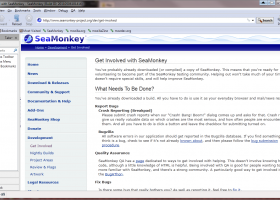
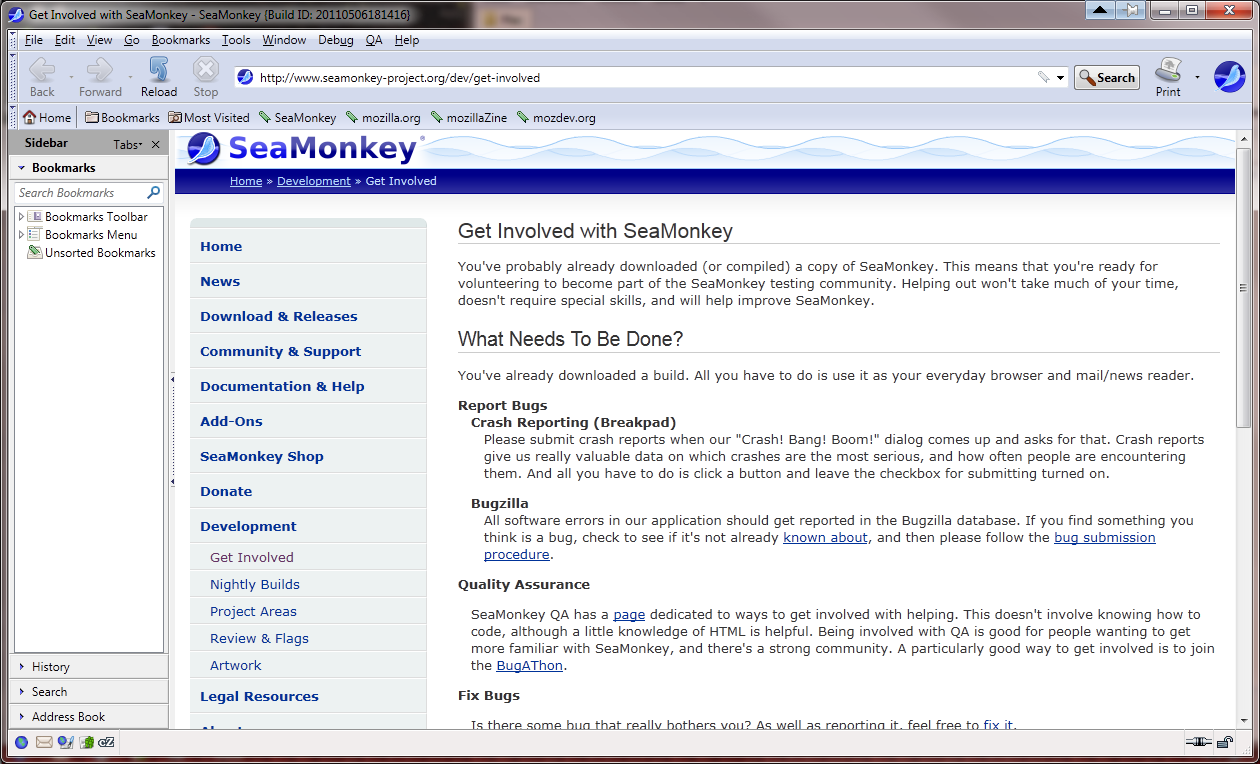
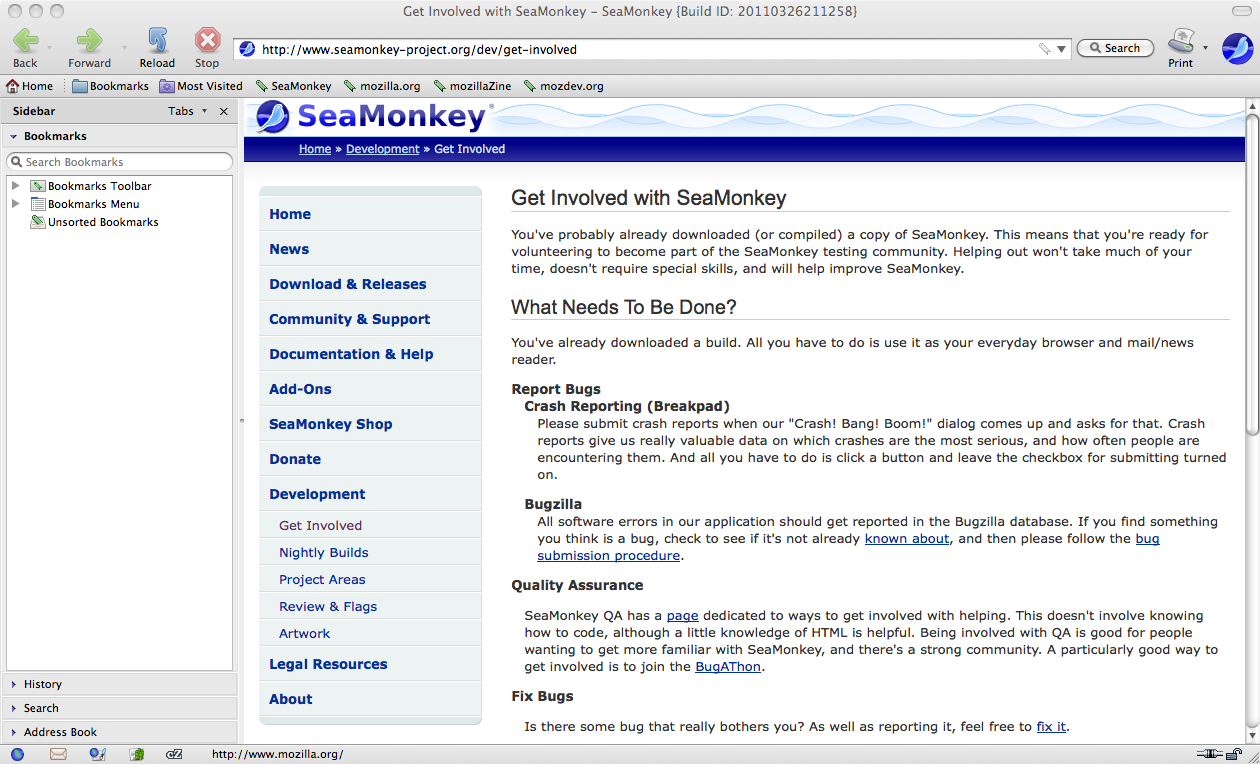
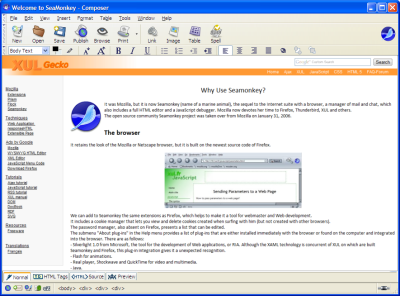
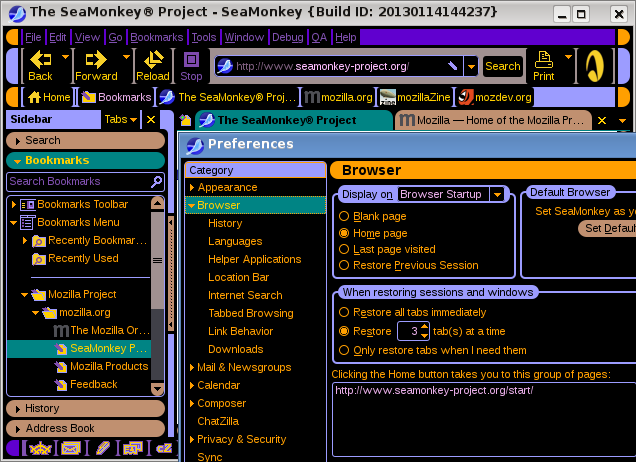
SeaMonkey 2.53.23 full screenshots


SeaMonkey - Windows 7 Download awards


SeaMonkey 2.53.23 full description
SeaMonkey is the all-in-one internet application suite formerly known as the "Mozilla Application Suite", containing a Web browser, a mail and newsgroups client, an HTML editor, Web development tools, and an IRC chat client in a single software package.
Web-browser, advanced e-mail, newsgroup and feed client, IRC chat, and HTML editing made simple -- all your Internet needs in one application.
Features:
Browser
Tabbed browsing gives you a better way to surf the net. You no longer have to open one page at a time. With tabbed browsing, open several pages at once with one click. Plus, your homepage can be multiple pages, in tabs. And if you mistakenly close a tab or window, functionality to Undo Closed Tab or Window helps you bring it back to continue working with it.
SeaMonkey's powerful Add-ons Management provides almost infinite possibilies to extend your Internet experience both through installing additional functionality created by others and even freely developing your own extensions and providing them to the rest of the SeaMonkey community.
Feed detection notifies you when web pages offer RSS or Atom feeds, and feed preview lets you view their contents and choose a reader with which to subscribe to those - including an internal reader in the Mail & Newsgroups component of SeaMonkey.
Smart Location Bar enables you to search your visited web pages right when typing in the browser's location bar and finding what you want to re-visited as fast as possible by learning which pages you visit frequently.
Popup blocker lets you surf the web without interruption from annoying ads.
Image Manager lets you block images to remove offensive images or speed up the rendering of web sites.
Find as you type gives you another way to navigate a page. Just start typing to jump from link to link or to find a word or phrase within a page.
Session restore brings back all your open windows and tabs after the rare occasion that SeaMonkey crashes - and if you wish even when you close and reopen the browser or restart your computer.
Plus all the features a modern browser should have including: Advanced security settings; Password, Download, and Cookie managers; Web form autocompletion; Themes; toolbar customization; multi-language and multi-platform support; and the latest in Web Standards.
Mail & Newsgroups
Tabbed Mail lets you manage your mail and folders in parallel, without losing control of where you're at when reading, replying to and working with messages in more complex patterns.
Junk mail controls help you take back control of your e-mail from spammers. SeaMonkey's adaptive junk mail control gets smarter with use and is personalized to the e-mail that you receive.
Manage your mail with customizable Tags and Mail Views. Color code your e-mail to help you prioritize. Sort your mail with views to help you through your e-mail much faster.
Multiple Accounts support helps you manage all your mail through one interface.
Feeds and Blogs is a reader for RSS and Atom feeds right in your messaging center that eases your reading of information from all across the web.
SeaMonkey Mail & Newsgroups includes Enterprise ready features such as S/MIME, return receipts, Address Books, LDAP support, and digital signing.
Composer
SeaMonkey's powerful yet simple HTML editor keeps getting better with dynamic image and table resizing, quick insert and delete of table cells, improved CSS support, and support for positioned layers. For all your documents and website projects, Composer is all you need.
Web-browser, advanced e-mail, newsgroup and feed client, IRC chat, and HTML editing made simple -- all your Internet needs in one application.
Features:
Browser
Tabbed browsing gives you a better way to surf the net. You no longer have to open one page at a time. With tabbed browsing, open several pages at once with one click. Plus, your homepage can be multiple pages, in tabs. And if you mistakenly close a tab or window, functionality to Undo Closed Tab or Window helps you bring it back to continue working with it.
SeaMonkey's powerful Add-ons Management provides almost infinite possibilies to extend your Internet experience both through installing additional functionality created by others and even freely developing your own extensions and providing them to the rest of the SeaMonkey community.
Feed detection notifies you when web pages offer RSS or Atom feeds, and feed preview lets you view their contents and choose a reader with which to subscribe to those - including an internal reader in the Mail & Newsgroups component of SeaMonkey.
Smart Location Bar enables you to search your visited web pages right when typing in the browser's location bar and finding what you want to re-visited as fast as possible by learning which pages you visit frequently.
Popup blocker lets you surf the web without interruption from annoying ads.
Image Manager lets you block images to remove offensive images or speed up the rendering of web sites.
Find as you type gives you another way to navigate a page. Just start typing to jump from link to link or to find a word or phrase within a page.
Session restore brings back all your open windows and tabs after the rare occasion that SeaMonkey crashes - and if you wish even when you close and reopen the browser or restart your computer.
Plus all the features a modern browser should have including: Advanced security settings; Password, Download, and Cookie managers; Web form autocompletion; Themes; toolbar customization; multi-language and multi-platform support; and the latest in Web Standards.
Mail & Newsgroups
Tabbed Mail lets you manage your mail and folders in parallel, without losing control of where you're at when reading, replying to and working with messages in more complex patterns.
Junk mail controls help you take back control of your e-mail from spammers. SeaMonkey's adaptive junk mail control gets smarter with use and is personalized to the e-mail that you receive.
Manage your mail with customizable Tags and Mail Views. Color code your e-mail to help you prioritize. Sort your mail with views to help you through your e-mail much faster.
Multiple Accounts support helps you manage all your mail through one interface.
Feeds and Blogs is a reader for RSS and Atom feeds right in your messaging center that eases your reading of information from all across the web.
SeaMonkey Mail & Newsgroups includes Enterprise ready features such as S/MIME, return receipts, Address Books, LDAP support, and digital signing.
Composer
SeaMonkey's powerful yet simple HTML editor keeps getting better with dynamic image and table resizing, quick insert and delete of table cells, improved CSS support, and support for positioned layers. For all your documents and website projects, Composer is all you need.
SeaMonkey 2.53.23 download tags
SeaMonkey 2.53.23 Windows 7 release notes
New Release
SeaMonkey 2.53.23 contains (among other changes) the following changes relative to SeaMonkey 2.53.22:
Use PluralForm for known networks in cZ bug 1986545.
Use PluralForm better for known networks in cZ bug 1999832.
Add ESR 140 links to debugQA bug 1993800.
Incorrect SeaMonkey version number in BugSplat crash reports bug 1999135.
Update service name in dataman.js bug 1489573.
The following bugs were fixed in our branch of the Gecko source code only:
Fixed CSS issue by landing part 1 of bug 1363875.
SeaMonkey 2.53.23 contains (among other changes) the following major changes relative to SeaMonkey 2.49.5:
The Bookmarks Manager has switched its name to Library, and now also includes the History list. When History is invoked, the Library will be shown with the History list selected. The extensive modifications were needed because of Mozilla Gecko platform API changes.
Download Manager has been migrated to a new API. Although it looks pretty much the same as before, the search option is missing and some other minor details work differently. The previous downloads history is removed during the upgrade.
The layout panel was added to the CSS Grid tools.
TLS 1.3 is the default SSL version now.
Support for all NPAPI plugins like Flash, Java and Silverlight has been removed. For displaying pdf files in the browser you can use pdf.js-seamonkey from Isaac Schemm.
SeaMonkey now uses a new api for formatting regional data like time and date. Default is to use the application locale of the current SeaMonkey build. If you use a language pack or a different OS formatting this is usually not desired. You can change the formatting from the application locale to the regional settings locale (OS) in the preferences dialog under "Appearance".
[ SeaMonkey release history ]
SeaMonkey 2.53.23 contains (among other changes) the following changes relative to SeaMonkey 2.53.22:
Use PluralForm for known networks in cZ bug 1986545.
Use PluralForm better for known networks in cZ bug 1999832.
Add ESR 140 links to debugQA bug 1993800.
Incorrect SeaMonkey version number in BugSplat crash reports bug 1999135.
Update service name in dataman.js bug 1489573.
The following bugs were fixed in our branch of the Gecko source code only:
Fixed CSS issue by landing part 1 of bug 1363875.
SeaMonkey 2.53.23 contains (among other changes) the following major changes relative to SeaMonkey 2.49.5:
The Bookmarks Manager has switched its name to Library, and now also includes the History list. When History is invoked, the Library will be shown with the History list selected. The extensive modifications were needed because of Mozilla Gecko platform API changes.
Download Manager has been migrated to a new API. Although it looks pretty much the same as before, the search option is missing and some other minor details work differently. The previous downloads history is removed during the upgrade.
The layout panel was added to the CSS Grid tools.
TLS 1.3 is the default SSL version now.
Support for all NPAPI plugins like Flash, Java and Silverlight has been removed. For displaying pdf files in the browser you can use pdf.js-seamonkey from Isaac Schemm.
SeaMonkey now uses a new api for formatting regional data like time and date. Default is to use the application locale of the current SeaMonkey build. If you use a language pack or a different OS formatting this is usually not desired. You can change the formatting from the application locale to the regional settings locale (OS) in the preferences dialog under "Appearance".
[ SeaMonkey release history ]
Bookmark SeaMonkey
SeaMonkey for Windows 7 - Copyright information
All SeaMonkey reviews, submitted ratings and written comments become the sole property of Windows 7 download. You acknowledge that you, not windows7download, are responsible for the contents of your submission. However, windows7download reserves the right to remove or refuse to post any submission for any reason.
Windows 7 Download periodically updates pricing and software information of SeaMonkey full version from the publisher, but some information may be out-of-date. You should confirm all information.
Using warez version, crack, warez passwords, patches, serial numbers, registration codes, key generator, pirate key, keymaker or keygen for SeaMonkey license key is illegal and prevent future development of SeaMonkey. Download links are directly from our mirrors or publisher's website, SeaMonkey torrent or shared files from free file sharing and free upload services, including Rapidshare, MegaUpload, YouSendIt, SendSpace, DepositFiles, DivShare, HellShare, HotFile, FileServe or MediaFire, are not used.
Windows 7 Download periodically updates pricing and software information of SeaMonkey full version from the publisher, but some information may be out-of-date. You should confirm all information.
Using warez version, crack, warez passwords, patches, serial numbers, registration codes, key generator, pirate key, keymaker or keygen for SeaMonkey license key is illegal and prevent future development of SeaMonkey. Download links are directly from our mirrors or publisher's website, SeaMonkey torrent or shared files from free file sharing and free upload services, including Rapidshare, MegaUpload, YouSendIt, SendSpace, DepositFiles, DivShare, HellShare, HotFile, FileServe or MediaFire, are not used.
Post SeaMonkey review


Windows 7 SeaMonkey related downloads
The SeaMonkey project is a community effort to develop the SeaMonkey all-in-one internet application suite. Such a software suite ...
My Account
Help
Windows 7 Software Coupons
-
WinX HD Video Converter
56% Off -
WinX MediaTrans
63% Off -
WinX DVD Copy Pro
42% Off -
MacX Video Converter Pro
56% Off -
Media Player Morpher
85% Off
My Saved Stuff
You have not saved any software.
Click "Save" next to each software.
Click "Save" next to each software.
Would you like to receive announcements of new versions of your software by email or by RSS reader? Register for FREE!
Windows 7 Downloads Picks
- Firefox 64bit x64 127.0.2
- Google Chrome 126.0.6478.127
- iTop Private Browser 3.1.0.255
- Google Chrome 17 17.0.963.78
- Google Chrome Portable 126.0.6478.127
- Firefox 9 9.0.1
- Google Chrome 11 11.0.696.71
- X-Browser 1.4
- Firefox 18 18.0.2
- Google Chrome 6 6.0.495.0
- Google Chrome 10 10.0.648.204
- Google Chrome 18 18.0.1025.168
- Firefox 128.4.0
- Pale Moon Portable x64 33.1.0
- Google Chrome 2 2.0.172.43
- iTunes 12.13.10.3
- Internet Explorer 10 10.0.9200.16521
- Google Chrome 16 16.0.912.77
- Firefox 22 22.0
- Google Chrome 4 4.0.249.1064
Popular Tags
top
web
mozilla firefox
bookmark
download
free
site
web browser
navigate
surfing
rank
software
list
sites
firefox
mozilla explorer
windows
download manager
directory
chrome
internet explorer
internet
browser
offline
internet browser
tabbed
mozilla
explorer
browse
popular
Popular Windows 7 Software
- Network Traffic Generator and Monitor 12.6
- Firefox 64bit x64 127.0.2
- iTop VPN 7.4.0.6857
- Google Chrome 126.0.6478.127
- RouterOS 7.22.1 Stable
- Universal Maps Downloader 10.253
- SSuite NetSurfer Browser x64 2.30.16.10
- iTop Private Browser 3.1.0.255
- Allavsoft 3.29.1.9611
- NetSpot for Windows 5.1.0.703
- SSuite NetSurfer Browser 2.30.16.10
- Google Chrome 17 17.0.963.78
- SoftPerfect Network Scanner 26.3
- Google Chrome Portable 126.0.6478.127
- Dukto Portable R6
© 2026 Windows7Download.com - All logos, trademarks, art and other creative works are and remain copyright and property of their respective owners. Microsoft Windows is a registered trademarks of Microsoft Corporation. Microsoft Corporation in no way endorses or is affiliated with windows7download.com.