


Qimage Professional Edition for Windows 7 - "Enhance Your Printing Experience: Qimage Pro" - Windows 7 Download


Qimage Professional Edition 2010.210
"Revolutionize your photo printing with Qimage Professional Edition."
Looking for a powerful, yet user-friendly photo printing software? Look no further than Qimage Professional Edition by Ddisoftware, Inc. This software boasts an array of advanced features, including batch processing, high-quality color management, and custom layout options for printing. With its intuitive interface and impressive results, Qimage Professional Edition is the perfect tool for any photography enthusiast or professional. Download it now and take your printing game to the next level!
Qimage Professional Edition 2010.210 full details

| File Size: | 6.10 MB |
|---|---|
| License: | Trialware |
| Price: | $49.95 |
| Released: | 2013-01-08 |
| Downloads: | Total: 734 | This Month: 1 |
| Publisher: | Ddisoftware, Inc. |
| Publisher URL: | https://www.ddisoftware.com/ |

Download Qimage Professional Edition 2010.210
Save Qimage Professional Edition to My Stuff
Tweet
Qimage Professional Edition - Windows 7 Download awards


Qimage Professional Edition 2010.210 full description
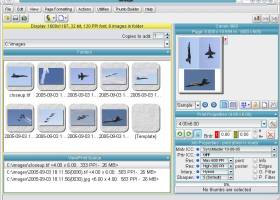
Qimage is a digital imaging program that has grown from its simple roots of printing multiple images on a single page, to being one of the most frequently referred to and highly recommended digital image software in the world.
Qimage is designed to make image printing easy and painless by eliminating the need to resample images to higher resolutions, manually place images on printed pages, make touchups and apply filters in separate photo editors, etc.
For a purchase price that is a mere fraction of the cost of high end photo editors, you get an application that is capable of producing professional quality prints that exceed the quality of nearly all other photo printing applications, even high end (read incredibly expensive) photo editors.
Although not designed to be (or replace) a full featured photo editor, the majority of the time you will find that Qimage is the only tool you need to enhance and/or print your digital images. With high quality image noise filtering, blemish and redeye removal, rotation, Lanczos, Vector, and Pyramid print interpolation, and many other "on the fly" tools, Qimage may make many of your other digital imaging tools obsolete.
Features:
# Optimal print quality regardless of size (see sidebar)
# Optimal arrangement of prints on page
# Mix and match different size prints on each page
# Print cropping tool remembers all your crops
# User controllable final print "smart sharpening"
# Fully ICC aware color management
# View slide shows, send photos via e-mail
# Batch convert, create files for photo labs, etc.
# Automated job log, save and recall jobs/settings!
# 30 day trial available: see demo link on left
# Free lifetime upgrades!
Qimage Professional Edition 2010.210 download tags
Qimage Professional Edition 2010.210 Windows 7 release notes
New Release
· enables reading of embedded size/resolution from JPEG images with omitted JFIF file headers.
[ Qimage Professional Edition release history ]
· enables reading of embedded size/resolution from JPEG images with omitted JFIF file headers.
[ Qimage Professional Edition release history ]
Bookmark Qimage Professional Edition
Qimage Professional Edition for Windows 7 - Copyright information
All Qimage Professional Edition reviews, submitted ratings and written comments become the sole property of Windows 7 download. You acknowledge that you, not windows7download, are responsible for the contents of your submission. However, windows7download reserves the right to remove or refuse to post any submission for any reason.
Windows 7 Download periodically updates pricing and software information of Qimage Professional Edition full version from the publisher, but some information may be out-of-date. You should confirm all information.
Using warez version, crack, warez passwords, patches, serial numbers, registration codes, key generator, pirate key, keymaker or keygen for Qimage Professional Edition license key is illegal and prevent future development of Qimage Professional Edition. Download links are directly from our mirrors or publisher's website, Qimage Professional Edition torrent or shared files from free file sharing and free upload services, including Rapidshare, MegaUpload, YouSendIt, SendSpace, DepositFiles, DivShare, HellShare, HotFile, FileServe or MediaFire, are not used.
Post Qimage Professional Edition review


Windows 7 Qimage Professional Edition related downloads
Looking for a convenient way to print several image files at once? Look no further ... lets you easily select multiple image files and print them with just a few clicks. You can ...
Alternative test page printout for Windows OS Correct printing is very important, especially for new printers. With ...
... offers a solution to users who want to print multiple JPEG without opening each one. The user ...
With Abacre Photo Editor you are able to enhance your scanned or ... digital camera. Then drag-n-drop them into Abacre Photo Editor. Experienced photographers can use Manual mode to manually ...
Spontz Visuals Editor is an easy to use, very useful tool ... video demos. Following a simple timeline concept, this editor is completely oriented to productivity: repeaters, synchronizers, 3D ...
My Account
Help
Windows 7 Software Coupons
-
WinX HD Video Converter
56% Off -
FREE VPN PROXY by SEED4.ME WINDOWS
Free VPN by Seed4Me -
MacX Video Converter Pro
56% Off -
MacX DVD Ripper Pro
50% Off -
MacX Media Management Bundle
70% Off
My Saved Stuff
You have not saved any software.
Click "Save" next to each software.
Click "Save" next to each software.
Would you like to receive announcements of new versions of your software by email or by RSS reader? Register for FREE!
Windows 7 Downloads Picks
- PSRemote 3.3
- Zoner Photo Studio Professional 19.2403.2.542
- Neat Image 9.3.2
- Greatis Image Editor 1.14
- Portable Inkscape 1.4.4
- Photo Editing & Saving Wizard 2021
- Albumin 3D 1.7.1
- Portable AMP Tile Viewer 2.01
- AMP Tile Viewer 2.01
- LightMachine Plugin 2.11b
- Abacre Photo Editor 2.1.1
- Spontz Visuals Editor 2.1
- PosteRazor 1.9.5
- NVIDIA PhysX 9.23.1019
- EVGA Precision XOC 6.2.7
- Portable FastStone Capture 11.2
- MySlideShow 3.6.0.241
- Photomatix Pro /64-bit/ 7.1.1
- Portable FastStone Image Viewer 8.4
- Picture Window Pro 8.578
Popular Tags
video
graphics
macromedia
adobe
photos
images
design
image
photo
effects
jpeg
pictures
jpg
tool
plugin
digital
color
graphic
corel
filter
picture
bmp
vanderlee
designer
resize
photoshop
scanner
zoom
exif
screen
Popular Windows 7 Software
- CorelDRAW X7 (x32 bit) 17.4.0.887
- CorelDRAW 2017 19.1.0.419
- WizFlow Professional 7.58 Build 2228
- QCAD Portable 3.29.3
- FotoWorks XL 2026 26.2.6
- Contenta Converter PREMIUM 7.1
- Inpaint 11.0
- FreeVimager 9.9.27
- HDR Expose 2.1.1 build 9804
- PSRemote 3.3
- 3D Page Flip Book Templates of Colorful Eggs 1.0
- Icecream Image Resizer 2.14
- Icons from File 5.1.1
- Cut'n'Mix 6.0
- Jsoft Easy ID Photo 6.1
© 2026 Windows7Download.com - All logos, trademarks, art and other creative works are and remain copyright and property of their respective owners. Microsoft Windows is a registered trademarks of Microsoft Corporation. Microsoft Corporation in no way endorses or is affiliated with windows7download.com.