


Portable Inkscape for Windows 7 - "Get Portable Inkscape: Enhance your design passion." - Windows 7 Download


Portable Inkscape 1.4.4
"Get Portable Inkscape - The Essential Vector Graphics Tool for Windows 7!"
Introducing "Portable Inkscape" - the ultimate vector graphics editor for Windows 7! Developed by the renowned Inkscape team, this software offers seamless graphic editing, creation, and manipulation - all in a portable format that's perfect for professionals on-the-go. With a user-friendly interface, robust features, and an extensive library of templates and designs, your creative possibilities are limitless. Whether you're a graphic designer, artist, or just looking to create stunning visuals, "Portable Inkscape" is the software for you. Download it today and take your designs to the next level!
Portable Inkscape 1.4.4 full details

| File Size: | 105.00 MB |
|---|---|
| License: | Open Source |
| Price: | FREE |
| Released: |
2026-05-07
 |
| Downloads: | Total: 1610 | This Month: 192 |
| Publisher: | bryce |
| Publisher URL: | https://inkscape.org/ |

Download Portable Inkscape 1.4.4
Save Portable Inkscape to My Stuff
Tweet
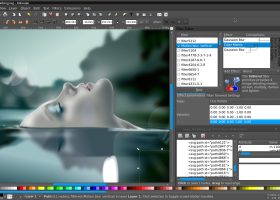
Portable Inkscape 1.4.4 full screenshots


Portable Inkscape - Windows 7 Download awards


Portable Inkscape 1.4.4 full description
About Inkscape
An Open Source vector graphics editor, with capabilities similar to Illustrator, CorelDraw, or Xara X, using the W3C standard Scalable Vector Graphics (SVG) file format.
Inkscape supports many advanced SVG features (markers, clones, alpha blending, etc.) and great care is taken in designing a streamlined interface. It is very easy to edit nodes, perform complex path operations, trace bitmaps and much more. We also aim to maintain a thriving user and developer community by using open, community-oriented development.
Inkscape is an Open Source vector graphics editor, with capabilities similar to Illustrator, Freehand, CorelDraw, or Xara X using the W3C standard Scalable Vector Graphics (SVG) file format. Supported SVG features include shapes, paths, text, markers, clones, alpha blending, transforms, gradients, patterns, and grouping. Inkscape also supports Creative Commons meta-data, node editing, layers, complex path operations, bitmap tracing, text-on-path, flowed text, direct XML editing, and more. It imports formats such as Postscript, EPS, JPEG, PNG, and TIFF and exports PNG as well as multiple vector-based formats.
Inkscape's main goal is to create a powerful and convenient drawing tool fully compliant with XML, SVG, and CSS standards. We also aim to maintain a thriving user and developer community by using open, community-oriented development process, and by making sure Inkcape is easy to learn, to use, and to extend.
An Open Source vector graphics editor, with capabilities similar to Illustrator, CorelDraw, or Xara X, using the W3C standard Scalable Vector Graphics (SVG) file format.
Inkscape supports many advanced SVG features (markers, clones, alpha blending, etc.) and great care is taken in designing a streamlined interface. It is very easy to edit nodes, perform complex path operations, trace bitmaps and much more. We also aim to maintain a thriving user and developer community by using open, community-oriented development.
Inkscape is an Open Source vector graphics editor, with capabilities similar to Illustrator, Freehand, CorelDraw, or Xara X using the W3C standard Scalable Vector Graphics (SVG) file format. Supported SVG features include shapes, paths, text, markers, clones, alpha blending, transforms, gradients, patterns, and grouping. Inkscape also supports Creative Commons meta-data, node editing, layers, complex path operations, bitmap tracing, text-on-path, flowed text, direct XML editing, and more. It imports formats such as Postscript, EPS, JPEG, PNG, and TIFF and exports PNG as well as multiple vector-based formats.
Inkscape's main goal is to create a powerful and convenient drawing tool fully compliant with XML, SVG, and CSS standards. We also aim to maintain a thriving user and developer community by using open, community-oriented development process, and by making sure Inkcape is easy to learn, to use, and to extend.
Portable Inkscape 1.4.4 download tags
Portable Inkscape 1.4.4 Windows 7 release notes
New Release
Highlights:
Inkscape 1.4.4 is a maintenance and bugfix release, which brings you:
20 crash fixes, among them for three nasty bugs where Inkscape wouldn't even start
almost 20 bug fixes
6 performance improvements
a new palette
a new button for rotating stars and polygons into their 'neutral' or 'upright' position
27 updated interface translations
15 updated documentation translations
installation files for Windows on Arm
Like its predecessor, Inkscape 1.4.4 is also a bridge release in the sense that it can be used to convert the planned Inkscape 1.5 multipage file format to the pre-1.5 multipage format. Versions lower than Inkscape 1.4.3 will not be able to interpret pages created in Inkscape versions 1.5 and upwards. Opening a document in Inkscape 1.4.3 and saving it will convert it to the current ('old') page format (MR #7608).
Background: While the 'old' format of pages in Inkscape is a custom addition that only works in Inkscape, the new format will make use of the svg:view element, which is standardized and can work in other SVG viewers, too. Find more information about this in MR #7525.
Crash Fixes:
Fixed a crash …
trying to start Inkscape when there are two entries for the same file in the list of recently used files (Bug 6002, MR #7750)
trying to start Inkscape on Windows, when two recently opened files are in the same folder on different drives (Bug #6028, MR #7754)
when starting Inkscape with a graphics tablet plugged in (Bug #5618, MR #7665)
when creating a new page (Bug #5904, MR #7417)
when undoing the creation of a new document page (Bug #6060, MR #7787)
when closing the Unicode Characters dialog (Bug #6014, MR #7853)
when trying to open some specific PDF files (Bug #6021, MR #7690)
when trying to open an SVG file with broken markers (Bug #6040, MR #7768)
when opening or closing certain SVG files with the Export dialog open (Bug #5141, MR #7139)
when trying to open an SVG file with a broken Rotate Copies Live Path Effect created with Inkscape older th
[ Portable Inkscape release history ]
Highlights:
Inkscape 1.4.4 is a maintenance and bugfix release, which brings you:
20 crash fixes, among them for three nasty bugs where Inkscape wouldn't even start
almost 20 bug fixes
6 performance improvements
a new palette
a new button for rotating stars and polygons into their 'neutral' or 'upright' position
27 updated interface translations
15 updated documentation translations
installation files for Windows on Arm
Like its predecessor, Inkscape 1.4.4 is also a bridge release in the sense that it can be used to convert the planned Inkscape 1.5 multipage file format to the pre-1.5 multipage format. Versions lower than Inkscape 1.4.3 will not be able to interpret pages created in Inkscape versions 1.5 and upwards. Opening a document in Inkscape 1.4.3 and saving it will convert it to the current ('old') page format (MR #7608).
Background: While the 'old' format of pages in Inkscape is a custom addition that only works in Inkscape, the new format will make use of the svg:view element, which is standardized and can work in other SVG viewers, too. Find more information about this in MR #7525.
Crash Fixes:
Fixed a crash …
trying to start Inkscape when there are two entries for the same file in the list of recently used files (Bug 6002, MR #7750)
trying to start Inkscape on Windows, when two recently opened files are in the same folder on different drives (Bug #6028, MR #7754)
when starting Inkscape with a graphics tablet plugged in (Bug #5618, MR #7665)
when creating a new page (Bug #5904, MR #7417)
when undoing the creation of a new document page (Bug #6060, MR #7787)
when closing the Unicode Characters dialog (Bug #6014, MR #7853)
when trying to open some specific PDF files (Bug #6021, MR #7690)
when trying to open an SVG file with broken markers (Bug #6040, MR #7768)
when opening or closing certain SVG files with the Export dialog open (Bug #5141, MR #7139)
when trying to open an SVG file with a broken Rotate Copies Live Path Effect created with Inkscape older th
[ Portable Inkscape release history ]
Bookmark Portable Inkscape
Portable Inkscape for Windows 7 - Copyright information
All Portable Inkscape reviews, submitted ratings and written comments become the sole property of Windows 7 download. You acknowledge that you, not windows7download, are responsible for the contents of your submission. However, windows7download reserves the right to remove or refuse to post any submission for any reason.
Windows 7 Download periodically updates pricing and software information of Portable Inkscape full version from the publisher, but some information may be out-of-date. You should confirm all information.
Using warez version, crack, warez passwords, patches, serial numbers, registration codes, key generator, pirate key, keymaker or keygen for Portable Inkscape license key is illegal and prevent future development of Portable Inkscape. Download links are directly from our mirrors or publisher's website, Portable Inkscape torrent or shared files from free file sharing and free upload services, including Rapidshare, MegaUpload, YouSendIt, SendSpace, DepositFiles, DivShare, HellShare, HotFile, FileServe or MediaFire, are not used.
Windows 7 Download periodically updates pricing and software information of Portable Inkscape full version from the publisher, but some information may be out-of-date. You should confirm all information.
Using warez version, crack, warez passwords, patches, serial numbers, registration codes, key generator, pirate key, keymaker or keygen for Portable Inkscape license key is illegal and prevent future development of Portable Inkscape. Download links are directly from our mirrors or publisher's website, Portable Inkscape torrent or shared files from free file sharing and free upload services, including Rapidshare, MegaUpload, YouSendIt, SendSpace, DepositFiles, DivShare, HellShare, HotFile, FileServe or MediaFire, are not used.
Post Portable Inkscape review


Windows 7 Portable Inkscape related downloads
Asymptote is a powerful descriptive vector graphics language that provides a natural coordinate-based framework for ... with LaTeX, for high-quality PostScript output.Asymptote is a graphic tool that provides a standard for typesetting mathematical figures. ...
... their graphic designing skills - the world of Inkscape Portable by Portableapps. This incredible software provides users ...
InkscapeBatch is a handy, easy-to-use application designed to give ... a fast, easy and flexible way to convert Inkscape SVG files into other file formats such as ...
BeeDraw is designed to be a multi-threaded network capable, easy to use drawing and collaboration application. ...
Blender Portable is the open source software for 3D modeling, animation, rendering, post-production, interactive creation and playback packaged as a portable app, so you can do your rendering on ...
My Account
Help
Windows 7 Software Coupons
-
MacX MediaTrans
63% Off -
MacX Media Management Bundle
70% Off -
WinX DVD Copy Pro
42% Off -
FREE VPN PROXY by SEED4.ME WINDOWS
Free VPN by Seed4Me -
MacX DVD Video Converter
58% Off
My Saved Stuff
You have not saved any software.
Click "Save" next to each software.
Click "Save" next to each software.
Would you like to receive announcements of new versions of your software by email or by RSS reader? Register for FREE!
Windows 7 Downloads Picks
- Blender Portable 4.1.1
- Embird 2023 B10.86
- TatukGIS Viewer 5.97.0.3649
- Photo Editing & Saving Wizard 2021
- Diagram Designer 1.29.5
- Portable FastStone Image Viewer 8.2
- RLPlot 1.5
- NVIDIA PhysX 9.23.1019
- packVol Standard 3.8.8
- Portable PicPick 7.4.1
- Adobe Camera Raw 14.4
- Abacre Photo Editor 2.1.1
- ImageMagick for Windows 7.1.1-47
- GT Text 2.0.2
- Adobe SpeedGrade CC
- Portable Inkscape 1.4.4
- Photo Stamp Removal 15.1
- Spontz Visuals Editor 2.1
- Albumin 3D 1.7.1
- Asymptote 2.88
Popular Tags
vanderlee
tool
macromedia
video
graphics
scanner
photoshop
filter
effects
corel
resize
color
screen
plugin
pictures
adobe
image
designer
photos
jpg
exif
images
picture
jpeg
digital
design
bmp
photo
zoom
graphic
Popular Windows 7 Software
- CorelDRAW X7 (x32 bit) 17.4.0.887
- CorelDRAW X7 (x64 bit) 17.4.0.887
- CorelDRAW X5 15.2.0.686
- CorelDRAW X4
- iTop Screenshot 1.2.3.544
- CorelDRAW 2017 19.1.0.419
- CorelDRAW X6 16.4.0.1280
- Blender - 32 bit 2.80
- Adobe InDesign CS5 CS5.5 7.5.3
- CorelDRAW X8 18.0.0.450
- Graphic Workshop Professional 15.0a rev11
- Model Air Design 2.4
- Blender Portable 4.1.1
- Model Air Design 2.4
- Paint.NET 5.0.13
© 2026 Windows7Download.com - All logos, trademarks, art and other creative works are and remain copyright and property of their respective owners. Microsoft Windows is a registered trademarks of Microsoft Corporation. Microsoft Corporation in no way endorses or is affiliated with windows7download.com.