


OpenShot Video Editor for Windows 7 - "Revolutionize Your Video Editing" - Windows 7 Download


OpenShot Video Editor 3.5.1
"Revolutionize your video editing with OpenShot. Creativity at your fingertips."
Looking for a powerful and easy-to-use video editing software for Windows 7? Look no further than OpenShot Video Editor! Developed by OpenShot Studios, LLC, this free and open-source software is packed with features that make it ideal for both professional and casual users. From simple cuts and transitions to advanced special effects and audio editing, OpenShot Video Editor has everything you need to create stunning videos. Best of all, it's free to download and use, so download it today and start editing!
OpenShot Video Editor 3.5.1 full details

| File Size: | 208.00 MB |
|---|---|
| License: | Open Source |
| Price: | FREE |
| Released: |
2026-04-08
 |
| Downloads: | Total: 667 | This Month: 120 |
| Publisher: | OpenShot Studios LLC |
| Publisher URL: | https://www.openshot.org/ |

Download OpenShot Video Editor 3.5.1
Save OpenShot Video Editor to My Stuff
Tweet
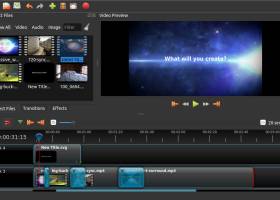
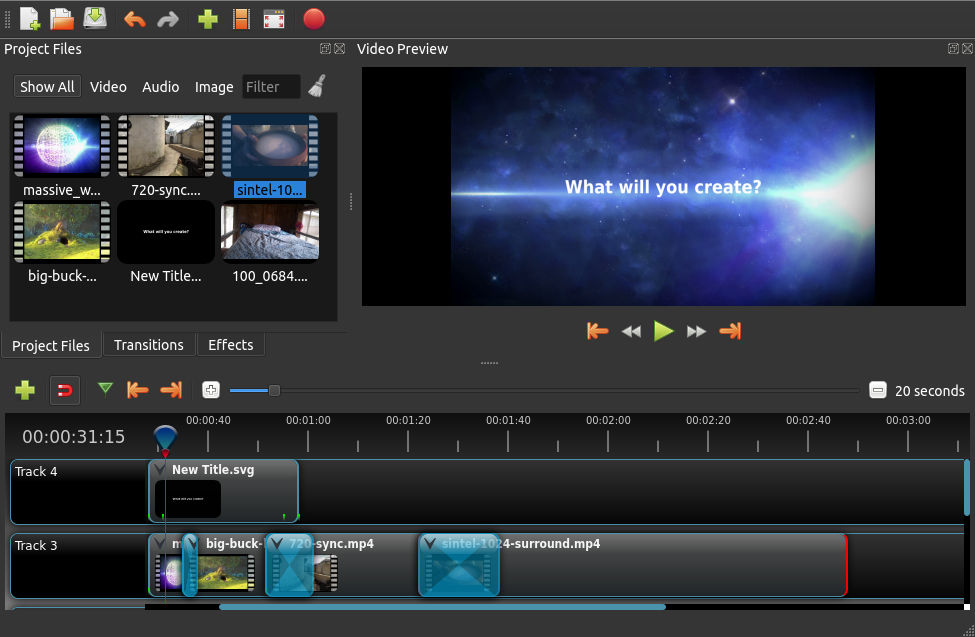
OpenShot Video Editor 3.5.1 full screenshots
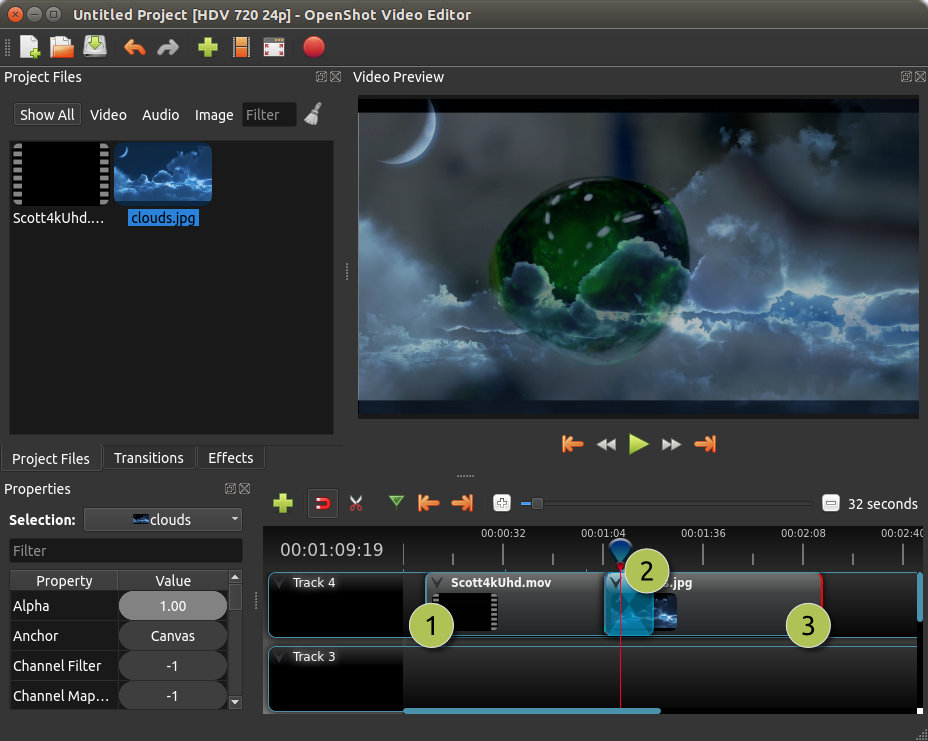
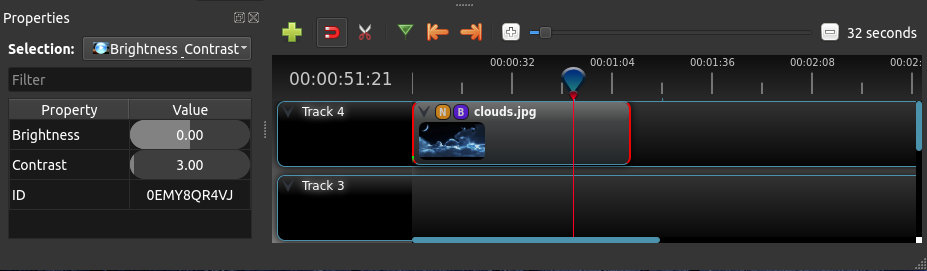

OpenShot Video Editor - Windows 7 Download awards

OpenShot Video Editor 3.5.1 full description
OpenShot Video Editor is designed to be an easy to use, quick to learn, and surprisingly powerful video editor. Take a quick look at some of our most popular features and capabilities.
OpenShot supports the following operating systems: Linux (most distributions are supported), Windows (version 7, 8, and 10+), and OS X (version 10.9+). Project files are also cross-platform, meaning you can save a video project in one OS, and open it on another. All video editing software features are available on all platforms. Based on the powerful FFmpeg library, OpenShot can read and write most video and image formats. For a full list of supported formats, see the FFmpeg project. OpenShot's export dialog defaults to some of the more common formats, but with the advanced tab, you can use any FFmpeg format.
OpenShot comes with a powerful key frame animation framework, capable of an unlimited number of key frames and animation possibilities. Key frames interpolation mode can be quadratic bezier curves, linear, or constant, which determines how the animated values are calculated.
Integration with the user's desktop is a key feature of OpenShot. Native file browsers, window borders, and full drag and drop support with the native file system. Getting started is as easy as dragging files into OpenShot from your favorite file manager.
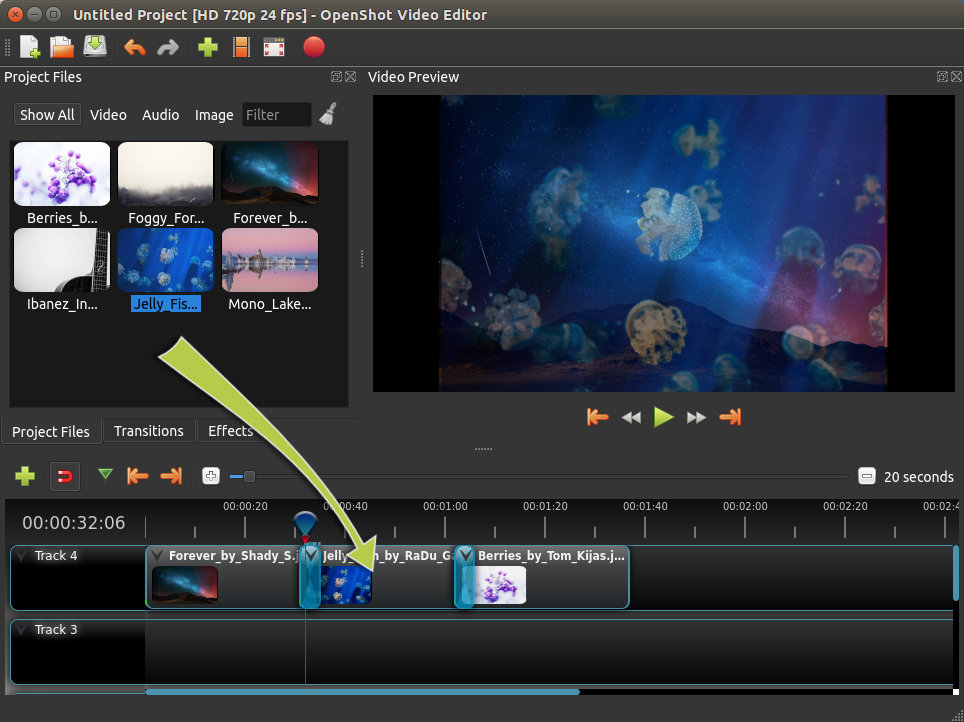
Tracks are used to layer images, videos, and audio in a project. You can create as many layers as needed, such as watermarks, background audio tracks, background videos, etc... Any transparency will show through the layer below it. Tracks can also be moved up, down, or locked.
Clips on the timeline can be adjusted in many ways, including scaling, trimming, rotation, alpha, snapping, and adjusting X,Y location. These properties can also be animated over time with just a few clicks! You can also use our transform tool to interactively resize clips.
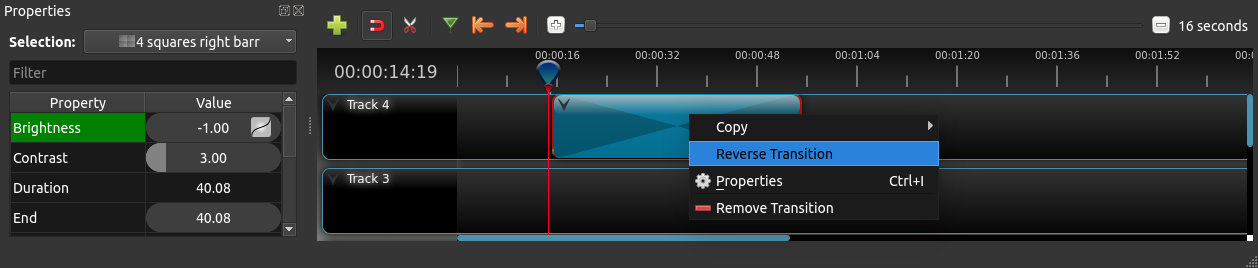
Over 400 transitions are included in OpenShot, which lets you gradually fade from one clip to another. The quickness and sharpness of the transitions can also be adjusted using keyframes (if needed). Overlapping two clips will create a new transition automatically.
When arranging clips in a video project, images on the higher tracks/layers will be displayed on top, and the lower tracks will be displayed behind them. Much like a stack of paper, items on top cover up items below them. And if you cut any holes out (i.e. transparency) the lower images will show though.
Over 40 vector title templates are included with OpenShot, which makes adding titles to your project fun and easy. You can also create your own SVG vector titles, and use those as templates instead. Quickly adjust the font, color, and text of your titles in our built-in title editor.
Render amazing 3D animations inside OpenShot, powered by the wonderful, open-source Blender application. OpenShot comes with more than 20 animations, and lets you adjust colors, sizes, length, text, and many render properties (such as reflectivity, bevel, extrude, and more).
OpenShot has many great audio editing features built-in, such as displaying waveforms on the timeline, or even rendering the waveform as part of your video. You can also split the audio from your video clip, and adjust each audio channel individually.
OpenShot includes many video effects (with more on the way). Drag a video effect onto your clip, and adjust it's properties (many which can be animated). Adjust brightness, gamma, hue, greyscale, chroma key, and much more! Combined with transitions, animation, and time control, OpenShot is an extremely powerful video editor.
OpenShot supports the following operating systems: Linux (most distributions are supported), Windows (version 7, 8, and 10+), and OS X (version 10.9+). Project files are also cross-platform, meaning you can save a video project in one OS, and open it on another. All video editing software features are available on all platforms. Based on the powerful FFmpeg library, OpenShot can read and write most video and image formats. For a full list of supported formats, see the FFmpeg project. OpenShot's export dialog defaults to some of the more common formats, but with the advanced tab, you can use any FFmpeg format.
OpenShot comes with a powerful key frame animation framework, capable of an unlimited number of key frames and animation possibilities. Key frames interpolation mode can be quadratic bezier curves, linear, or constant, which determines how the animated values are calculated.
Integration with the user's desktop is a key feature of OpenShot. Native file browsers, window borders, and full drag and drop support with the native file system. Getting started is as easy as dragging files into OpenShot from your favorite file manager.
Tracks are used to layer images, videos, and audio in a project. You can create as many layers as needed, such as watermarks, background audio tracks, background videos, etc... Any transparency will show through the layer below it. Tracks can also be moved up, down, or locked.
Clips on the timeline can be adjusted in many ways, including scaling, trimming, rotation, alpha, snapping, and adjusting X,Y location. These properties can also be animated over time with just a few clicks! You can also use our transform tool to interactively resize clips.
Over 400 transitions are included in OpenShot, which lets you gradually fade from one clip to another. The quickness and sharpness of the transitions can also be adjusted using keyframes (if needed). Overlapping two clips will create a new transition automatically.
When arranging clips in a video project, images on the higher tracks/layers will be displayed on top, and the lower tracks will be displayed behind them. Much like a stack of paper, items on top cover up items below them. And if you cut any holes out (i.e. transparency) the lower images will show though.
Over 40 vector title templates are included with OpenShot, which makes adding titles to your project fun and easy. You can also create your own SVG vector titles, and use those as templates instead. Quickly adjust the font, color, and text of your titles in our built-in title editor.
Render amazing 3D animations inside OpenShot, powered by the wonderful, open-source Blender application. OpenShot comes with more than 20 animations, and lets you adjust colors, sizes, length, text, and many render properties (such as reflectivity, bevel, extrude, and more).
OpenShot has many great audio editing features built-in, such as displaying waveforms on the timeline, or even rendering the waveform as part of your video. You can also split the audio from your video clip, and adjust each audio channel individually.
OpenShot includes many video effects (with more on the way). Drag a video effect onto your clip, and adjust it's properties (many which can be animated). Adjust brightness, gamma, hue, greyscale, chroma key, and much more! Combined with transitions, animation, and time control, OpenShot is an extremely powerful video editor.
OpenShot Video Editor 3.5.1 download tags
OpenShot Video Editor 3.5.1 Windows 7 release notes
New Release
Highlights & Features:
Optimize Video adds built-in proxy editing for smoother playback and previews
Improved timeline zooming with smoother navigation and better centered zoom behavior
Multi-selection trimming makes resizing and re-timing aligned clips easier
Enhanced ComfyUI tools add depth, lines, and reference image workflows
User Interface Scale makes OpenShot easier to use on different displays
penshot-qt Changelog (Version: 3.5.1):
ad3cb29 2026-04-05 Jonathan Thomas Fixing some Codacy nitpicks in our unit tests mostly. HEAD, origin/release-20260402
70c4613 2026-04-05 Jonathan Thomas Translating "User Interface Scale" in UI and documentation
c8fd103 2026-04-05 Jonathan Thomas Adding User Interface Scale to preferences, to allow users to easily change the scale of OpenShot. When Enabling the Legacy Timeline it disables this option, and sets it back to 100% scale (our legacy web timeline backends have ugly artifacts when using some fractional scales)
2d1d99f 2026-04-05 Jonathan Thomas Fixing SHIFT+Scroll Wheel regression, where our new qwidget timeline backend did not scroll horizontally when SHIFT was pressed. Added unit tests as well.
0fdd954 2026-04-05 Jonathan Thomas Align razor icon with mouse position hotspot in QCursor (qwidget timeline backend). It was offset incorrectly, so the dotted line was not aligned with the actual cursor position, thus cutting in the wrong place.
ff1362d 2026-04-03 Jonathan Thomas Invalidate all qwidget timeline clip thumbnail caching when "Edit Title" is used, so thumbnails of titles stay in sync after edits (dragging thumbnail, initial timeline thumbnail, and dropped thumbnail)
38188a0 2026-04-03 Jonathan Thomas Updating file menu image used in docs, due to missing "Optimize" option in the menu. Updating README.md to add missing English PDF for website.
61620a0 2026-04-03 Jonathan Thomas Updating supporters.json file with credits from donations.
7211faa 2026-04-03 Jonathan Thomas Fixing a regressio
[ OpenShot Video Editor release history ]
Highlights & Features:
Optimize Video adds built-in proxy editing for smoother playback and previews
Improved timeline zooming with smoother navigation and better centered zoom behavior
Multi-selection trimming makes resizing and re-timing aligned clips easier
Enhanced ComfyUI tools add depth, lines, and reference image workflows
User Interface Scale makes OpenShot easier to use on different displays
penshot-qt Changelog (Version: 3.5.1):
ad3cb29 2026-04-05 Jonathan Thomas Fixing some Codacy nitpicks in our unit tests mostly. HEAD, origin/release-20260402
70c4613 2026-04-05 Jonathan Thomas Translating "User Interface Scale" in UI and documentation
c8fd103 2026-04-05 Jonathan Thomas Adding User Interface Scale to preferences, to allow users to easily change the scale of OpenShot. When Enabling the Legacy Timeline it disables this option, and sets it back to 100% scale (our legacy web timeline backends have ugly artifacts when using some fractional scales)
2d1d99f 2026-04-05 Jonathan Thomas Fixing SHIFT+Scroll Wheel regression, where our new qwidget timeline backend did not scroll horizontally when SHIFT was pressed. Added unit tests as well.
0fdd954 2026-04-05 Jonathan Thomas Align razor icon with mouse position hotspot in QCursor (qwidget timeline backend). It was offset incorrectly, so the dotted line was not aligned with the actual cursor position, thus cutting in the wrong place.
ff1362d 2026-04-03 Jonathan Thomas Invalidate all qwidget timeline clip thumbnail caching when "Edit Title" is used, so thumbnails of titles stay in sync after edits (dragging thumbnail, initial timeline thumbnail, and dropped thumbnail)
38188a0 2026-04-03 Jonathan Thomas Updating file menu image used in docs, due to missing "Optimize" option in the menu. Updating README.md to add missing English PDF for website.
61620a0 2026-04-03 Jonathan Thomas Updating supporters.json file with credits from donations.
7211faa 2026-04-03 Jonathan Thomas Fixing a regressio
[ OpenShot Video Editor release history ]
Bookmark OpenShot Video Editor
OpenShot Video Editor for Windows 7 - Copyright information
All OpenShot Video Editor reviews, submitted ratings and written comments become the sole property of Windows 7 download. You acknowledge that you, not windows7download, are responsible for the contents of your submission. However, windows7download reserves the right to remove or refuse to post any submission for any reason.
Windows 7 Download periodically updates pricing and software information of OpenShot Video Editor full version from the publisher, but some information may be out-of-date. You should confirm all information.
Using warez version, crack, warez passwords, patches, serial numbers, registration codes, key generator, pirate key, keymaker or keygen for OpenShot Video Editor license key is illegal and prevent future development of OpenShot Video Editor. Download links are directly from our mirrors or publisher's website, OpenShot Video Editor torrent or shared files from free file sharing and free upload services, including Rapidshare, MegaUpload, YouSendIt, SendSpace, DepositFiles, DivShare, HellShare, HotFile, FileServe or MediaFire, are not used.
Windows 7 Download periodically updates pricing and software information of OpenShot Video Editor full version from the publisher, but some information may be out-of-date. You should confirm all information.
Using warez version, crack, warez passwords, patches, serial numbers, registration codes, key generator, pirate key, keymaker or keygen for OpenShot Video Editor license key is illegal and prevent future development of OpenShot Video Editor. Download links are directly from our mirrors or publisher's website, OpenShot Video Editor torrent or shared files from free file sharing and free upload services, including Rapidshare, MegaUpload, YouSendIt, SendSpace, DepositFiles, DivShare, HellShare, HotFile, FileServe or MediaFire, are not used.
Post OpenShot Video Editor review


Windows 7 OpenShot Video Editor related downloads
The Audio Video Synchronizer application was designed to synchronize audio and video of movie. If the audio/video is ...
Audio Video Synchronizer can synchronize audio and video of movie. If the audio/video is out of ...
Slideshow Movie Creator from GiliSoft International LLC is the perfect software for creating breathtaking slideshows with ease. With a straightforward interface and intuitive ...
... will enable you to connect to any USB camera and IP camera. The USB camera must be ...
... for an accurate and reliable solution to measure audio loudness? Look no further than the Audio Loudness ...
My Account
Help
Windows 7 Software Coupons
-
WinX DVD Copy Pro
42% Off -
MacX DVD Ripper Pro
50% Off -
WinX DVD Ripper
50% Off -
MacX Media Management Bundle
70% Off -
Media Player Morpher
85% Off
My Saved Stuff
You have not saved any software.
Click "Save" next to each software.
Click "Save" next to each software.
Would you like to receive announcements of new versions of your software by email or by RSS reader? Register for FREE!
Windows 7 Downloads Picks
- MpcStar 7.0
- BluffTitler 17.0.0.3
- Adobe Premiere Elements 2024.2
- MP4Box 1.0.1
- iTop Screen Recorder 6.5.0.3613
- Windows Media Player 11 11.2405.8.0
- Blue Iris 6.0.1.27
- Windows 7 Codec Pack 4.3.1
- Windows Essentials Codec Pack 4.3.2.207
- TMPGEnc Video Mastering Works 8.0.11.12
- Video To Video Converter 2.9 B2.9.6.11
- Subtitle Edit 4.0.15
- Free Video Converter 1.0.1.4
- Freemake Video Converter 6.0.0.2
- VLC Media Player x64 3.0.20
- Windows Media Player 12
- Free Online TV Player 4.9.5.0
- Total Video Player 1.31
- VLC Media Player Portable 3.0.23
- GiliSoft Video Editor 19.0.0
Popular Tags
mp4
mov
ipod
converter
dvd
divx
mp3
movie
avi converter
vcd
mpeg
iphone
convert
xvid
asf
mpg
mp4 converter
dvd to ipod
wmv
video converter
avi
rmvb
3gp converter
dvd ripper
download
dvd to psp
flv
psp
video
3gp
Popular Windows 7 Software
- MpcStar 7.0
- Free Any Video Converter Pro 3.8.8
- Nero StartSmart 7.11.10.0c
- KORG PA Manager 5.1.2010
- DVDFab 13.0.6.8
- 7thShare Any Video Converter 3.2.6
- BluffTitler 17.0.0.3
- WonderFox DVD Ripper Pro 24.0
- Audacity Portable 3.5.0
- Adobe Premiere Elements 2024.2
- 7thShare Any Blu-ray Ripper 3.2.6
- HD Video Converter Factory Pro 28.1
- Tipard Blu-ray Player 6.3.68
- Free HD Video Converter Factory 28.1
- MP4Box 1.0.1
© 2026 Windows7Download.com - All logos, trademarks, art and other creative works are and remain copyright and property of their respective owners. Microsoft Windows is a registered trademarks of Microsoft Corporation. Microsoft Corporation in no way endorses or is affiliated with windows7download.com.