


GIMP Portable for Windows 7 - "GIMP Portable: Edit Images Anywhere!" - Windows 7 Download


GIMP Portable 3.2.0
"GIMP Portable: Powerful image editing software on-the-go."
Looking for a versatile and powerful image editor that's also user-friendly? Look no further than GIMP Portable. Developed by Portableapps, this Windows 7 software is a lightweight, portable version of the popular GNU Image Manipulation Program (GIMP). With features like layers, filters, and customizable brushes, GIMP Portable makes it easy to create stunning graphic designs and edit photos. Plus, because it's portable, you can take GIMP with you wherever you go, whether you're working from home, on the road, or at a remote location. So why wait? Download GIMP Portable today and take your image editing skills to the next level!
GIMP Portable 3.2.0 full details

| File Size: | 183.00 MB |
|---|---|
| License: | Open Source |
| Price: | FREE |
| Released: |
2026-03-17
 |
| Downloads: | Total: 4425 | This Month: 138 |
| Publisher: | John T. Haller |
| Publisher URL: | https://portableapps.com/ |

Download GIMP Portable 3.2.0
Save GIMP Portable to My Stuff
Tweet
GIMP Portable - Windows 7 Download awards


GIMP Portable 3.2.0 full description
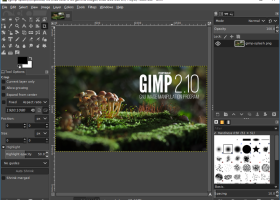
GIMP Portable is the popular the GIMP for Windows image editor packaged as a portable app, so you can take your images with you and do your editing on the go.
Features:
The GIMP (GNU Image Manipulation Program) is a freely distributed program for such tasks as photo retouching, image composition and image authoring. It has many capabilities. It can be used as a simple paint program, an expert quality photo retouching program, an online batch processing system, a mass production image renderer, an image format converter, etc.
The Portable GIMP is a special version of the well-known open source image editing software that has been specifically developed for portable memory devices. The whole installation program and its plug-ins have been packaged to fit your USB stick, so that you can work on your images no matter in which computer you are.
Portable GIMP includes all the graphic editing tools any serious designer or photo editor could ask for. It's true that it takes a while to master the program's interface – especially for those who are not used to multiple-window working environments – but once you get the hang of it Portable GIMP enables you to do pretty much anything you want with your images.
Features:
The GIMP (GNU Image Manipulation Program) is a freely distributed program for such tasks as photo retouching, image composition and image authoring. It has many capabilities. It can be used as a simple paint program, an expert quality photo retouching program, an online batch processing system, a mass production image renderer, an image format converter, etc.
The Portable GIMP is a special version of the well-known open source image editing software that has been specifically developed for portable memory devices. The whole installation program and its plug-ins have been packaged to fit your USB stick, so that you can work on your images no matter in which computer you are.
Portable GIMP includes all the graphic editing tools any serious designer or photo editor could ask for. It's true that it takes a while to master the program's interface – especially for those who are not used to multiple-window working environments – but once you get the hang of it Portable GIMP enables you to do pretty much anything you want with your images.
GIMP Portable 3.2.0 download tags
GIMP Portable 3.2.0 Windows 7 release notes
New Release
Here are some of the many highlights to look out for as you start using GIMP 3.2:
New non-destructive layers!
You can now use Link Layers to incorporate external image as part of your compositions, easily scaling, rotating, and transforming them without losing quality or sharpness. The link layer’s content is updated when the source file is modified
The Path tool can now create Vector Layers, which lets you draw shapes with adjustable fill and stroke settings.
The MyPaint Brush tool has been upgraded, adding 20 new brushes, and it now automatically adjusts to your canvas zoom and rotation for more dynamic painting.
A new Overwrite paint mode allows you to draw over existing colors without blending their transparency.
The on-canvas Text Editor has a number of workflow improvements. Among them, you can now move it as needed across the canvas and utilize many common shortcuts such as Ctrl + B for bold text and Shift + Ctrl + V for pasting unformatted text. The Text Outline feature also includes more options to control the direction of the outline.
New file format support and improvements to existing formats, such as DDS BC7 export and more layer styles imported for PSDs. Thanks to vector layers, we now also support SVG export and expanded vector options in PDF export.
A variety of UX and UI improvements, based on your feedback and our design team’s efforts. To list a few:
Options to make the brush thumbnails use theme colors for previews, for a nicer experience in dark themes
Ability to drag and drop images onto the image tab to open in GIMP
Keyboard shortcut support for the Shear and Flip tools
New System color scheme that automatically matches GIMP’s theme color scheme to the one you set for your OS
The CMYK color selector now shows the Total Ink Coverage for your color, helping you adjust during soft-proofing based on your printer’s ink coverage limit.
For script and plug-in developers, a new GEGL Filter browser has been added to make it easier to find non-d
[ GIMP Portable release history ]
Here are some of the many highlights to look out for as you start using GIMP 3.2:
New non-destructive layers!
You can now use Link Layers to incorporate external image as part of your compositions, easily scaling, rotating, and transforming them without losing quality or sharpness. The link layer’s content is updated when the source file is modified
The Path tool can now create Vector Layers, which lets you draw shapes with adjustable fill and stroke settings.
The MyPaint Brush tool has been upgraded, adding 20 new brushes, and it now automatically adjusts to your canvas zoom and rotation for more dynamic painting.
A new Overwrite paint mode allows you to draw over existing colors without blending their transparency.
The on-canvas Text Editor has a number of workflow improvements. Among them, you can now move it as needed across the canvas and utilize many common shortcuts such as Ctrl + B for bold text and Shift + Ctrl + V for pasting unformatted text. The Text Outline feature also includes more options to control the direction of the outline.
New file format support and improvements to existing formats, such as DDS BC7 export and more layer styles imported for PSDs. Thanks to vector layers, we now also support SVG export and expanded vector options in PDF export.
A variety of UX and UI improvements, based on your feedback and our design team’s efforts. To list a few:
Options to make the brush thumbnails use theme colors for previews, for a nicer experience in dark themes
Ability to drag and drop images onto the image tab to open in GIMP
Keyboard shortcut support for the Shear and Flip tools
New System color scheme that automatically matches GIMP’s theme color scheme to the one you set for your OS
The CMYK color selector now shows the Total Ink Coverage for your color, helping you adjust during soft-proofing based on your printer’s ink coverage limit.
For script and plug-in developers, a new GEGL Filter browser has been added to make it easier to find non-d
[ GIMP Portable release history ]
Bookmark GIMP Portable
GIMP Portable for Windows 7 - Copyright information
All GIMP Portable reviews, submitted ratings and written comments become the sole property of Windows 7 download. You acknowledge that you, not windows7download, are responsible for the contents of your submission. However, windows7download reserves the right to remove or refuse to post any submission for any reason.
Windows 7 Download periodically updates pricing and software information of GIMP Portable full version from the publisher, but some information may be out-of-date. You should confirm all information.
Using warez version, crack, warez passwords, patches, serial numbers, registration codes, key generator, pirate key, keymaker or keygen for GIMP Portable license key is illegal and prevent future development of GIMP Portable. Download links are directly from our mirrors or publisher's website, GIMP Portable torrent or shared files from free file sharing and free upload services, including Rapidshare, MegaUpload, YouSendIt, SendSpace, DepositFiles, DivShare, HellShare, HotFile, FileServe or MediaFire, are not used.
Windows 7 Download periodically updates pricing and software information of GIMP Portable full version from the publisher, but some information may be out-of-date. You should confirm all information.
Using warez version, crack, warez passwords, patches, serial numbers, registration codes, key generator, pirate key, keymaker or keygen for GIMP Portable license key is illegal and prevent future development of GIMP Portable. Download links are directly from our mirrors or publisher's website, GIMP Portable torrent or shared files from free file sharing and free upload services, including Rapidshare, MegaUpload, YouSendIt, SendSpace, DepositFiles, DivShare, HellShare, HotFile, FileServe or MediaFire, are not used.
Post GIMP Portable review


Windows 7 GIMP Portable related downloads
Image Editor is a suite of visual and non-visual components which allows to create any common and specialized image editors in Delphi and C++ Builder applications. Image Editor ...
Blender Portable is the open source software for 3D modeling, ... post-production, interactive creation and playback packaged as a portable app, so you can do your rendering on ...
A full-featured screen capture tool, Intuitive image editor, color picker, color palette, pixel-ruler, protractor, crosshair, whiteboard ...
FastStone Image Viewer is a fast, stable, user-friendly image browser, converter and editor. It has a nice ...
FotoSketcher portable is a 100% free program which can help ... just a few seconds. Thanks to FotoSketcher portable you can create stunning images to make original ...
My Account
Help
Windows 7 Software Coupons
-
MacX MediaTrans
63% Off -
Media Player Morpher
85% Off -
MacX Media Management Bundle
70% Off -
WinX DVD Ripper
50% Off -
WinX DVD Copy Pro
42% Off
My Saved Stuff
You have not saved any software.
Click "Save" next to each software.
Click "Save" next to each software.
Would you like to receive announcements of new versions of your software by email or by RSS reader? Register for FREE!
Windows 7 Downloads Picks
- Blender Portable 4.1.1
- Embird 2023 B10.86
- TatukGIS Viewer 5.97.0.3649
- Photo Editing & Saving Wizard 2021
- Diagram Designer 1.29.5
- Portable FastStone Image Viewer 8.2
- RLPlot 1.5
- NVIDIA PhysX 9.23.1019
- packVol Standard 3.8.8
- Portable PicPick 7.4.1
- Adobe Camera Raw 14.4
- Abacre Photo Editor 2.1.1
- ImageMagick for Windows 7.1.1-47
- GT Text 2.0.2
- Adobe SpeedGrade CC
- Portable Inkscape 1.4.4
- Photo Stamp Removal 15.1
- Spontz Visuals Editor 2.1
- Albumin 3D 1.7.1
- Asymptote 2.88
Popular Tags
video
color
effects
pictures
bmp
zoom
exif
adobe
corel
resize
photoshop
filter
digital
jpeg
graphics
picture
macromedia
vanderlee
jpg
image
photo
designer
design
photos
screen
plugin
scanner
images
graphic
tool
Popular Windows 7 Software
- CorelDRAW X7 (x32 bit) 17.4.0.887
- CorelDRAW X7 (x64 bit) 17.4.0.887
- CorelDRAW X5 15.2.0.686
- CorelDRAW X4
- iTop Screenshot 1.2.3.544
- CorelDRAW 2017 19.1.0.419
- CorelDRAW X6 16.4.0.1280
- Blender - 32 bit 2.80
- Adobe InDesign CS5 CS5.5 7.5.3
- CorelDRAW X8 18.0.0.450
- Graphic Workshop Professional 15.0a rev11
- Model Air Design 2.4
- Blender Portable 4.1.1
- Model Air Design 2.4
- Paint.NET 5.0.13
© 2026 Windows7Download.com - All logos, trademarks, art and other creative works are and remain copyright and property of their respective owners. Microsoft Windows is a registered trademarks of Microsoft Corporation. Microsoft Corporation in no way endorses or is affiliated with windows7download.com.