


DVMP Pro for Windows 7 - "DVMP Pro: Enhance Your Videos" - Windows 7 Download


DVMP Pro 8.1.2
"Upgrade your media experience with DVMP Pro - powerful video player and editor for Windows 7."
DVMP Pro is a powerful video player software for Windows 7 that provides a premium viewing experience for all kinds of video formats. Developed by DVMP, this software allows you to play your favorite videos with exceptional clarity and unbeatable speed. With advanced features like multi-window support and comprehensive subtitle management, you can enjoy movies, TV shows, and other video content with unparalleled ease. Moreover, DVMP Pro also enables you to capture screenshots, create playlists, and customize your viewing experience to suit your needs. If you're looking for an intuitive and feature-rich video player software, DVMP Pro is the perfect solution.
DVMP Pro 8.1.2 full details

| File Size: | 34.50 MB |
|---|---|
| License: | Demo |
| Price: | $79.99 |
| Released: |
2026-04-29
 |
| Downloads: | Total: 953 | This Month: 114 |
| Publisher: | DVMP |
| Publisher URL: | http://www.dvmp.co.uk |

Download DVMP Pro 8.1.2
Save DVMP Pro to My Stuff
Tweet
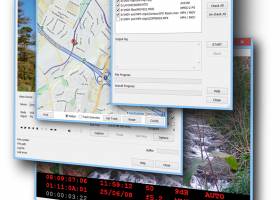
DVMP Pro 8.1.2 full screenshots

DVMP Pro - Windows 7 Download awards

DVMP Pro 8.1.2 full description
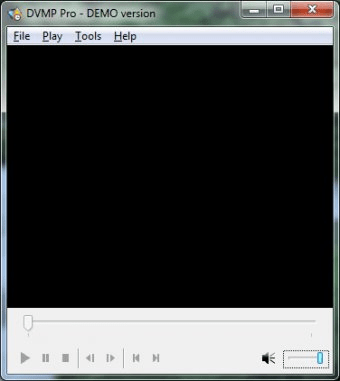
DVMP Pro is a specialised AVCHD, HDV & DV media player, a set of professional tools, and a DV Capture module.
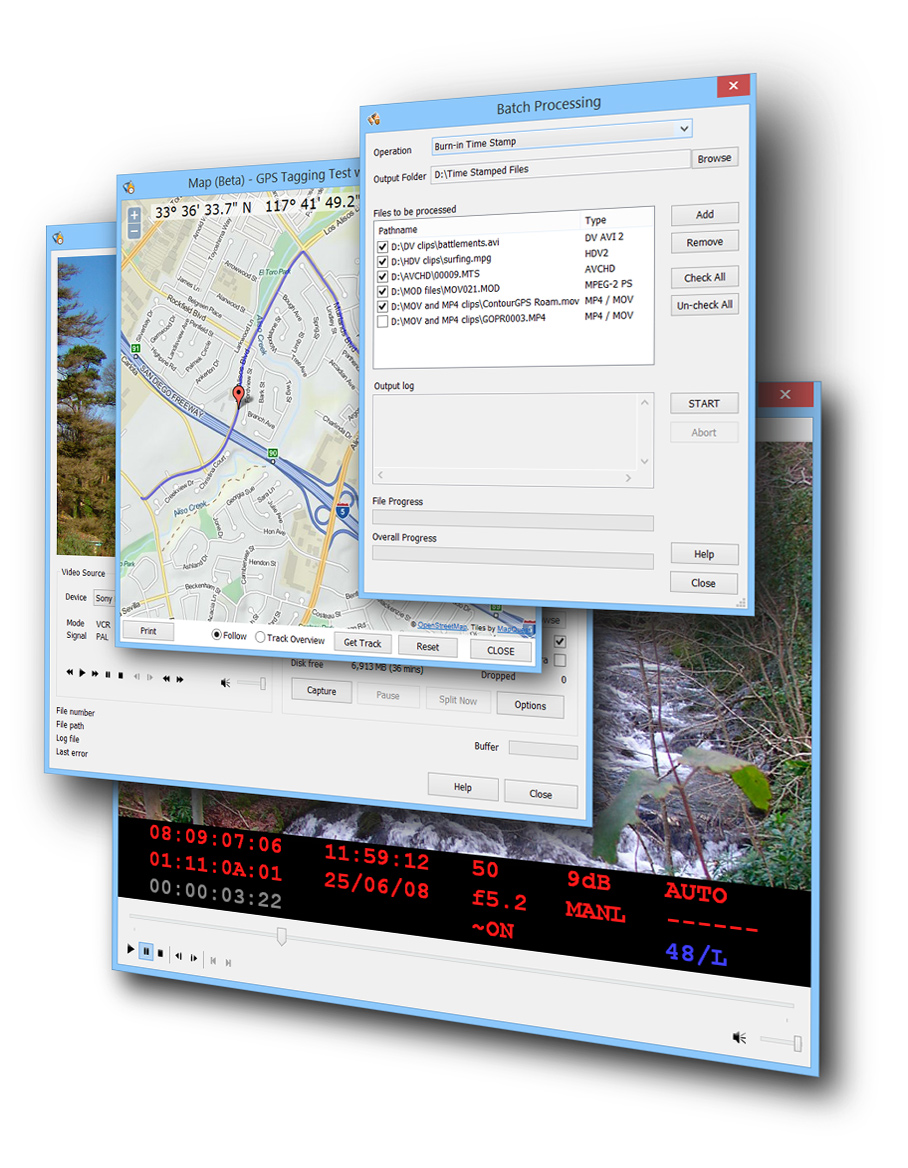
Plays video files captured from an AVCHD, HDV or DV camcorder and displays the time stamp that was stored in the hidden metadata area of the file when the recording was originally shot. It also displays the timecode, user bits, and exposure settings such as iris/aperture, shutter speed, gain, image stabilizer and white balance, and GPS coordinates for supported camcorders - all displayed with frame accuracy as you play or frame-step through your AVCHD, HDV or DV file. It also works for standard definition MOD files, and files copied from many Sony HDD and DVD camcorders.
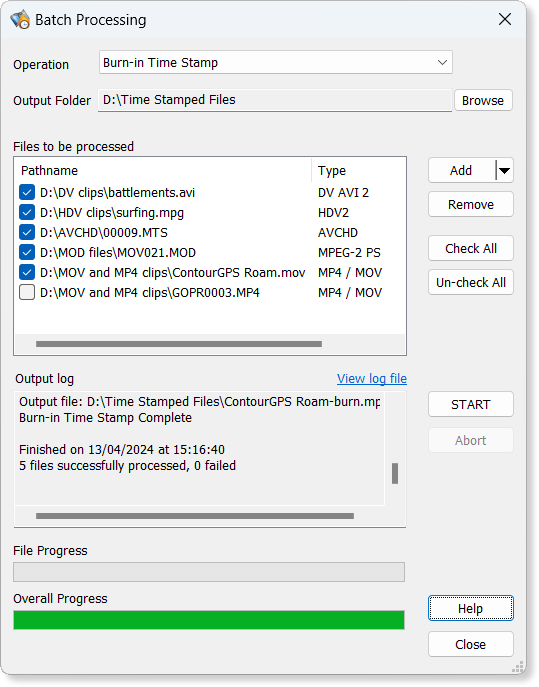
The burn-in tool lets you time stamp AVCHD, HDV and DV video. This stamps the recording date and time (also known as datacode or datecode) into the visible area of each frame. You choose the appearance of the time stamp. You can set the format, font, size, position and language of the time stamp. You can also choose to burn-in timecode, user-bits, iris, shutter speed, etc. Other tools include a powerful file splitter which splits your DV AVI file into scenes using a range of triggers, and a DV metadata editor which can modify timecode, DV time stamp and other metadata.
Plays video files captured from an AVCHD, HDV or DV camcorder and displays the time stamp that was stored in the hidden metadata area of the file when the recording was originally shot. It also displays the timecode, user bits, and exposure settings such as iris/aperture, shutter speed, gain, image stabilizer and white balance, and GPS coordinates for supported camcorders - all displayed with frame accuracy as you play or frame-step through your AVCHD, HDV or DV file. It also works for standard definition MOD files, and files copied from many Sony HDD and DVD camcorders.
The burn-in tool lets you time stamp AVCHD, HDV and DV video. This stamps the recording date and time (also known as datacode or datecode) into the visible area of each frame. You choose the appearance of the time stamp. You can set the format, font, size, position and language of the time stamp. You can also choose to burn-in timecode, user-bits, iris, shutter speed, etc. Other tools include a powerful file splitter which splits your DV AVI file into scenes using a range of triggers, and a DV metadata editor which can modify timecode, DV time stamp and other metadata.
DVMP Pro 8.1.2 download tags
DVMP Pro 8.1.2 Windows 7 release notes
New Release
New near-lossless output types for Burn-in/Time stamping that use Cineform video encoding/compression in an MP4 or AVI file. Cineform has been used for many years in professional video production due to its extremely high image quality, incredibly fast processing, and relatively small files (compared to other lossless file formats). This makes it ideal if you intend to import your time-stamped files into other software for further editing, processing or transcoding.
New Display time in 12 hour am/pm format option. Previously DVMP Pro always displayed and time-stamped the time in 24 hour (military) format unless you used the special custom formatting tags. But now you can simply tick this new option and the time will be in 12 hour format with an "AM" or "PM" suffix.
New tool Burn-in New Time Stamp available on the Tools menu. If your camera stored an incorrect time while recording (or didn't store a time at all) then you can now provide a completely new date and time for time-stamping. You choose the year, month, day, hour, minute and second to be stamped.
New upper and lower case feature for the time-stamping Rec date and Rec time custom formatting tags. In most languages day and month names are in lower case with an initial capital, but you can use this new feature to force day and month names and AM/PM text to be all upper or lower case.
Burn-in Time Stamp tool now lets you burn-in Custom Text and Logo Image.
Fixed a issue where some Windows and third-party AVI Video Compressors could not be selected in the 64 bit version of DVMP Pro. This is actually a bug in 64 bit editions of Windows, but we have worked around it.
Improved support for Intel decoders, and Intel libraries updated.
Support added for MagicYUV, a new high-efficiency lossless third-party AVI Video Compressor.
Numerous minor tweaks and bug fixes.
[ DVMP Pro release history ]
New near-lossless output types for Burn-in/Time stamping that use Cineform video encoding/compression in an MP4 or AVI file. Cineform has been used for many years in professional video production due to its extremely high image quality, incredibly fast processing, and relatively small files (compared to other lossless file formats). This makes it ideal if you intend to import your time-stamped files into other software for further editing, processing or transcoding.
New Display time in 12 hour am/pm format option. Previously DVMP Pro always displayed and time-stamped the time in 24 hour (military) format unless you used the special custom formatting tags. But now you can simply tick this new option and the time will be in 12 hour format with an "AM" or "PM" suffix.
New tool Burn-in New Time Stamp available on the Tools menu. If your camera stored an incorrect time while recording (or didn't store a time at all) then you can now provide a completely new date and time for time-stamping. You choose the year, month, day, hour, minute and second to be stamped.
New upper and lower case feature for the time-stamping Rec date and Rec time custom formatting tags. In most languages day and month names are in lower case with an initial capital, but you can use this new feature to force day and month names and AM/PM text to be all upper or lower case.
Burn-in Time Stamp tool now lets you burn-in Custom Text and Logo Image.
Fixed a issue where some Windows and third-party AVI Video Compressors could not be selected in the 64 bit version of DVMP Pro. This is actually a bug in 64 bit editions of Windows, but we have worked around it.
Improved support for Intel decoders, and Intel libraries updated.
Support added for MagicYUV, a new high-efficiency lossless third-party AVI Video Compressor.
Numerous minor tweaks and bug fixes.
[ DVMP Pro release history ]
Bookmark DVMP Pro
DVMP Pro for Windows 7 - Copyright information
All DVMP Pro reviews, submitted ratings and written comments become the sole property of Windows 7 download. You acknowledge that you, not windows7download, are responsible for the contents of your submission. However, windows7download reserves the right to remove or refuse to post any submission for any reason.
Windows 7 Download periodically updates pricing and software information of DVMP Pro full version from the publisher, but some information may be out-of-date. You should confirm all information.
Using warez version, crack, warez passwords, patches, serial numbers, registration codes, key generator, pirate key, keymaker or keygen for DVMP Pro license key is illegal and prevent future development of DVMP Pro. Download links are directly from our mirrors or publisher's website, DVMP Pro torrent or shared files from free file sharing and free upload services, including Rapidshare, MegaUpload, YouSendIt, SendSpace, DepositFiles, DivShare, HellShare, HotFile, FileServe or MediaFire, are not used.
Windows 7 Download periodically updates pricing and software information of DVMP Pro full version from the publisher, but some information may be out-of-date. You should confirm all information.
Using warez version, crack, warez passwords, patches, serial numbers, registration codes, key generator, pirate key, keymaker or keygen for DVMP Pro license key is illegal and prevent future development of DVMP Pro. Download links are directly from our mirrors or publisher's website, DVMP Pro torrent or shared files from free file sharing and free upload services, including Rapidshare, MegaUpload, YouSendIt, SendSpace, DepositFiles, DivShare, HellShare, HotFile, FileServe or MediaFire, are not used.
Post DVMP Pro review


Windows 7 DVMP Pro related downloads
... 7. With this innovative software, you can effortlessly extract captivating and unique still images from your favorite ...
Are you tired of manually extracting metadata from your video files? Look no further! ... clicks. By analyzing video files, this software swiftly extracts metadata such as resolution, codec, duration, and more. ...
... record streaming content or online video? Replay Video Capture for PC is the best way to make ...
Debut free Screen Capture Software for Windows allows you to easily capture video from your PC. Use Debut to save ...
... exceptional tool for video capturing - "Altarsoft Video Capture" developed by the talented Aleksei Taranov. This software ...
My Account
Help
Windows 7 Software Coupons
-
Media Player Morpher
85% Off -
WinX MediaTrans
63% Off -
FREE VPN PROXY by SEED4.ME WINDOWS
Free VPN by Seed4Me -
MacX MediaTrans
63% Off -
MacX DVD Ripper Pro
50% Off
My Saved Stuff
You have not saved any software.
Click "Save" next to each software.
Click "Save" next to each software.
Would you like to receive announcements of new versions of your software by email or by RSS reader? Register for FREE!
Windows 7 Downloads Picks
- MpcStar 7.0
- BluffTitler 17.0.0.3
- Adobe Premiere Elements 2024.2
- MP4Box 1.0.1
- iTop Screen Recorder 6.5.0.3613
- Windows Media Player 11 11.2405.8.0
- Blue Iris 6.0.1.27
- Windows 7 Codec Pack 4.3.1
- Windows Essentials Codec Pack 4.3.2.207
- TMPGEnc Video Mastering Works 8.0.11.12
- Video To Video Converter 2.9 B2.9.6.11
- Subtitle Edit 4.0.15
- Free Video Converter 1.0.1.4
- Freemake Video Converter 6.0.0.2
- VLC Media Player x64 3.0.20
- Windows Media Player 12
- Free Online TV Player 4.9.5.0
- Total Video Player 1.31
- VLC Media Player Portable 3.0.23
- GiliSoft Video Editor 19.0.0
Popular Tags
mpeg
divx
video
video converter
iphone
avi
flv
dvd to ipod
dvd ripper
convert
dvd to psp
download
dvd
vcd
ipod
movie
mp4 converter
asf
3gp converter
avi converter
rmvb
wmv
converter
3gp
mpg
psp
xvid
mp3
mp4
mov
Popular Windows 7 Software
- MpcStar 7.0
- Free Any Video Converter Pro 3.8.8
- Nero StartSmart 7.11.10.0c
- KORG PA Manager 5.1.2010
- DVDFab 13.0.5.9
- 7thShare Any Video Converter 3.2.6
- BluffTitler 17.0.0.3
- WonderFox DVD Ripper Pro 24.0
- Audacity Portable 3.5.0
- Adobe Premiere Elements 2024.2
- 7thShare Any Blu-ray Ripper 3.2.6
- HD Video Converter Factory Pro 28.1
- Tipard Blu-ray Player 6.3.68
- Free HD Video Converter Factory 28.1
- MP4Box 1.0.1
© 2026 Windows7Download.com - All logos, trademarks, art and other creative works are and remain copyright and property of their respective owners. Microsoft Windows is a registered trademarks of Microsoft Corporation. Microsoft Corporation in no way endorses or is affiliated with windows7download.com.