


digiKam for Windows 7 - "Revolutionize Your Photo Management with digiKam" - Windows 7 Download


digiKam 9.0.0
"digiKam" - Your ultimate photo management tool for Windows 7.
Looking for a powerful photo management software for Windows 7? Check out digiKam! Developed by the brilliant minds behind the digiKam Team, this software offers an incredible range of tools for organizing, editing, and sharing your photos. Whether you're a professional photographer or just looking for a way to keep your memories in order, digiKam is sure to meet your needs. Download it now and start discovering all that this amazing software has to offer!
digiKam 9.0.0 full details

| File Size: | 217.00 MB |
|---|---|
| License: | Open Source |
| Price: | FREE |
| Released: |
2026-03-09
 |
| Downloads: | Total: 881 | This Month: 151 |
| Publisher: | digiKam Team |
| Publisher URL: | http://www.digikam.org/drupal/contact |

Download digiKam 9.0.0
Save digiKam to My Stuff
Tweet
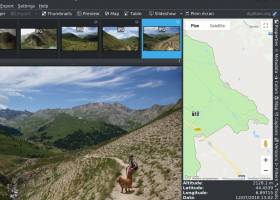
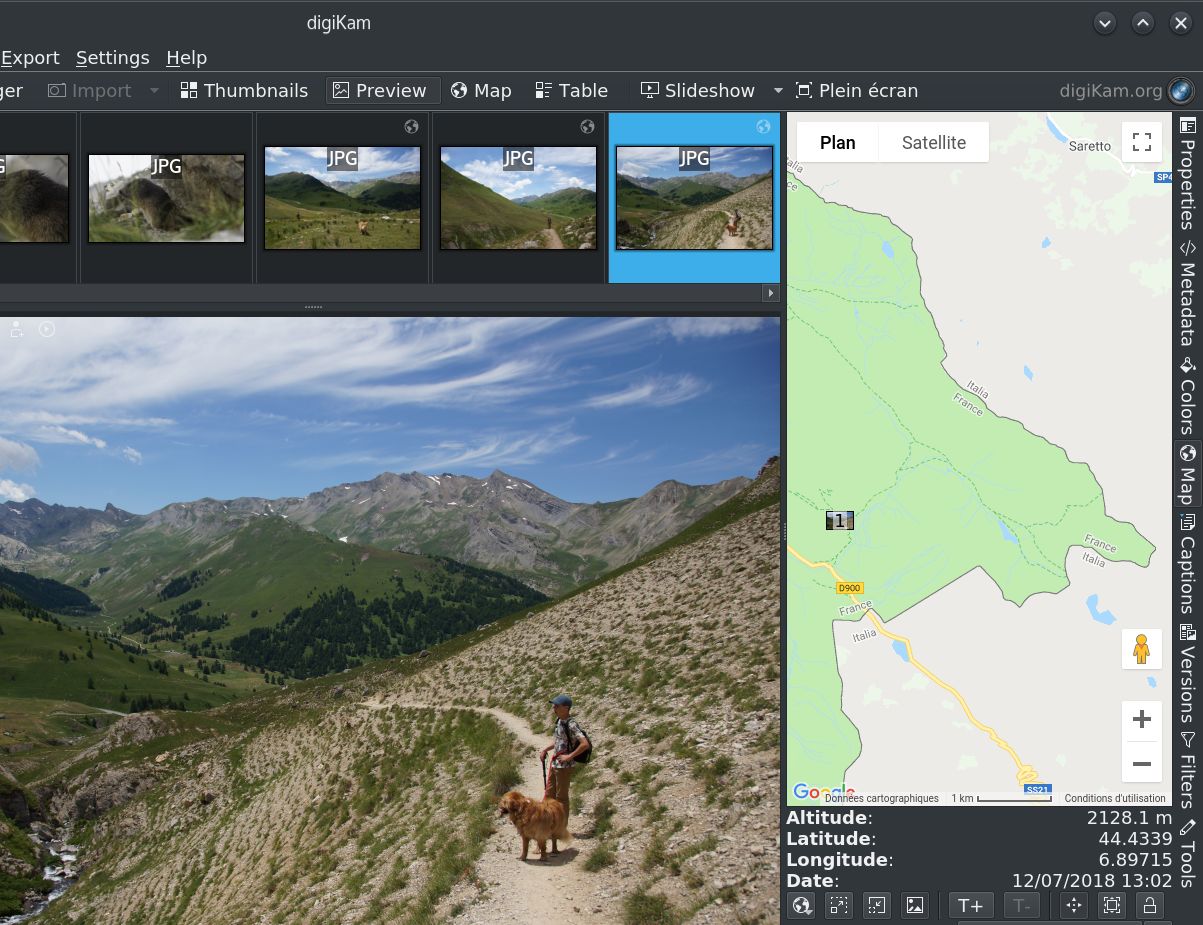
digiKam 9.0.0 full screenshots

digiKam - Windows 7 Download awards

digiKam 9.0.0 full description
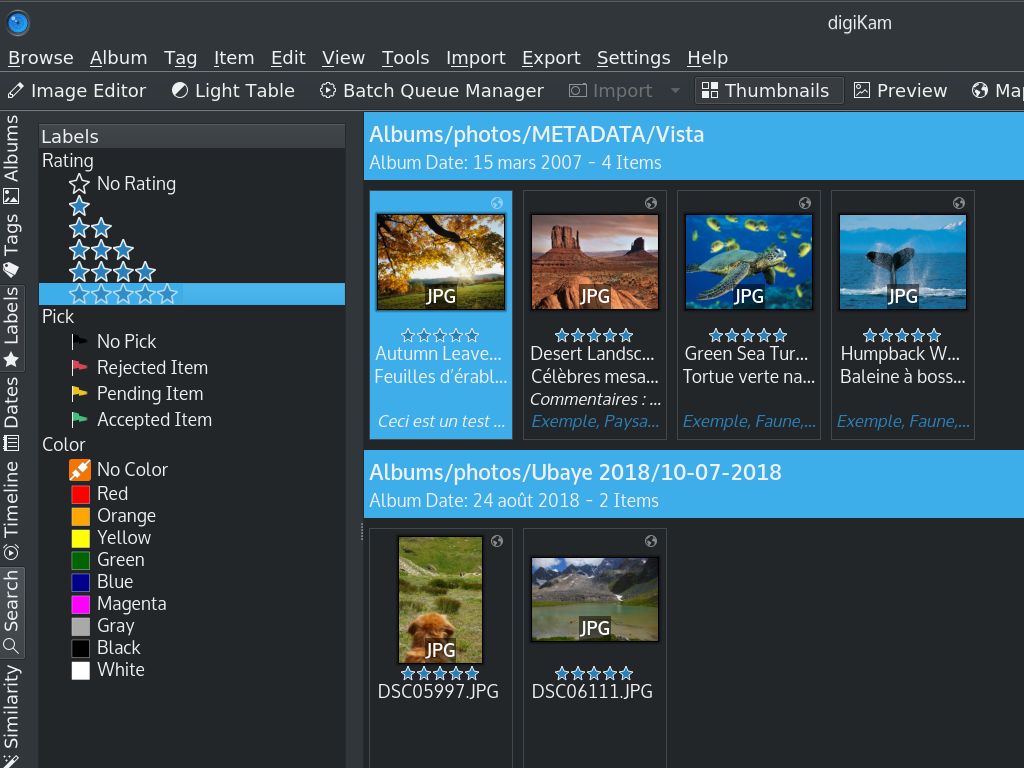
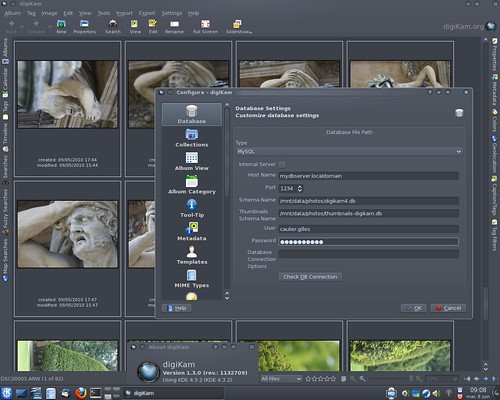
DigiKam is a powerful and feature-rich photo management software that offers an extensive range of tools and features for organizing and editing digital photos. This free, open-source software is designed for amateur and professional photographers alike and provides an easy-to-use interface that makes it accessible for users of all levels.
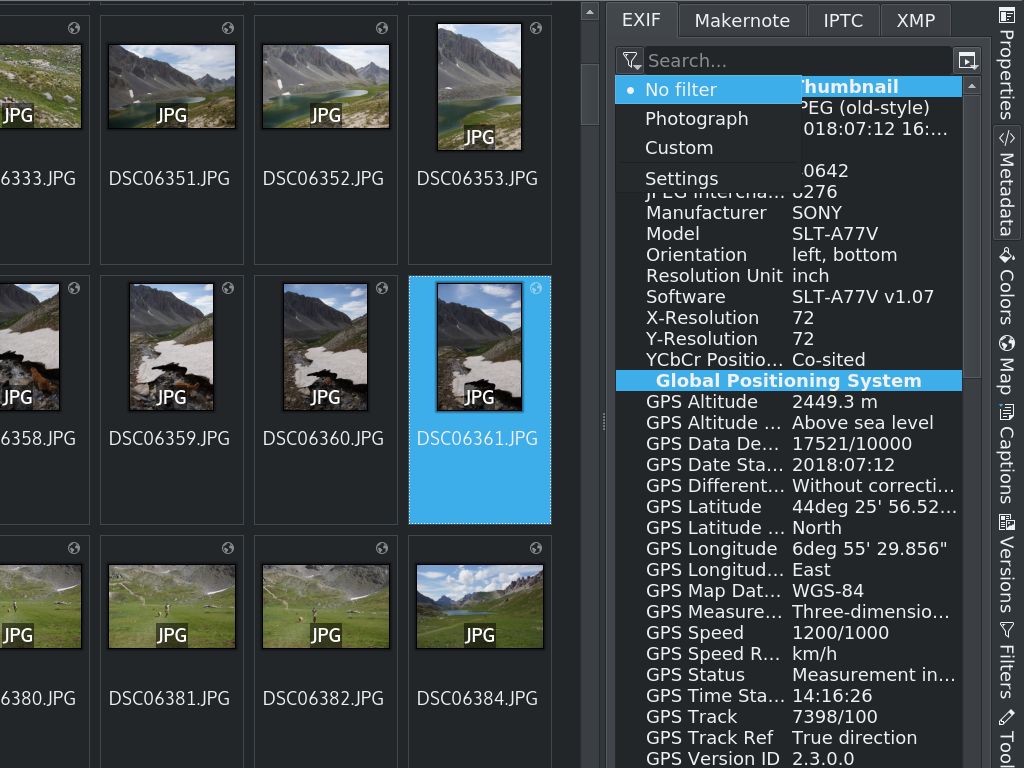
One of the standout features of DigiKam is its ability to manage large photo collections. The software is designed to handle thousands of photos, and users can easily organize their collections into albums and tags. DigiKam's search feature is also highly advanced, allowing users to search for photos using a variety of parameters, including date, location, keywords, and more.
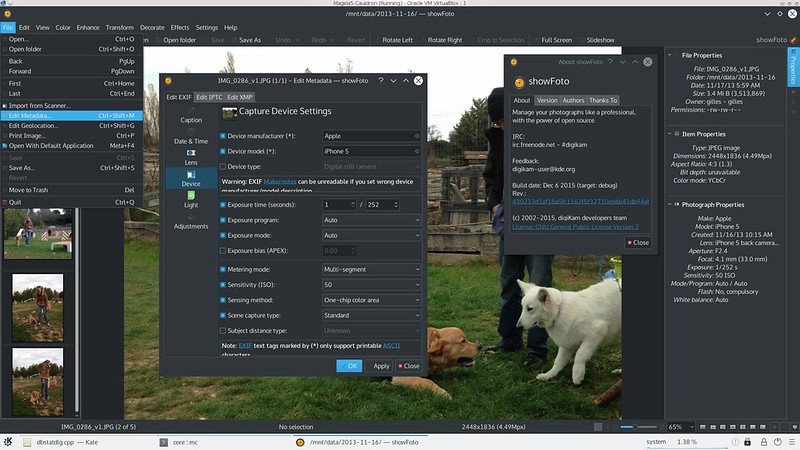
Another great feature of DigiKam is its editing capabilities. The software includes a wide range of tools for enhancing photos, including color correction, noise reduction, sharpening, and more. Users can also apply filters and effects to their photos, such as black and white, sepia, and vignette.
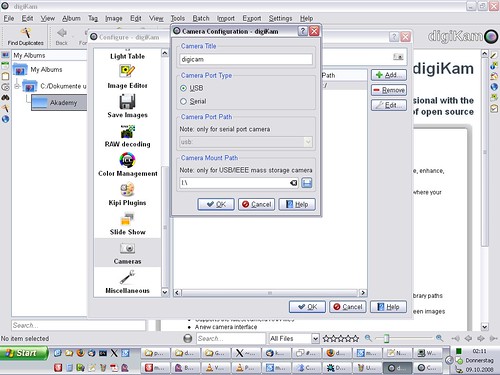
DigiKam also offers support for RAW image files, which is essential for professional photographers who require a high level of control over their images. The software supports over 1,000 camera models and allows users to import, view, and edit RAW files directly within the software.
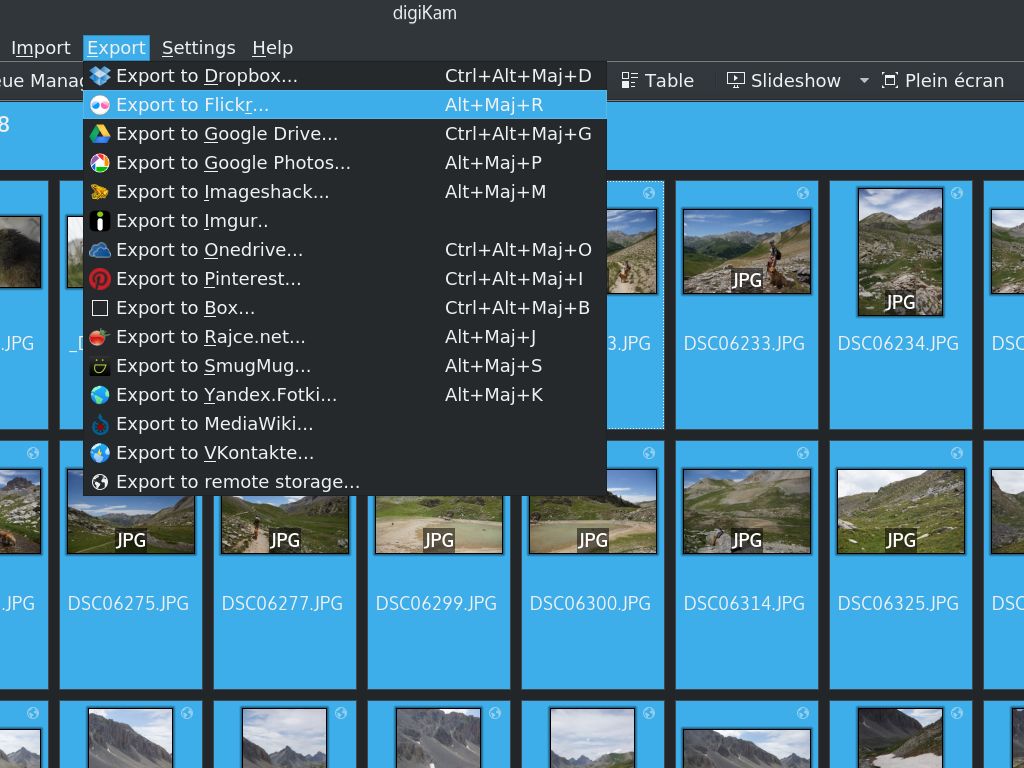
In addition to its photo management and editing features, DigiKam also includes a range of tools for sharing photos. Users can export their photos to various social media platforms, including Facebook, Flickr, and Picasa. The software also allows users to create slideshows and galleries, which can be shared online or saved as a video file.
Overall, DigiKam is a powerful and versatile photo management software that offers an impressive range of tools and features. Its ability to manage large photo collections, support for RAW files, and advanced editing capabilities make it an ideal choice for amateur and professional photographers alike. With its user-friendly interface and extensive range of features, DigiKam is a must-have tool for anyone looking to manage and edit their digital photos.
One of the standout features of DigiKam is its ability to manage large photo collections. The software is designed to handle thousands of photos, and users can easily organize their collections into albums and tags. DigiKam's search feature is also highly advanced, allowing users to search for photos using a variety of parameters, including date, location, keywords, and more.
Another great feature of DigiKam is its editing capabilities. The software includes a wide range of tools for enhancing photos, including color correction, noise reduction, sharpening, and more. Users can also apply filters and effects to their photos, such as black and white, sepia, and vignette.
DigiKam also offers support for RAW image files, which is essential for professional photographers who require a high level of control over their images. The software supports over 1,000 camera models and allows users to import, view, and edit RAW files directly within the software.
In addition to its photo management and editing features, DigiKam also includes a range of tools for sharing photos. Users can export their photos to various social media platforms, including Facebook, Flickr, and Picasa. The software also allows users to create slideshows and galleries, which can be shared online or saved as a video file.
Overall, DigiKam is a powerful and versatile photo management software that offers an impressive range of tools and features. Its ability to manage large photo collections, support for RAW files, and advanced editing capabilities make it an ideal choice for amateur and professional photographers alike. With its user-friendly interface and extensive range of features, DigiKam is a must-have tool for anyone looking to manage and edit their digital photos.
digiKam 9.0.0 download tags
digiKam 9.0.0 Windows 7 release notes
New Release
New Features and Major Changes:
General Updates and Porting:
digiKam 9.0.0 marks a significant milestone with the core code now fully ported to Qt 6.10.1 for the AppImage and macOS bundles, ensuring improved performance, security, and compatibility with modern operating systems. The Windows Qt6 bundle also benefits from the latest Qt 6.9.1 and KDE Frameworks 6.20.0.
The official digiKam website has received a huge update, including new screenshots, descriptions, history, features, support, and download sections.
Bundles Component Versions:
This release includes updates to several key components
Raw Camera Support:
The internal Libraw engine has been updated to 20260215, bringing support for a wide range of new camera models, including:
Canon: EOS R1, R5 Mark II, R5 C, R6 Mark II, R8, R50, R100, Ra
Fujifilm: X-T50, GFX 100S II, GFX100-II, X-T5, X-S20, X-H2, X-H2S
Hasselblad: CFV-50c, CFV-100c, X2D-100c
Leica: Q3 43, D-Lux8, SL3, Q3, M11 Monochrom
Nikon: Z6-III, Z f, Z30, Z8 (standard compression only)
Olympus/OM System: OM-1 Mark II, TG-7, OM-5
Panasonic: GH7, S9, DC-G9 II, DC-ZS200D / ZS220D, DC-TZ200D / TZ202D / TZ220D, DC-S5-II, DC-GH6
Pentax: KF, K III Monochrome
Sony: ZV-E10M2, UMC-R10C, A9-III, ILX-LR1, A7C-II, A7CR, ILCE-6700, ZV-1M2, ZV-E1, ILCE-7RM5 (A7R-V), ILME-FX30, A1
Multiple DJI and Skydio drones
Tested with multiple smartphones with DNG format recorded.
User Interface and Usability:
Customizable Date Format:
Users can now customize the date format displayed throughout the program, including the option to show seconds in the shot timestamp.
Welcome Page:
The welcome page has been completely rewritten in a modern style, offering a more intuitive and visually appealing introduction to new and returning users. Preview implementation used bootstrap web framework plus QtWebEngine module from Qt Which introduced unpredectible instabilities especially under Windows. All code are now replaced with C++/Qt code.
Color Labels:
Color label names are now customizab
[ digiKam release history ]
New Features and Major Changes:
General Updates and Porting:
digiKam 9.0.0 marks a significant milestone with the core code now fully ported to Qt 6.10.1 for the AppImage and macOS bundles, ensuring improved performance, security, and compatibility with modern operating systems. The Windows Qt6 bundle also benefits from the latest Qt 6.9.1 and KDE Frameworks 6.20.0.
The official digiKam website has received a huge update, including new screenshots, descriptions, history, features, support, and download sections.
Bundles Component Versions:
This release includes updates to several key components
Raw Camera Support:
The internal Libraw engine has been updated to 20260215, bringing support for a wide range of new camera models, including:
Canon: EOS R1, R5 Mark II, R5 C, R6 Mark II, R8, R50, R100, Ra
Fujifilm: X-T50, GFX 100S II, GFX100-II, X-T5, X-S20, X-H2, X-H2S
Hasselblad: CFV-50c, CFV-100c, X2D-100c
Leica: Q3 43, D-Lux8, SL3, Q3, M11 Monochrom
Nikon: Z6-III, Z f, Z30, Z8 (standard compression only)
Olympus/OM System: OM-1 Mark II, TG-7, OM-5
Panasonic: GH7, S9, DC-G9 II, DC-ZS200D / ZS220D, DC-TZ200D / TZ202D / TZ220D, DC-S5-II, DC-GH6
Pentax: KF, K III Monochrome
Sony: ZV-E10M2, UMC-R10C, A9-III, ILX-LR1, A7C-II, A7CR, ILCE-6700, ZV-1M2, ZV-E1, ILCE-7RM5 (A7R-V), ILME-FX30, A1
Multiple DJI and Skydio drones
Tested with multiple smartphones with DNG format recorded.
User Interface and Usability:
Customizable Date Format:
Users can now customize the date format displayed throughout the program, including the option to show seconds in the shot timestamp.
Welcome Page:
The welcome page has been completely rewritten in a modern style, offering a more intuitive and visually appealing introduction to new and returning users. Preview implementation used bootstrap web framework plus QtWebEngine module from Qt Which introduced unpredectible instabilities especially under Windows. All code are now replaced with C++/Qt code.
Color Labels:
Color label names are now customizab
[ digiKam release history ]
Bookmark digiKam
digiKam for Windows 7 - Copyright information
All digiKam reviews, submitted ratings and written comments become the sole property of Windows 7 download. You acknowledge that you, not windows7download, are responsible for the contents of your submission. However, windows7download reserves the right to remove or refuse to post any submission for any reason.
Windows 7 Download periodically updates pricing and software information of digiKam full version from the publisher, but some information may be out-of-date. You should confirm all information.
Using warez version, crack, warez passwords, patches, serial numbers, registration codes, key generator, pirate key, keymaker or keygen for digiKam license key is illegal and prevent future development of digiKam. Download links are directly from our mirrors or publisher's website, digiKam torrent or shared files from free file sharing and free upload services, including Rapidshare, MegaUpload, YouSendIt, SendSpace, DepositFiles, DivShare, HellShare, HotFile, FileServe or MediaFire, are not used.
Windows 7 Download periodically updates pricing and software information of digiKam full version from the publisher, but some information may be out-of-date. You should confirm all information.
Using warez version, crack, warez passwords, patches, serial numbers, registration codes, key generator, pirate key, keymaker or keygen for digiKam license key is illegal and prevent future development of digiKam. Download links are directly from our mirrors or publisher's website, digiKam torrent or shared files from free file sharing and free upload services, including Rapidshare, MegaUpload, YouSendIt, SendSpace, DepositFiles, DivShare, HellShare, HotFile, FileServe or MediaFire, are not used.
Post digiKam review


Windows 7 digiKam related downloads
Welcome to our Windows 7 software download hub! We are thrilled to present "Photivo," an exceptional ...
As a professional photographer, you need photo editing software that's robust, intuitive and quick. Meet Photivo ...
My Account
Help
Windows 7 Software Coupons
-
MacX MediaTrans
63% Off -
MacX Media Management Bundle
70% Off -
WinX DVD Copy Pro
42% Off -
FREE VPN PROXY by SEED4.ME WINDOWS
Free VPN by Seed4Me -
MacX DVD Video Converter
58% Off
My Saved Stuff
You have not saved any software.
Click "Save" next to each software.
Click "Save" next to each software.
Would you like to receive announcements of new versions of your software by email or by RSS reader? Register for FREE!
Windows 7 Downloads Picks
- Blender Portable 4.1.1
- Embird 2023 B10.86
- TatukGIS Viewer 5.97.0.3649
- Photo Editing & Saving Wizard 2021
- Diagram Designer 1.29.5
- Portable FastStone Image Viewer 8.2
- RLPlot 1.5
- NVIDIA PhysX 9.23.1019
- packVol Standard 3.8.8
- Portable PicPick 7.4.1
- Adobe Camera Raw 14.4
- Abacre Photo Editor 2.1.1
- ImageMagick for Windows 7.1.1-47
- GT Text 2.0.2
- Adobe SpeedGrade CC
- Portable Inkscape 1.4.4
- Photo Stamp Removal 15.1
- Spontz Visuals Editor 2.1
- Albumin 3D 1.7.1
- Asymptote 2.88
Popular Tags
graphic
image
images
exif
graphics
zoom
jpg
screen
design
corel
filter
adobe
pictures
photo
digital
tool
photoshop
resize
bmp
designer
plugin
picture
photos
video
vanderlee
macromedia
scanner
effects
jpeg
color
Popular Windows 7 Software
- CorelDRAW X7 (x32 bit) 17.4.0.887
- CorelDRAW X7 (x64 bit) 17.4.0.887
- CorelDRAW X5 15.2.0.686
- CorelDRAW X4
- iTop Screenshot 1.2.3.544
- CorelDRAW 2017 19.1.0.419
- CorelDRAW X6 16.4.0.1280
- Blender - 32 bit 2.80
- Adobe InDesign CS5 CS5.5 7.5.3
- CorelDRAW X8 18.0.0.450
- Graphic Workshop Professional 15.0a rev11
- Model Air Design 2.4
- Blender Portable 4.1.1
- Model Air Design 2.4
- Paint.NET 5.0.13
© 2026 Windows7Download.com - All logos, trademarks, art and other creative works are and remain copyright and property of their respective owners. Microsoft Windows is a registered trademarks of Microsoft Corporation. Microsoft Corporation in no way endorses or is affiliated with windows7download.com.