


CDex for Windows 7 - Rip CDs and convert audio files - Windows 7 Download


CDex 2.24
Rip Audio CDs, convert WAV files and organize tracks with tags and album information.
CDex extracts tracks digitally from Audio CDs and saves them as WAV or compressed audio. It supports encoders such as MP3, MP2, APE, Ogg Vorbis, VQF, AAC and WMA, and can convert existing WAV files in either direction. CD database lookup, CD-Text support, ID3 tagging, normalization and jitter correction help with accurate, organized ripping. M3U and PLS playlists are also supported.
CDex 2.24 full details

| File Size: | 22.50 MB |
|---|---|
| License: | Freeware |
| Price: | FREE |
| Released: | 2020-08-12 |
| Downloads: | Total: 25700 | This Month: 1 |
| Publisher: | Albert L Faber |
| Publisher URL: | https://cdex.mu/ |

Download CDex 2.24
Save CDex to My Stuff
Tweet
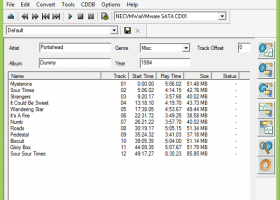
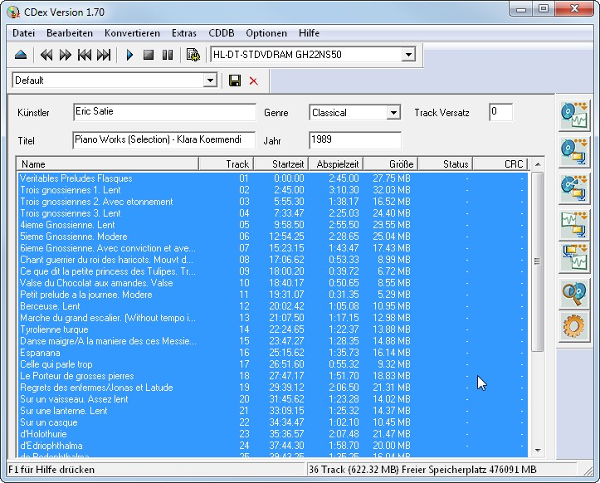
CDex 2.24 full screenshots




CDex - Windows 7 Download awards



CDex 2.24 full description
CDex is a Windows audio utility for extracting tracks from Audio CDs and converting audio files. It is suited to people digitizing a CD collection, preparing tracks for portable playback, or creating compressed copies for a music library. Digital extraction reads audio data directly from a disc and saves it as WAV or encodes it into a compressed format, so users can choose between an uncompressed working copy and smaller files for everyday listening.
For compressed output, CDex supports several encoder formats, including MP3, MP2, APE, Ogg Vorbis, VQF, AAC through FAAC, and WMA. Encoder availability gives users options for balancing file size, compatibility, and audio quality. The program can also convert WAV files already stored on the computer to compressed audio, or convert compressed audio back to WAV. This makes it useful both for disc-based imports and for handling existing files without needing a separate conversion tool.
CDex can retrieve album and track information from a local or remote CD database, read and write information in cdplayer.ini, and use CD-Text when the drive and disc support it. Track information can be saved in ID3v1 and ID3v2 tags during ripping, helping keep artist, album, and title details with the resulting files. It can record multiple tracks, show track progress, and apply normalization to adjust audio levels. Jitter correction, based on the cd-paranoia ripping library, helps address timing errors during extraction; its progress and jitter indicators provide feedback while a disc is being read.
Playlist support for M3U and PLS files helps organize converted tracks for compatible players. CDex also works with a range of CD drives and supports multiple interface languages. A typical workflow is to insert an audio disc, retrieve or enter its track details, select tracks and an output format, then save the extracted files to the computer. Users can instead import WAV files for conversion, or create WAV output for later audio-CD preparation.
CDex is freeware and is available for Windows, including Windows 7 and 64-bit Windows 7. Its functions depend on having an Audio CD and compatible optical drive for disc extraction; CD-Text and drive-specific behavior depend on hardware support. The range of encoders is useful for users who want control over output formats, while database lookup and embedded tags reduce the work of cataloging a digitized collection.
CDex 2.24 download tags
CDex 2.24 Windows 7 release notes
Bookmark CDex
CDex for Windows 7 - Copyright information
All CDex reviews, submitted ratings and written comments become the sole property of Windows 7 download. You acknowledge that you, not windows7download, are responsible for the contents of your submission. However, windows7download reserves the right to remove or refuse to post any submission for any reason.
Windows 7 Download periodically updates pricing and software information of CDex full version from the publisher, but some information may be out-of-date. You should confirm all information.
Using warez version, crack, warez passwords, patches, serial numbers, registration codes, key generator, pirate key, keymaker or keygen for CDex license key is illegal and prevent future development of CDex. Download links are directly from our mirrors or publisher's website, CDex torrent or shared files from free file sharing and free upload services, including Rapidshare, MegaUpload, YouSendIt, SendSpace, DepositFiles, DivShare, HellShare, HotFile, FileServe or MediaFire, are not used.
Post CDex review


Windows 7 CDex related downloads
... the ultimate destination for downloading the extraordinary "Background MP3 Encoder" software, brought to you by the brilliant minds ...
... to your one-stop destination for the 4Media MP3 WAV Converter, an exceptional software developed by the renowned mp4converter.net. ...
... individuals). Today, LAME is considered the best MP3 encoder at mid-high bitrates and at VBR, mostly thanks ...
Looking for a super-fast and user-friendly MP3 to WAV converter software? Look no further than Xilisoft MP3 WAV ...
... software reviews, I am pleased to introduce ImTOO MP3 Encoder. Developed by the industry-leading software provider, ImTOO, this ...
My Account
Help
Windows 7 Software Coupons
-
WinX HD Video Converter
56% Off -
MacX DVD Video Converter
58% Off -
MacX Media Management Bundle
70% Off -
WinX MediaTrans
63% Off -
MacX Video Converter Pro
56% Off
My Saved Stuff
You have not saved any software.
Click "Save" next to each software.
Click "Save" next to each software.
Would you like to receive announcements of new versions of your software by email or by RSS reader? Register for FREE!
Windows 7 Downloads Picks
- x264 Video Codec (32bit) r3191
- MediaCoder 0.8.65 B6050
- TMPGEnc XPress 4.7.8.309
- MeGUI 2944
- REAPER for Windows (x64 bit) 7.17
- FLAC MP3 Converter 3.3 Build 1058
- AC3 Filter 2.6.0b
- Xiph Media Encoder 2.3
- GOM Video Converter 2.0.1.9
- LAME ACM Codec 3.99.5
- LAME MP3 Encoder 3.100
- Mp3Doctor 5.11.45
- DVD Flick 1.3.0.7 B738
- RipBot264 1.26.0
- GOM Encoder 1.1.0.47
- CDex 2.24
- LAME DirectShow Filter 3.99.5
Popular Tags
wmv
wave
music
audio converter
mp4
ogg
mp3
mp3 converter
avi
wma
convert
mpeg
mp4 to mp3
wav to mp3
audio encoder
wma to mp3
ac3
audio
encode
wma converter
flac
mp3 to wav
avi to mp3
converter
wav
encoder
mp3 encoder
wav converter
aac
video
Popular Windows 7 Software
- RarmaRadio 2.80.1
- Monkey's Audio 13.45
- DVDFab 13.0.7.0
- 1X-AMP - MP3 Player Software 2026 26.2.5
- Keyboard Soundboard 2.1
- 1X-AMP - MP3 Player Software 2026 26.2.6
- EZ CD Audio Converter Free 13.2.1.1
- MP4 Player 6.4.31
- iTop Screen Recorder 7.1.0.3787
- Zortam Mp3 Media Studio 34.20
- VUPlayer 4.25
- Total Audio Converter 6.1.0 Build 324
- Media Player Codec Pack Lite 5.5.2
- Media Player Codec Pack 5.5.2
- PotPlayer 1.7.23159.0
© 2026 Windows7Download.com - All logos, trademarks, art and other creative works are and remain copyright and property of their respective owners. Microsoft Windows is a registered trademarks of Microsoft Corporation. Microsoft Corporation in no way endorses or is affiliated with windows7download.com.