


CalendarTask (formerly DesktopCal) for Windows 7 - Effortless scheduling with intuitive calendar tools. ... - Windows 7 Download


CalendarTask (formerly DesktopCal) 3.33.312.9408
Stay organized with CalendarTask, your intuitive desktop planner and scheduler.
CalendarTask, developed by DesktopCal, Inc., is an intuitive scheduling software designed to enhance productivity and organization. Formerly known as DesktopCal, this versatile tool offers a user-friendly interface that allows users to create, manage, and customize tasks and events effortlessly. With features like drag-and-drop functionality, reminders, and customizable views, CalendarTask helps streamline daily planning. Its seamless integration with various calendars ensures you never miss an ...
CalendarTask (formerly DesktopCal) 3.33.312.9408 full details

| File Size: | 6.50 MB |
|---|---|
| License: | Freeware |
| Price: | FREE |
| Released: |
2026-10-16
 |
| Downloads: | Total: 5 | This Month: 5 |
| Publisher: | DesktopCal, Inc. |
| Publisher URL: | https://www.desktopcal.com/ |

Download CalendarTask (formerly DesktopCal) 3.33.312.9408
Save CalendarTask (formerly DesktopCal) to My Stuff
Tweet
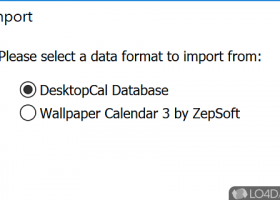
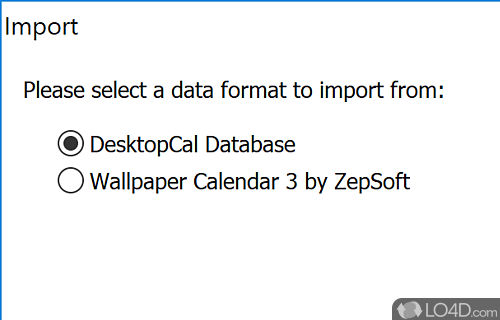
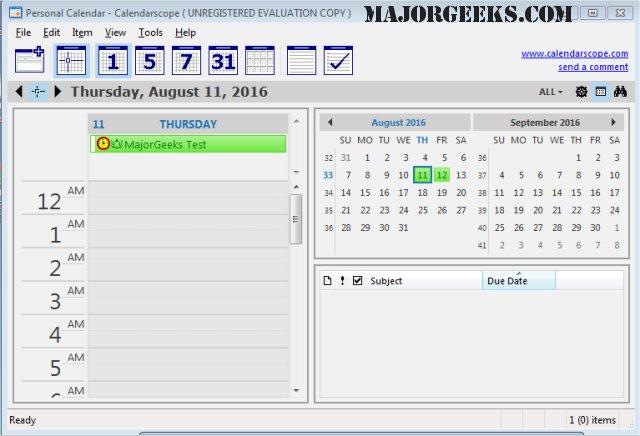
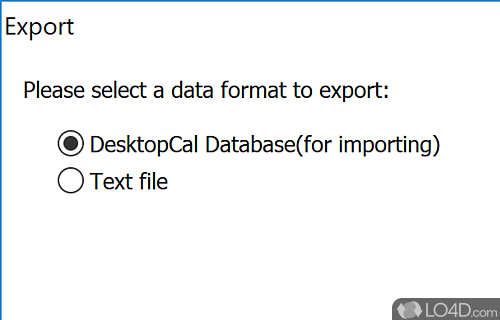
CalendarTask (formerly DesktopCal) 3.33.312.9408 full screenshots
CalendarTask (formerly DesktopCal) - Windows 7 Download awards

CalendarTask (formerly DesktopCal) 3.33.312.9408 full description
CalendarTask, previously known as DesktopCal, is a versatile desktop calendar application developed by DesktopCal, Inc. This software offers a seamless integration of task management and calendar functionalities directly onto your computer's desktop, providing users with an efficient way to organize and manage their daily schedules and tasks without the need to open a separate application.
One of the standout features of CalendarTask is its ability to overlay a customizable calendar on your desktop background. This feature allows users to view their schedules at a glance, enhancing productivity by keeping important dates and tasks visible at all times. The calendar can be personalized with different themes and colors, allowing users to tailor its appearance to suit their personal preferences or to match their desktop aesthetics.
CalendarTask supports a variety of functions aimed at improving time management and organization. Users can easily add, edit, and delete tasks or events directly on the calendar. The software also supports recurring events, making it convenient to schedule regular meetings or reminders without repetitive data entry. Additionally, CalendarTask allows users to set alarms and notifications, ensuring that important deadlines and appointments are never missed.
Another notable feature is its ability to synchronize with other calendar applications. This ensures that users can keep their schedules consistent across different devices and platforms, reducing the risk of double-booking or missed appointments. The software also offers data backup and restore options, providing peace of mind that your schedule is secure and can be recovered in case of data loss.
CalendarTask is designed with user-friendliness in mind. Its intuitive interface makes it accessible to users of all skill levels, from beginners to advanced users. The software is lightweight and does not consume significant system resources, ensuring that it runs smoothly alongside other applications.
Overall, CalendarTask by DesktopCal, Inc. is a practical solution for individuals seeking a simple yet effective way to manage their time directly from their desktop. Its combination of calendar and task management features, coupled with customization options and synchronization capabilities, makes it a valuable tool for enhancing productivity and organization. Whether for personal use or professional scheduling, CalendarTask provides a reliable and visually appealing way to keep track of your commitments.
One of the standout features of CalendarTask is its ability to overlay a customizable calendar on your desktop background. This feature allows users to view their schedules at a glance, enhancing productivity by keeping important dates and tasks visible at all times. The calendar can be personalized with different themes and colors, allowing users to tailor its appearance to suit their personal preferences or to match their desktop aesthetics.
CalendarTask supports a variety of functions aimed at improving time management and organization. Users can easily add, edit, and delete tasks or events directly on the calendar. The software also supports recurring events, making it convenient to schedule regular meetings or reminders without repetitive data entry. Additionally, CalendarTask allows users to set alarms and notifications, ensuring that important deadlines and appointments are never missed.
Another notable feature is its ability to synchronize with other calendar applications. This ensures that users can keep their schedules consistent across different devices and platforms, reducing the risk of double-booking or missed appointments. The software also offers data backup and restore options, providing peace of mind that your schedule is secure and can be recovered in case of data loss.
CalendarTask is designed with user-friendliness in mind. Its intuitive interface makes it accessible to users of all skill levels, from beginners to advanced users. The software is lightweight and does not consume significant system resources, ensuring that it runs smoothly alongside other applications.
Overall, CalendarTask by DesktopCal, Inc. is a practical solution for individuals seeking a simple yet effective way to manage their time directly from their desktop. Its combination of calendar and task management features, coupled with customization options and synchronization capabilities, makes it a valuable tool for enhancing productivity and organization. Whether for personal use or professional scheduling, CalendarTask provides a reliable and visually appealing way to keep track of your commitments.
CalendarTask (formerly DesktopCal) 3.33.312.9408 download tags
Bookmark CalendarTask (formerly DesktopCal)
CalendarTask (formerly DesktopCal) for Windows 7 - Copyright information
All CalendarTask (formerly DesktopCal) reviews, submitted ratings and written comments become the sole property of Windows 7 download. You acknowledge that you, not windows7download, are responsible for the contents of your submission. However, windows7download reserves the right to remove or refuse to post any submission for any reason.
Windows 7 Download periodically updates pricing and software information of CalendarTask (formerly DesktopCal) full version from the publisher, but some information may be out-of-date. You should confirm all information.
Using warez version, crack, warez passwords, patches, serial numbers, registration codes, key generator, pirate key, keymaker or keygen for CalendarTask (formerly DesktopCal) license key is illegal and prevent future development of CalendarTask (formerly DesktopCal). Download links are directly from our mirrors or publisher's website, CalendarTask (formerly DesktopCal) torrent or shared files from free file sharing and free upload services, including Rapidshare, MegaUpload, YouSendIt, SendSpace, DepositFiles, DivShare, HellShare, HotFile, FileServe or MediaFire, are not used.
Windows 7 Download periodically updates pricing and software information of CalendarTask (formerly DesktopCal) full version from the publisher, but some information may be out-of-date. You should confirm all information.
Using warez version, crack, warez passwords, patches, serial numbers, registration codes, key generator, pirate key, keymaker or keygen for CalendarTask (formerly DesktopCal) license key is illegal and prevent future development of CalendarTask (formerly DesktopCal). Download links are directly from our mirrors or publisher's website, CalendarTask (formerly DesktopCal) torrent or shared files from free file sharing and free upload services, including Rapidshare, MegaUpload, YouSendIt, SendSpace, DepositFiles, DivShare, HellShare, HotFile, FileServe or MediaFire, are not used.
Post CalendarTask (formerly DesktopCal) review


Windows 7 CalendarTask (formerly DesktopCal) related downloads
Opaloflux Clock and Calendar Application is a stylish clock and calendar tool designed to replace the system clock with ...
QuickMonth Calendar is a freeware program which displays a small calendar on your Windows desktop whenever your mouse hovers ...
QuickMonth Calendar x64 is a freeware program which displays a small calendar on your Windows desktop whenever your mouse hovers ...
... All with a snooze option when triggered. Calendar TTK's calendar can be used to view the ...
... such as automatic time synchronization and a powerful scheduler to ensure you never miss an appointment or ...
My Account
Help
Windows 7 Software Coupons
-
MacX Media Management Bundle
70% Off -
FREE VPN PROXY by SEED4.ME WINDOWS
Free VPN by Seed4Me -
WinX DVD Ripper
50% Off -
WinX MediaTrans
63% Off -
Media Player Morpher
85% Off
My Saved Stuff
You have not saved any software.
Click "Save" next to each software.
Click "Save" next to each software.
Would you like to receive announcements of new versions of your software by email or by RSS reader? Register for FREE!
Windows 7 Downloads Picks
- Ultimate Screen Clock 5.0a Revision 1
- Sharp World Clock 9.6.7.0
- PTBSync 6.8e
- Free Light Timer 1.0.1.0
- Opaloflux Clock and Calendar Application 4.0
- Talking Time Keeper 23.1
- QuickMonth Calendar 2.2
- QuickMonth Calendar x64 2.2
- Downcount Timer 1.2
- Task Timer 6.0.11
- Multi-Timer Ultimate 6.9.1.0
- Red Crab Cube Timer 1.3.0.0
- ADDTimer 2.0.5.0
- Process Dashboard 2.7
- Citrus Alarm Clock 2.4.1
- Moo0 WorldTime 1.18
- MRO WorkingTimeClock 17.2.2
- Moo0 SimpleTimer 1.14
- AlaTimer 5.1.0
- TimeSage Timesheets Free Edition 2.3.3 Update 2
Popular Tags
watch
free
atomic clock
time
software
timezone
synchronization
time zone
desktop
timers
reminder
alarm clock
tray
freeware
clock
windows
utility
calendar
world time
digital clock
date
timer
digital
tray clock
countdown
desktop clock
stopwatch
schedule
alarm
mp3
Popular Windows 7 Software
- Bonzi Buddy 1.7.0
- Active Dancer 1.2.552
- Windows 10 Transformation Pack 7.0
- Windows 7 Themes
- ObjectDock 3.0.1.4
- Eye Care Software 20.07.25
- Universal Theme Patcher 1.5 B 20090409
- Hotel App Tab Bar Icons for iOS 3.1
- Software Toolbar Icons 2011.1
- Flag 3D Screensaver 1.1
- Windows 7 Themes Pack 3
- Windows 7 Shrek Forever After theme
- Earth 3D Space Screensaver 1.0.6
- CursorFX 4.03
- Eye Care Software 9.08.26
© 2026 Windows7Download.com - All logos, trademarks, art and other creative works are and remain copyright and property of their respective owners. Microsoft Windows is a registered trademarks of Microsoft Corporation. Microsoft Corporation in no way endorses or is affiliated with windows7download.com.