


Portable BleachBit for Windows 7 - "Experience ultimate system cleaning with Portable BleachBit" - Windows 7 Download


Portable BleachBit 6.0.0
"Streamline your space with Portable BleachBit - fast, free, secure cleaning."
Portable BleachBit, developed by the renowned Andrew Ziem, is a must-have software for all Windows 7 users. It frees up space on your hard drive by removing unnecessary files and clears cache, thereby optimizing your system's performance. Its portable feature allows for easy usage on-the-go, without installation hurdles. With its user-friendly interface and extensive functionality, Portable BleachBit is a must download for a faster, smoother and efficient system. Don't miss out on this great software!
Portable BleachBit 6.0.0 full details

| File Size: | 20.80 MB |
|---|---|
| License: | Open Source |
| Price: | FREE |
| Released: |
2026-04-26
 |
| Downloads: | Total: 1132 | This Month: 152 |
| Publisher: | Andrew Ziem |
| Publisher URL: | https://www.bleachbit.org/ |

Download Portable BleachBit 6.0.0
Save Portable BleachBit to My Stuff
Tweet
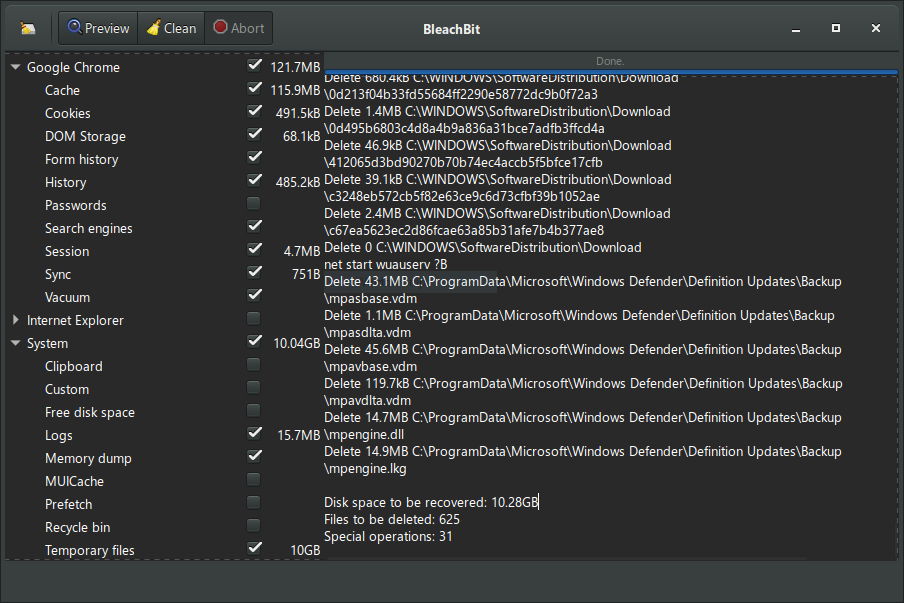
Portable BleachBit 6.0.0 full screenshots
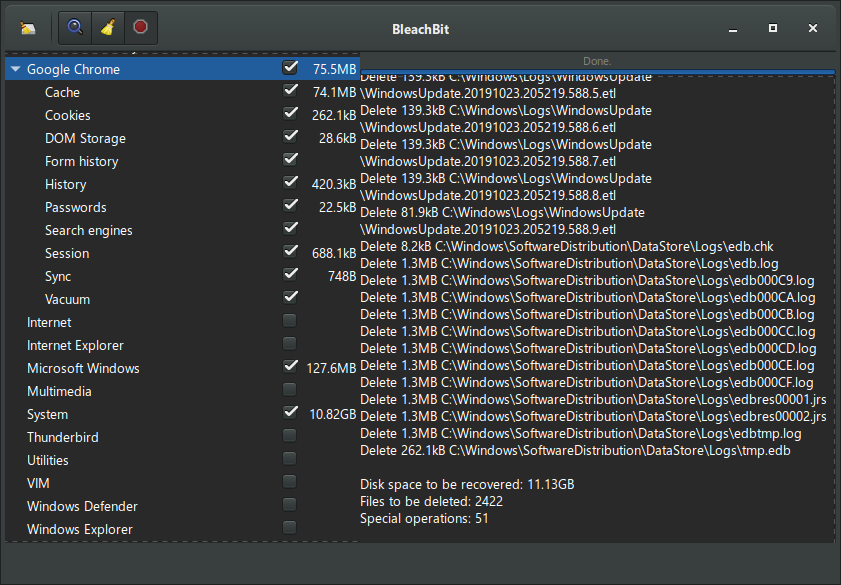
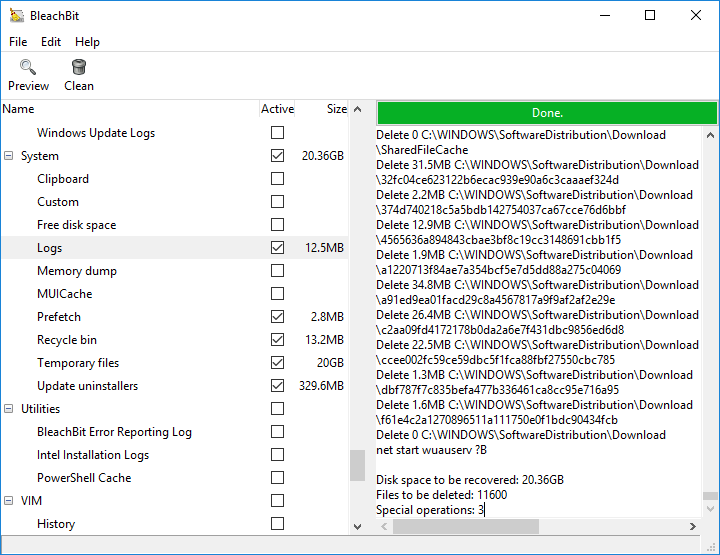
Portable BleachBit - Windows 7 Download awards


Portable BleachBit 6.0.0 full description
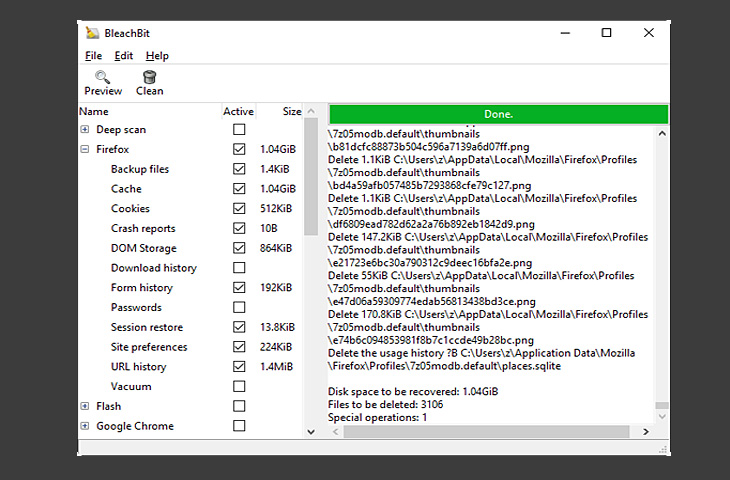
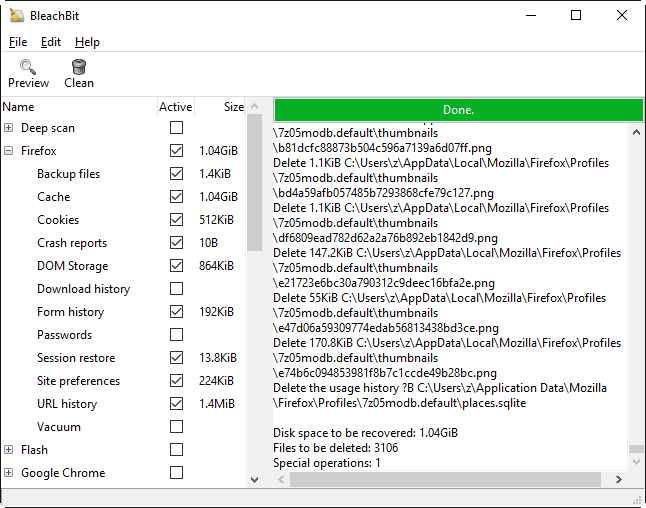
Portable BleachBit is the portable version of BleachBit developed to be able to run from a USB flash drive or any other portable device. This tool deletes unnecessary files to free valuable disk space, maintain privacy, and remove junk. Rid your system of old clutter including cache, cookies, Internet history, localizations, logs, temporary files, and broken shortcuts.
It wipes clean Adobe Reader, Chromium, Firefox, Flash, GIMP, Google Chrome, Google Earth, Internet Explorer, Java, KDE, OpenOffice.org, Opera, RealPlayer, Safari, Skype, VIM, and more.
All in all, Portable BleachBit will offer you the possibility to get back disk space as well as keep your privacy.
FEATURES:
· Simple operation: read the descriptions, check the boxes you
· Shred files to hide their contents and prevent data recovery
· Shred any file (such as a spreadsheet on your desktop)
· Overwrite free disk space to hide previously deleted files
· Command line interface for scripting and automation
· CleanerML allows anyone to write a new cleaner using XML
· Frequent software updates with new features
It wipes clean Adobe Reader, Chromium, Firefox, Flash, GIMP, Google Chrome, Google Earth, Internet Explorer, Java, KDE, OpenOffice.org, Opera, RealPlayer, Safari, Skype, VIM, and more.
All in all, Portable BleachBit will offer you the possibility to get back disk space as well as keep your privacy.
FEATURES:
· Simple operation: read the descriptions, check the boxes you
· Shred files to hide their contents and prevent data recovery
· Shred any file (such as a spreadsheet on your desktop)
· Overwrite free disk space to hide previously deleted files
· Command line interface for scripting and automation
· CleanerML allows anyone to write a new cleaner using XML
· Frequent software updates with new features
Portable BleachBit 6.0.0 download tags
Portable BleachBit 6.0.0 Windows 7 release notes
New Release
All platforms:
New Features:
Cookie manager: A new cookie manager lets you choose which cookies to keep when cleaning Chromium- and Firefox-based browsers.
New browser support: Added cleaners for the Vivaldi and Zen web browsers.
Deeper browser cleaning (Chromium-based, including Google Chrome): Now cleans component cache, extension cache, Graphite Dawn cache, shader cache, DIPS, crash reports, code cache, media device salts, reporting data, IndexedDB, network state, and search suggestions. Additional databases are vacuumed and cache handling is improved for snap and Flatpak installations.
Deeper browser cleaning (Firefox, LibreWolf, Waterfox): Now cleans storage, permissions, bounce tracking protection, site security state, alternate services, favicons, and session backups. Cache handling is also improved for snap and Flatpak installations.
Major improvements to Opera cleaning.
Reorganized browser options: Firefox and Chromium-based browser options have been reorganized under a clearer "Site data" category.
Improved session option descriptions for web browsers.
Expert mode: A new expert mode option adds guardrails for less experienced users by restricting advanced operations. Users upgrading from versions older than 5.1.0 may need to enable expert mode to access all features that previously did not have guardrails.
CLI negation support: The command-line interface now supports negation. See the CLI documentation for details.
Paste paths from clipboard: Press Ctrl+V in the main window to paste files for shredding. Previously, only files copied from a file manager were accepted; now plain text paths (e.g., copied from Notepad) are also supported.
Chaff improvements: Faster chaff generation, flexible stop conditions (file count, total size, free space percentage), a stop button, and a completion message. The UI no longer freezes while downloading chaff data.
User Interface:
Remember warning choices: You can now opt out of future confirmations directly from th
[ Portable BleachBit release history ]
All platforms:
New Features:
Cookie manager: A new cookie manager lets you choose which cookies to keep when cleaning Chromium- and Firefox-based browsers.
New browser support: Added cleaners for the Vivaldi and Zen web browsers.
Deeper browser cleaning (Chromium-based, including Google Chrome): Now cleans component cache, extension cache, Graphite Dawn cache, shader cache, DIPS, crash reports, code cache, media device salts, reporting data, IndexedDB, network state, and search suggestions. Additional databases are vacuumed and cache handling is improved for snap and Flatpak installations.
Deeper browser cleaning (Firefox, LibreWolf, Waterfox): Now cleans storage, permissions, bounce tracking protection, site security state, alternate services, favicons, and session backups. Cache handling is also improved for snap and Flatpak installations.
Major improvements to Opera cleaning.
Reorganized browser options: Firefox and Chromium-based browser options have been reorganized under a clearer "Site data" category.
Improved session option descriptions for web browsers.
Expert mode: A new expert mode option adds guardrails for less experienced users by restricting advanced operations. Users upgrading from versions older than 5.1.0 may need to enable expert mode to access all features that previously did not have guardrails.
CLI negation support: The command-line interface now supports negation. See the CLI documentation for details.
Paste paths from clipboard: Press Ctrl+V in the main window to paste files for shredding. Previously, only files copied from a file manager were accepted; now plain text paths (e.g., copied from Notepad) are also supported.
Chaff improvements: Faster chaff generation, flexible stop conditions (file count, total size, free space percentage), a stop button, and a completion message. The UI no longer freezes while downloading chaff data.
User Interface:
Remember warning choices: You can now opt out of future confirmations directly from th
[ Portable BleachBit release history ]
Bookmark Portable BleachBit
Portable BleachBit for Windows 7 - Copyright information
All Portable BleachBit reviews, submitted ratings and written comments become the sole property of Windows 7 download. You acknowledge that you, not windows7download, are responsible for the contents of your submission. However, windows7download reserves the right to remove or refuse to post any submission for any reason.
Windows 7 Download periodically updates pricing and software information of Portable BleachBit full version from the publisher, but some information may be out-of-date. You should confirm all information.
Using warez version, crack, warez passwords, patches, serial numbers, registration codes, key generator, pirate key, keymaker or keygen for Portable BleachBit license key is illegal and prevent future development of Portable BleachBit. Download links are directly from our mirrors or publisher's website, Portable BleachBit torrent or shared files from free file sharing and free upload services, including Rapidshare, MegaUpload, YouSendIt, SendSpace, DepositFiles, DivShare, HellShare, HotFile, FileServe or MediaFire, are not used.
Windows 7 Download periodically updates pricing and software information of Portable BleachBit full version from the publisher, but some information may be out-of-date. You should confirm all information.
Using warez version, crack, warez passwords, patches, serial numbers, registration codes, key generator, pirate key, keymaker or keygen for Portable BleachBit license key is illegal and prevent future development of Portable BleachBit. Download links are directly from our mirrors or publisher's website, Portable BleachBit torrent or shared files from free file sharing and free upload services, including Rapidshare, MegaUpload, YouSendIt, SendSpace, DepositFiles, DivShare, HellShare, HotFile, FileServe or MediaFire, are not used.
Post Portable BleachBit review


Windows 7 Portable BleachBit related downloads
Wise Disk Cleaner is a user friendly, fast and easy to ... kinds, such as temporary files that applications should delete when they're no longer needed, and various log ...
Wise Disk Cleaner is a user friendly, fast and easy to ... kinds, such as temporary files that applications should delete when they're no longer needed, and various log ...
Disk Cleaner is a free open source (GPL v2) tool to quickly and easily clean your hard disk from temporary files like those ...
Discover the power of Glary Disk Cleaner, an essential tool for maintaining your Windows 7 system's performance. Developed by GlarySoft Inc., this user-friendly ...
BleachBit deletes unnecessary files to free valuable disk space, maintain privacy, and remove junk. Rid your system of old ...
My Account
Help
Windows 7 Software Coupons
-
WinX HD Video Converter
56% Off -
MacX Media Management Bundle
70% Off -
MacX DVD Ripper Pro
50% Off -
FREE VPN PROXY by SEED4.ME WINDOWS
Free VPN by Seed4Me -
WinX DVD Ripper
50% Off
My Saved Stuff
You have not saved any software.
Click "Save" next to each software.
Click "Save" next to each software.
Would you like to receive announcements of new versions of your software by email or by RSS reader? Register for FREE!
Windows 7 Downloads Picks
- Deep Freeze 8.71.20.5734
- EventSentry Light 6.0.1.48
- Sandboxie 1.17.5 Plus
- Alternate Password DB 3.710
- OpenVPN x64 2.6.11
- Privacy Eraser Free 6.28
- Portable Wise Disk Cleaner 11.3.4 Build 854
- Panda Managed Office Protection 5.04
- CCleaner Portable 6.36.11508
- Portable Wise Disk Cleaner Pro 11.1.3
- Panda Cloud Office Protection 5.04
- AVG-PC Tuneup 2012 2012.27
- Refog Personal Monitor 9.2.0
- Nessus 10.7.4
- Secure Eraser Standard Edition 7.102
- Ultimate Tool 2010 Professional Edition for Win 7 1.1
- Microsoft Security Essentials Definition Updates x32 July 15, 2024
- FortiClient 7.4.2.1737
- System Cleanup 1.7.501
- Firewall Builder for Windows 5.1.0 B3599
Popular Tags
crack
privacy
delete
internet
password recovery
crack password
protect
cache
clean
firewall
erase
secure
lost password
internet security
recovery
keylogger
recover
security
monitor
software
password
freeware
lock
history
remove
hide
wipe
shredder
cookies
file
Popular Windows 7 Software
- VPNBook
- IObit Malware Fighter 13.2.0.1635
- Microsoft Safety Scanner 1.449.489.0 (May 7,
- Malwarebytes Chameleon 3.1.33.0
- Free Folder Lock 2.3.8.8
- DualSafe Password Manager 1.4.0.14
- Deep Freeze 8.71.20.5734
- 7thShare Folder Lock Pro 2.3.8.8
- EventSentry Light 6.0.1.48
- Top Data Protector 3.1.0.18
- Sandboxie 1.17.5 Plus
- imyPass iPassBye 1.0.16
- Advanced SystemCare Ultimate 18.2.0.91
- imyPass iPassGo 1.0.52
- Alternate Password DB 3.710
© 2026 Windows7Download.com - All logos, trademarks, art and other creative works are and remain copyright and property of their respective owners. Microsoft Windows is a registered trademarks of Microsoft Corporation. Microsoft Corporation in no way endorses or is affiliated with windows7download.com.