


PixBuilder Studio for Windows 7 - "Revolutionize image editing with PixBuilder Studio" - Windows 7 Download


PixBuilder Studio 2.2.0
"Transform Your Images with PixBuilder Studio - A Cutting-Edge Editing Tool"
PixBuilder Studio is the ultimate image editor for Windows 7. Developed by WnSoft Ltd., this intuitive software boasts a wide range of features that allow users to bring their creative vision to life. With its advanced photo editing tools, users can adjust colors, brightness, contrast, and much more. Whether you're a professional graphic designer or simply someone who wants to enhance their photos, PixBuilder Studio has everything you need to achieve stunning results. Download PixBuilder Studio today and take your image editing to the next level!
PixBuilder Studio 2.2.0 full details

| File Size: | 3.00 MB |
|---|---|
| License: | Freeware |
| Price: | FREE |
| Released: | 2012-02-20 |
| Downloads: | Total: 806 | This Month: 66 |
| Publisher: | WnSoft Ltd. |
| Publisher URL: | http://www.wnsoft.com |

Download PixBuilder Studio 2.2.0
Save PixBuilder Studio to My Stuff
Tweet
PixBuilder Studio - Windows 7 Download awards

PixBuilder Studio 2.2.0 full description
PixBuilder Studio is a free image editing software program for digital photo editing, images processing, and resizing. For digital photo editing, you can use its many professional quality functions.
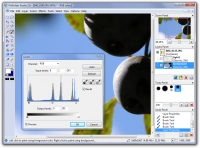
PixBuilder Studio allows you to use the following color management functions: brightness/contrast management, color balance, and levels manipulation. For professional results, you can use the curves function. In PixBuilder Studio, to carry out great, professional looking photo editing, you can manipulate the image with color channels. Layers concept, multi-step undo, gradients and masks support, and text layers support all make PixBuilder Studio a great graphics software program for image processing and creating illustration.
You can also use flexible selection transform and management functions for drawing complex raster shapes and effects or use the built-in shapes drawing tool. For other complex goals, you can use the built-in high quality effects, such as different blur types, sharpen effects, and others. By using the web safe palette and save with preview function, you can easily create web graphics in any of the most popular formats you want: JPEG, GIF, PNG, and more.
For other needs, you can use a standard set of graphics software features: rotating, resizing, stamp tool, clone tool, healing brush tool, and many others. The dockable interface concept helps you to organize your workspace according to your individual wishes and makes your work more effective.
Edit images in PixBuilder Studio and create wonderful photo slideshows in PicturesToExe Deluxe.
Main Features
# Image resizing, rotating, and crop function.
# Brightness/Contrast, Color balance, Levels, Hue/Saturation, and Color fill.
# Auto Contrast and Auto Levels.
# Built-in high quality effects: blur effects, sharpen effects, dithering, and more.
# Flexible selection management functions, such as transparency masks, magic wand, different lasso tools, single column selection, color range function, and the gradient color transition effect that gives you the ability to draw complex raster shapes and apply effects for complex areas.
# Layers concept makes your work more effective and efficient.
# Text layers with drop shadow.
# A full set of brush-based tools, such as the stamp tool, healing brush, replace color tool, and others.
# Built-in shapes drawing tools (rectangles, circles, and lines).
# Free transform and Selection transform.
# Save with preview.
# Support of image scanners.
PixBuilder Studio allows you to use the following color management functions: brightness/contrast management, color balance, and levels manipulation. For professional results, you can use the curves function. In PixBuilder Studio, to carry out great, professional looking photo editing, you can manipulate the image with color channels. Layers concept, multi-step undo, gradients and masks support, and text layers support all make PixBuilder Studio a great graphics software program for image processing and creating illustration.
You can also use flexible selection transform and management functions for drawing complex raster shapes and effects or use the built-in shapes drawing tool. For other complex goals, you can use the built-in high quality effects, such as different blur types, sharpen effects, and others. By using the web safe palette and save with preview function, you can easily create web graphics in any of the most popular formats you want: JPEG, GIF, PNG, and more.
For other needs, you can use a standard set of graphics software features: rotating, resizing, stamp tool, clone tool, healing brush tool, and many others. The dockable interface concept helps you to organize your workspace according to your individual wishes and makes your work more effective.
Edit images in PixBuilder Studio and create wonderful photo slideshows in PicturesToExe Deluxe.
Main Features
# Image resizing, rotating, and crop function.
# Brightness/Contrast, Color balance, Levels, Hue/Saturation, and Color fill.
# Auto Contrast and Auto Levels.
# Built-in high quality effects: blur effects, sharpen effects, dithering, and more.
# Flexible selection management functions, such as transparency masks, magic wand, different lasso tools, single column selection, color range function, and the gradient color transition effect that gives you the ability to draw complex raster shapes and apply effects for complex areas.
# Layers concept makes your work more effective and efficient.
# Text layers with drop shadow.
# A full set of brush-based tools, such as the stamp tool, healing brush, replace color tool, and others.
# Built-in shapes drawing tools (rectangles, circles, and lines).
# Free transform and Selection transform.
# Save with preview.
# Support of image scanners.
PixBuilder Studio 2.2.0 download tags
PixBuilder Studio 2.2.0 Windows 7 release notes
New Release
· Added Japanese language.
· Updated language files.
· Minor bug-fixes.
[ PixBuilder Studio release history ]
· Added Japanese language.
· Updated language files.
· Minor bug-fixes.
[ PixBuilder Studio release history ]
Bookmark PixBuilder Studio
PixBuilder Studio for Windows 7 - Copyright information
All PixBuilder Studio reviews, submitted ratings and written comments become the sole property of Windows 7 download. You acknowledge that you, not windows7download, are responsible for the contents of your submission. However, windows7download reserves the right to remove or refuse to post any submission for any reason.
Windows 7 Download periodically updates pricing and software information of PixBuilder Studio full version from the publisher, but some information may be out-of-date. You should confirm all information.
Using warez version, crack, warez passwords, patches, serial numbers, registration codes, key generator, pirate key, keymaker or keygen for PixBuilder Studio license key is illegal and prevent future development of PixBuilder Studio. Download links are directly from our mirrors or publisher's website, PixBuilder Studio torrent or shared files from free file sharing and free upload services, including Rapidshare, MegaUpload, YouSendIt, SendSpace, DepositFiles, DivShare, HellShare, HotFile, FileServe or MediaFire, are not used.
Windows 7 Download periodically updates pricing and software information of PixBuilder Studio full version from the publisher, but some information may be out-of-date. You should confirm all information.
Using warez version, crack, warez passwords, patches, serial numbers, registration codes, key generator, pirate key, keymaker or keygen for PixBuilder Studio license key is illegal and prevent future development of PixBuilder Studio. Download links are directly from our mirrors or publisher's website, PixBuilder Studio torrent or shared files from free file sharing and free upload services, including Rapidshare, MegaUpload, YouSendIt, SendSpace, DepositFiles, DivShare, HellShare, HotFile, FileServe or MediaFire, are not used.
Post PixBuilder Studio review


Windows 7 PixBuilder Studio related downloads
Easily draw and create graphic images with DrawPad - Graphic Design and Drawing software. DrawPad ...
... of impeccable graphics and creative design with DrawPad Graphic Editor Professional! Developed by NCH Software, this dynamic Windows ...
ID Photo Creator is a powerful software designed to prepare and ... and save photo. Key features of ID Photo Creator: - Quick creation of ID photos; - Adding ...
Looking for an easy-to-use tool that creates seamless textures in a breeze? Look no further than Seamless Texture Creator from EArt Media Software. This sleek and intuitive ...
Drawtify Infographic Creator not only includes an amazing number of free ... to tell your most eye-catching story. Drawtify Infographic Creator Competitive advantages 1.Suitable for everyone There is almost ...
My Account
Help
Windows 7 Software Coupons
-
MacX Media Management Bundle
70% Off -
MacX DVD Ripper Pro
50% Off -
WinX DVD Copy Pro
42% Off -
MacX MediaTrans
63% Off -
WinX HD Video Converter
56% Off
My Saved Stuff
You have not saved any software.
Click "Save" next to each software.
Click "Save" next to each software.
Would you like to receive announcements of new versions of your software by email or by RSS reader? Register for FREE!
Windows 7 Downloads Picks
- CorelDRAW X7 (x32 bit) 17.4.0.887
- CorelDRAW X7 (x64 bit) 17.4.0.887
- CorelDRAW X5 15.2.0.686
- CorelDRAW X4
- CorelDRAW 2017 19.1.0.419
- CorelDRAW X6 16.4.0.1280
- Blender - 32 bit 2.80
- CorelDRAW X8 18.0.0.450
- Graphic Workshop Professional 15.0a rev11
- Paint.NET 5.0.13
- Adobe Illustrator CS6 16.0.5
- Adobe PhotoShop CS6 Extended CC 2024 25.11
- Adobe After Effects CC 2024 24.5.0
- PDFill PDF Editor 15.0 Build 2
- Corel PaintShop Photo Pro X3 2023 25.2.0.58
- Adobe Illustrator CC CC 2024 28.5.0
- Synfig Studio 1.5.5
- Google SketchUp Pro 2020
- Image Analyzer 1.43
- Video Slideshow Maker 1.0.60
Popular Tags
generator
styles
edit
seamless
image
photo editor
resize
photos
paint
jpg
free
wallpaper
texture
photoshop
graphics
picture
editor
watermark
image editor
batch
desktop
image editing
graphic
software
images
photo
jpeg
digital
background
plugin
Popular Windows 7 Software
- CorelDRAW X7 (x32 bit) 17.4.0.887
- CorelDRAW X7 (x64 bit) 17.4.0.887
- CorelDRAW X5 15.2.0.686
- CorelDRAW X4
- iTop Screenshot 1.2.3.544
- CorelDRAW 2017 19.1.0.419
- CorelDRAW X6 16.4.0.1280
- Blender - 32 bit 2.80
- Adobe InDesign CS5 CS5.5 7.5.3
- CorelDRAW X8 18.0.0.450
- Graphic Workshop Professional 15.0a rev11
- Model Air Design 2.4
- Blender Portable 4.1.1
- Model Air Design 2.4
- Paint.NET 5.0.13
© 2026 Windows7Download.com - All logos, trademarks, art and other creative works are and remain copyright and property of their respective owners. Microsoft Windows is a registered trademarks of Microsoft Corporation. Microsoft Corporation in no way endorses or is affiliated with windows7download.com.