


Microsoft Access for Windows 7 - Powerful Database Management Tool. - Windows 7 Download


Microsoft Access 2016 16.0.9001.2144
"Streamline database management with the ultimate Access software."
Looking for an efficient and user-friendly way to organize your data? Look no further than Microsoft Access! Developed by Microsoft, this powerful software is the perfect tool for managing and analyzing information. With features like customizable forms and reports, query builder, and data visualization tools, Microsoft Access makes it easy to create and maintain databases of any size. Plus, thanks to its integration with other Microsoft products like Excel and SharePoint, sharing and collaborating on data has never been easier. Download Microsoft Access today and take control of your data!
Microsoft Access 2016 16.0.9001.2144 full details

| File Size: | 4100.00 MB |
|---|---|
| License: | Trialware |
| Price: | $109.99 |
| Released: | 2020-01-07 |
| Downloads: | Total: 149 | This Month: 104 |
| Publisher: | Microsoft |
| Publisher URL: | https://www.microsoft.com |

Download Microsoft Access 2016 16.0.9001.2144
Save Microsoft Access to My Stuff
Tweet
Microsoft Access - Windows 7 Download awards

Microsoft Access 2016 16.0.9001.2144 full description
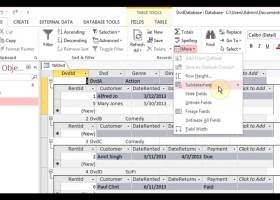
Microsoft Access comes with an advanced report designer tool to prepare your data for online viewing and printing. After choosing the report source, the built-in wizard can guide you step-by-step through the entire process. And if you don't want to use the wizard, you can simply start creating a report manually. Microsoft Access is one of the reference tools on the market. Around since 1992, Access is integrated into the Microsoft Office suite.
Microsoft Access comes with an advanced report designer tool to prepare your data for online viewing and printing. After choosing the report source, the built-in wizard can guide you step-by-step through the entire process. And if you don't want to use the wizard, you can simply start creating a report manually.
FEATURES
Beyond desktop databases:
Access is now much more than a way to create desktop databases. It’s an easy-to-use tool for quickly creating browser-based database applications that help you run your business. Your data is automatically stored in a SQL database, so it’s more secure than ever, and you can easily share your applications with colleagues.
App templates:
Easily get started by creating a custom app or get inspired by a collection of new and professionally-designed app templates.
Table templates:
Know what you would like to track with your custom app? Simply start typing it in the “Add tables” textbox and then choose from relevant tables to quickly define fields, relationships, and rules between them. You will have a new app running in minutes!
The “App experience”:
Never again worry about users getting “lost in the data” with apps that automatically keep an attractive, easy-to-use interface and consistent user experience. Access deals with the code that creates this professional look and feel.
Related items control:
Users can take a peek at additional relevant information in the database without changing screens, so they have the right context when reviewing or entering information.
Autocomplete control:
Entering data is now much easier and less error-prone for app users with drop downs and recommendations made upon beginning to type in data. Lookups allow for drawing relationships between records in different tables.
Apps for SharePoint deployment:
With Access Services and SharePoint Online or on-premises SharePoint Server 2013, Access apps can now be easily managed and monitored through a company SharePoint site in a browser. This enables multi-user accessibility and the permissions control expected from SharePoint along with visibility on app usage.
Data stored in SQL:
The back end has been moved to SQL Server and Microsoft Azure SQL Database to allow for added reliability, robust security, scalability and long-term manageability. Access applications now leverage standard SQL syntax and a true mission-critical back end, whether deployed on-premises or in the cloud.
Microsoft Access comes with an advanced report designer tool to prepare your data for online viewing and printing. After choosing the report source, the built-in wizard can guide you step-by-step through the entire process. And if you don't want to use the wizard, you can simply start creating a report manually.
FEATURES
Beyond desktop databases:
Access is now much more than a way to create desktop databases. It’s an easy-to-use tool for quickly creating browser-based database applications that help you run your business. Your data is automatically stored in a SQL database, so it’s more secure than ever, and you can easily share your applications with colleagues.
App templates:
Easily get started by creating a custom app or get inspired by a collection of new and professionally-designed app templates.
Table templates:
Know what you would like to track with your custom app? Simply start typing it in the “Add tables” textbox and then choose from relevant tables to quickly define fields, relationships, and rules between them. You will have a new app running in minutes!
The “App experience”:
Never again worry about users getting “lost in the data” with apps that automatically keep an attractive, easy-to-use interface and consistent user experience. Access deals with the code that creates this professional look and feel.
Related items control:
Users can take a peek at additional relevant information in the database without changing screens, so they have the right context when reviewing or entering information.
Autocomplete control:
Entering data is now much easier and less error-prone for app users with drop downs and recommendations made upon beginning to type in data. Lookups allow for drawing relationships between records in different tables.
Apps for SharePoint deployment:
With Access Services and SharePoint Online or on-premises SharePoint Server 2013, Access apps can now be easily managed and monitored through a company SharePoint site in a browser. This enables multi-user accessibility and the permissions control expected from SharePoint along with visibility on app usage.
Data stored in SQL:
The back end has been moved to SQL Server and Microsoft Azure SQL Database to allow for added reliability, robust security, scalability and long-term manageability. Access applications now leverage standard SQL syntax and a true mission-critical back end, whether deployed on-premises or in the cloud.
Microsoft Access 2016 16.0.9001.2144 download tags
Bookmark Microsoft Access
Microsoft Access for Windows 7 - Copyright information
All Microsoft Access reviews, submitted ratings and written comments become the sole property of Windows 7 download. You acknowledge that you, not windows7download, are responsible for the contents of your submission. However, windows7download reserves the right to remove or refuse to post any submission for any reason.
Windows 7 Download periodically updates pricing and software information of Microsoft Access full version from the publisher, but some information may be out-of-date. You should confirm all information.
Using warez version, crack, warez passwords, patches, serial numbers, registration codes, key generator, pirate key, keymaker or keygen for Microsoft Access license key is illegal and prevent future development of Microsoft Access. Download links are directly from our mirrors or publisher's website, Microsoft Access torrent or shared files from free file sharing and free upload services, including Rapidshare, MegaUpload, YouSendIt, SendSpace, DepositFiles, DivShare, HellShare, HotFile, FileServe or MediaFire, are not used.
Windows 7 Download periodically updates pricing and software information of Microsoft Access full version from the publisher, but some information may be out-of-date. You should confirm all information.
Using warez version, crack, warez passwords, patches, serial numbers, registration codes, key generator, pirate key, keymaker or keygen for Microsoft Access license key is illegal and prevent future development of Microsoft Access. Download links are directly from our mirrors or publisher's website, Microsoft Access torrent or shared files from free file sharing and free upload services, including Rapidshare, MegaUpload, YouSendIt, SendSpace, DepositFiles, DivShare, HellShare, HotFile, FileServe or MediaFire, are not used.
Post Microsoft Access review


Windows 7 Microsoft Access related downloads
... will allow you to convert your MDB (Microsoft Access) files to DBF format. You can select ...
... to simplify and streamline the process of migrating Microsoft SQL databases to Microsoft Access.
The MSSQL-to-Access software is ...
... InterSystems Caché, Teradata, Visual Foxpro, SQLite, FireBird, InterBase, Microsoft Access, Microsoft Excel, Paradox, Lotus, dBase, CSV/Text and ...
... with all the benefits of having your own Access database, without having to spend months starting from ...
... Merge, or other tabular format, including FileMaker Pro, Microsoft Access, and AppleWorks. Using HTML template pages you ...
My Account
Help
Windows 7 Software Coupons
-
MacX MediaTrans
63% Off -
WinX DVD Ripper
50% Off -
WinX HD Video Converter
56% Off -
WinX DVD Copy Pro
42% Off -
MacX DVD Ripper Pro
50% Off
My Saved Stuff
You have not saved any software.
Click "Save" next to each software.
Click "Save" next to each software.
Would you like to receive announcements of new versions of your software by email or by RSS reader? Register for FREE!
Windows 7 Downloads Picks
- PHPRunner 10.91 B42144
- XMail 1.27
- Free SQL Health Monitor 2.0
- Database Master 12.0.0
- Portable RazorSQL 10.6.8
- Photo Viewer Web Part 2.3.16.38
- Portable ORM Designer 3.0.1.1129
- Navicat Lite for Oracle x64 17.0.8
- Deniz SQL Processes Viewer 1.0.0.0
- MySQL Workbench 8.0.34
- Flat File Checker 0.7.3.2 Beta
- TwonkyMedia Manager 3.1.0.55
- DB2 PHP Generator Professional 22.8
- Web Log Explorer Enterprise Edition 9.61 B1411
- REFOG Terminal Monitor 8.1.2.2060
- DateTime Column 1.4
- Microsoft Security Compliance Manager 2.5.40.0
- cwRsync 6.3.2
- PHP Generator for MySQL Professional 22.8.0.12
- WinPIM Data Server 8.0.55
Popular Tags
server
web
log analysis
smtp server
backup
database
file server
log analyzer
idisk
client server
virtualization
dscsi
sharepoint component
ipds printing
sharepoint server
network disk
analysis
web server
iscsi target
ftp server
software
pop3 server
active directory reports
sharepoint web part
sharepoint
log
web part
mail server
active directory management
script
Popular Windows 7 Software
- dbForge Unit Test for SQL Server 2025.3.149
- Windows 7 Firewall Control 8.4.0.84
- User Property Field 1.7.1
- eftepede for Windows
- RaidenMAILD 5.0.2
- PHPRunner 10.91 B42144
- XMail 1.27
- Free SQL Health Monitor 2.0
- CC Proxy Server 8.0
- UFO VPN for Windows 2.2.0
- SQL Management Studio 2011 for Oracle 1.2.0.8
- Magic Winmail Server 7.2 Build 0524
- AmoK pop2rss 1.0
- Wake-On-LAN Proxy Server 1.1.0
- Database Master 12.0.0
© 2026 Windows7Download.com - All logos, trademarks, art and other creative works are and remain copyright and property of their respective owners. Microsoft Windows is a registered trademarks of Microsoft Corporation. Microsoft Corporation in no way endorses or is affiliated with windows7download.com.